A zero-day exploit is code or a technique that exploits a software vulnerability before the vendor releases a public security patch. Because defenders may not have a ready-made fix or established detection rules for the flaw, attackers can use this window to compromise systems, steal sensitive information, or disrupt operations.
But how do these exploits work, which technologies are most vulnerable, and how can security teams defend against attacks they may not yet recognise? Understanding the threat, identifying exposure, and preparing an effective response are key to strengthening cybersecurity.
What Makes a Zero-Day Exploit Different From a Known Vulnerability?
A software vulnerability can leave business systems open to cyberattacks. When attackers exploit a flaw before a patch is publicly available, the technique is known as a zero-day exploit.
The term zero-day refers to a vulnerability that is exploited before the software vendor makes a security patch publicly available. The term reflects the lack of time available to defenders to apply an official fix before exploitation occurs.
| Term | Meaning |
| Zero-day vulnerability | A software flaw that is unknown to the vendor or has no available security fix. |
| Zero-day exploit | The code or technique used to take advantage of that flaw. |
| Zero-day attack | A cyberattack that uses the exploit to target a vulnerable system. |
| N-day vulnerability | A publicly known vulnerability that may remain exploitable on systems that have not applied an available patch or mitigation. |
Which Systems Are Most at Risk From Zero-Day Exploits?

Zero-day vulnerabilities can affect operating systems, business applications, network infrastructure, cloud services, and security products. Systems exposed to the internet can be particularly attractive targets because attackers may be able to reach them without first gaining access to an internal network.
Common areas of exposure include:
Network and security appliances:
Firewalls, VPN gateways, routers, and other edge devices can provide attackers with an entry point into business networks.
Enterprise applications:
Email platforms, collaboration tools, CRM systems, and business software may expose sensitive information when exploited.
Operating systems and endpoints:
Servers, laptops, and workstations can be targeted to execute malicious code or gain unauthorised access.
Cloud environments:
Vulnerabilities in cloud-hosted applications, services, and connected software components can expose workloads and business data.
Third-party software:
Applications that rely on external libraries and dependencies may inherit vulnerabilities from those components.
Google Threat Intelligence Group (GTIG) tracked 90 zero-day vulnerabilities exploited in the wild during 2025. Of these, 43 affected enterprise technologies, including 21 vulnerabilities in security and networking products. This shows why organisations need visibility into both their business applications and underlying infrastructure.
Also Read: How Do You Put Endpoint Security Best Practices Into Action?
How Do Zero-Day Exploits Lead to Security Incidents?
A zero-day exploit can become a business security incident when attackers use an unknown or unpatched flaw to access a vulnerable system. The attack path varies depending on the vulnerability, the target, and the attacker’s objectives.
A typical sequence may involve:
- Finding a vulnerable system: Attackers identify an application, device, or service containing a security flaw.
- Exploiting the vulnerability: They send a specially crafted request, file, or command to trigger the flaw.
- Gaining access: Depending on the vulnerability, attackers may execute malicious code, bypass authentication, or obtain unauthorized access.
- Expanding access: Attackers may attempt to increase their privileges or move to other systems within the network.
- Carrying out their objective: They may steal sensitive data, install malware, disrupt operations, or maintain unauthorised access.
Real-World Example: The Log4Shell Vulnerability
Log4Shell (CVE-2021-44228), publicly disclosed on December 10, 2021, exposed a critical vulnerability in Apache Log4j Core, a Java-based logging component used by many applications.
Under vulnerable configurations, attackers could send crafted requests that triggered JNDI lookups, potentially enabling remote code execution. The Cyber Safety Review Board reported that limited exploit testing had been observed as early as December 1, before public disclosure.
The vulnerability had been privately reported to the Apache Software Foundation on November 24, before its public disclosure. The incident demonstrated how a flaw in a widely used third-party software component could expose applications and systems that depended on it.
Why Is Responsible Vulnerability Disclosure Important?

Responsible vulnerability disclosure allows security researchers to report software flaws privately to affected vendors or authorised coordination organisations. This allows vendors to verify the issue and coordinate the release of security information with researchers.
The process typically involves three steps:
- Report the vulnerability: Researchers share technical details with the affected vendor or a coordination organisation.
- Coordinate remediation: The vendor investigates the flaw and prepares a patch or mitigation.
- Disclose the details: Researchers and vendors coordinate public communication so users receive relevant security information.
Why Are Zero-Day Exploits Hard to Detect?
Several limitations can affect detection:
- Unknown attack patterns: Signature-based tools may not recognise malicious activity when an exploit has no known detection signature.
- Limited device visibility: Some network appliances and edge devices may not support endpoint detection capabilities, making suspicious activity harder to investigate.
- Misconfigured security tools: Poorly configured logging, monitoring, and access controls can create gaps in security coverage.
- Delayed threat intelligence: Security teams may not receive or act on relevant vulnerability information quickly enough.
How Can Security Teams Defend Against Zero-Day Exploits?
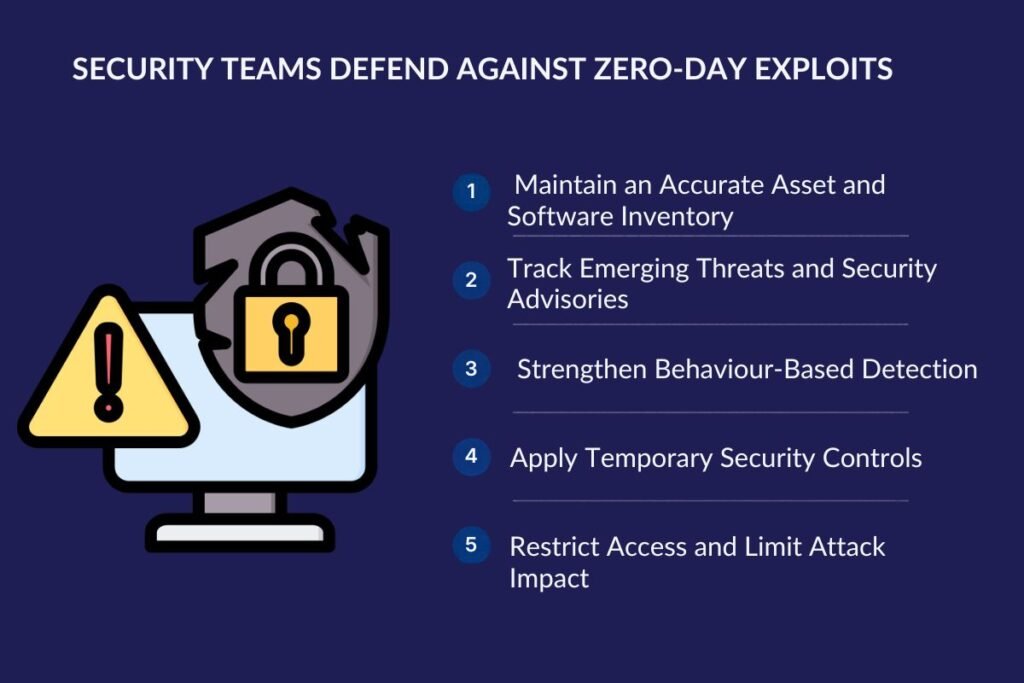
Security teams should combine proactive security measures with a structured incident response plan.
Proactive Measures to Reduce Zero-Day Risks
1. Maintain an Accurate Asset and Software Inventory
Maintain an updated inventory of applications, operating systems, cloud workloads, network devices, and third-party dependencies. Use automated asset discovery and software composition analysis tools to identify exposed systems and vulnerable software components.
2. Track Emerging Threats and Security Advisories
Monitor vendor security advisories, CISA alerts, and trusted threat intelligence sources for information about newly discovered vulnerabilities and active exploitation. Prioritise affected systems based on their exposure, business importance, and evidence of exploitation rather than relying only on severity scores.
3. Strengthen Behaviour-Based Detection
Monitor unusual processes, unexpected network connections, suspicious data transfers, and abnormal account activity. Use endpoint detection and response (EDR), extended detection and response (XDR), or security information and event management (SIEM) tools to identify suspicious behaviour that may not match known attack signatures.
4. Apply Temporary Security Controls
When a vulnerability has no available patch, follow vendor guidance to reduce exposure. Restrict access to affected services, disable vulnerable features where safe, and apply appropriate firewall or web application firewall rules until a permanent fix becomes available.
5. Restrict Access and Limit Attack Impact
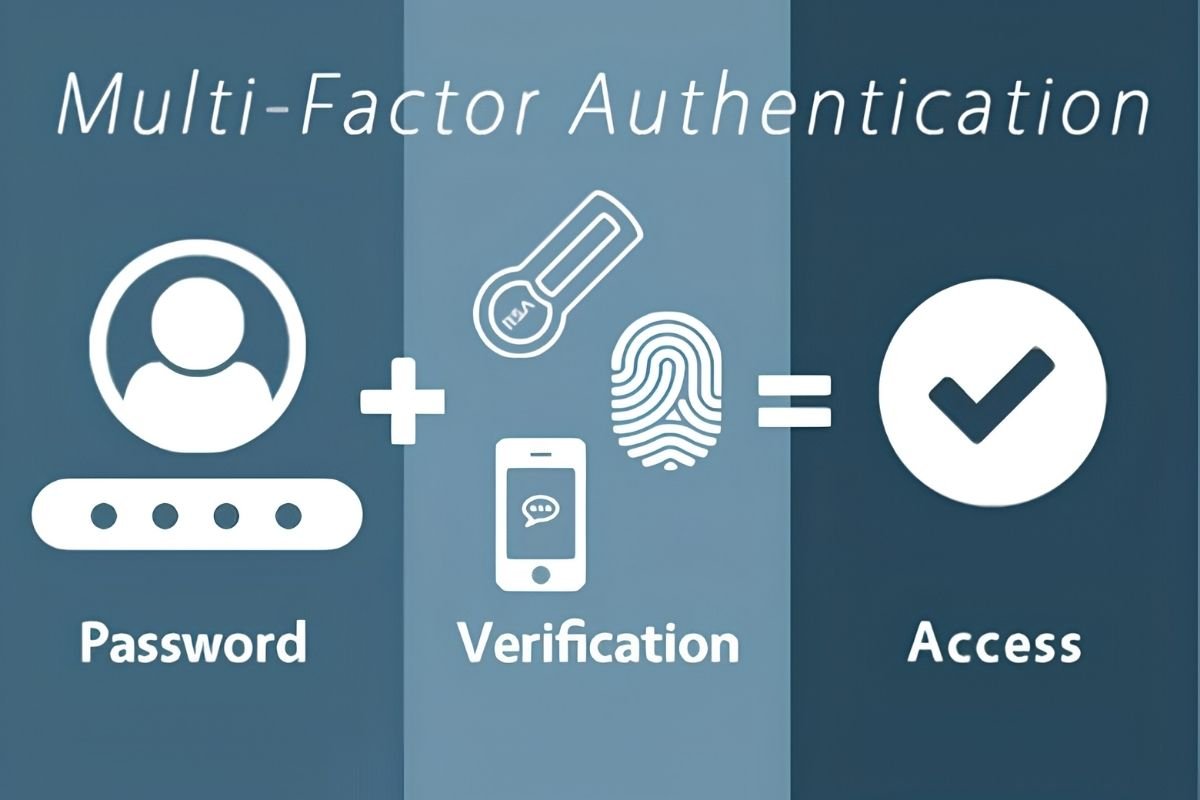
Enforce multi-factor authentication (MFA), least-privilege access, and network segmentation to limit unauthorised access and lateral movement. Maintain tested backups and verify recovery procedures to minimise disruption if systems are compromised.
Incident Response Actions When a Zero-Day Exploit Is Detected
A suspected zero-day exploit requires a coordinated response. Security teams should follow their incident response plan and work with affected system owners, vendors, and relevant security partners.
| Response step | Action required |
| 1. Identify affected assets | Determine which applications, devices, software versions, and dependencies may be vulnerable. |
| 2. Assess possible compromise | Review logs, endpoint alerts, network activity, and account behaviour for signs of exploitation. |
| 3. Contain the threat | Isolate compromised systems or restrict access to affected services to prevent further activity. |
| 4. Apply vendor guidance | Deploy available patches or approved mitigations. If no patch exists, implement recommended temporary security controls. |
| 5. Recover and review | Restore affected services, verify system integrity, and investigate how the incident occurred. |
What Is Changing About Zero-Day Exploitation in 2026?
Zero-day exploitation remains an important concern as businesses rely on more connected applications, cloud services, and enterprise infrastructure.
According to GTIG’s September 2026 analysis, the average number of zero-day vulnerabilities exploited increased from eight per month in 2025 to 11 per month between January and August 2026. The report also found that the average number of vulnerabilities exploited overall rose from 10.5 to 18 per month over the same comparison periods.
Although zero-day exploitation increased only marginally, the broader rise in vulnerability exploitation shows why security teams must also prioritise known vulnerabilities that attackers are actively exploiting.
For organisations, this means combining threat intelligence with asset visibility and timely remediation. Security teams need to identify exposed systems, assess real-world exploitation activity, and apply available fixes or mitigations based on risk.
Conclusion
Managing a zero-day exploit requires continuous attention to emerging vulnerabilities and changing attack methods. Businesses need to know which systems are exposed and how quickly they can respond when a new threat appears.
Regularly assess software dependencies, strengthen security monitoring, and test incident response procedures. These actions can help organisations limit disruption, protect critical data, and maintain business continuity.
Frequently Asked Questions
1. Can a zero-day exploit affect fully updated software?
Yes. A zero-day exploit can target a newly discovered vulnerability with no security patch, even when the affected software is otherwise fully updated.
2. What is a zero-click zero-day exploit?
A zero-click exploit targets a vulnerability without requiring the victim to click a link, open a file, or take any action.
3. How are zero-day vulnerabilities discovered?
Security researchers, software developers, and attackers discover zero-day vulnerabilities through code analysis, security testing, and vulnerability research.
4. Does a zero-day vulnerability have a CVE number?
Yes. A zero-day vulnerability can receive a Common Vulnerabilities and Exposures (CVE) identifier even when a security patch is not yet publicly available.