One free download can turn a normal workday into a cleanup job. Suddenly, files disappear, strange ads take over, or your laptop crawls. Antivirus protection helps detect, block, and remove harmful software, but it cannot stop every online scam. The FBI received 1,008,597 internet crime complaints in 2025; these covered scams and other online crimes.
What Does Antivirus Software Actually Protect?
Antivirus protection helps your device detect, block, quarantine, and remove malware, which is harmful software. A computer virus is just one type. Modern tools can also guard against:
- Spyware: Secretly collects information.
- Worms: Spread between devices.
- Trojans: Hide inside apps that look safe.
- Ransomware: Locks files and demands payment.
Antivirus is not complete cybersecurity. It protects devices from malicious programs, but not every online risk.
How Does It Detect and Stop Malware?
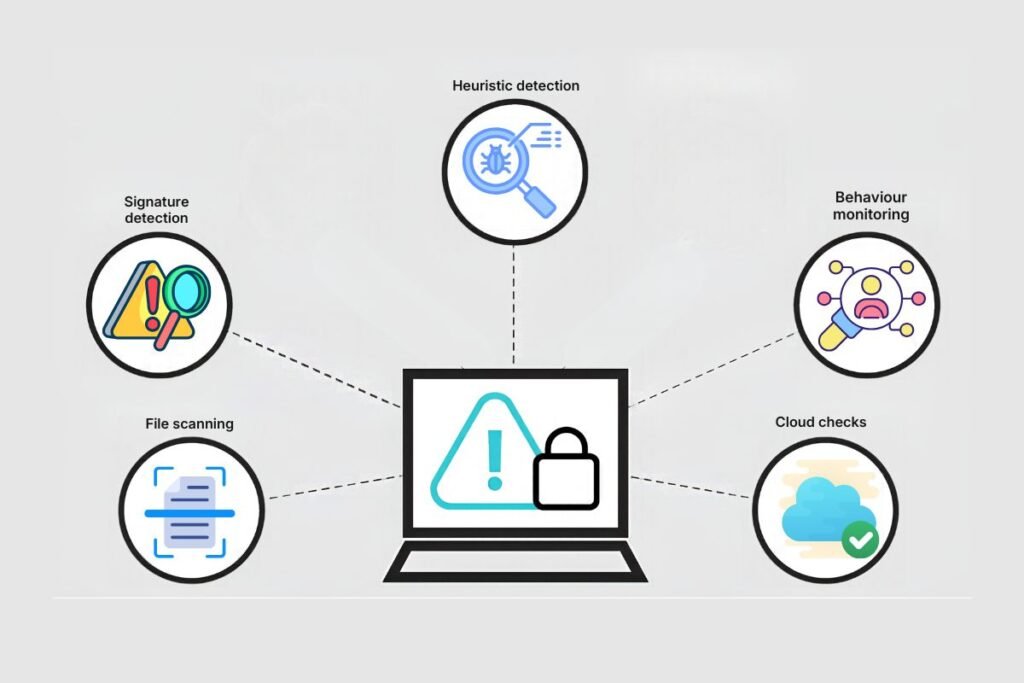
Antivirus protection runs several checks to spot trouble before it spreads. Here’s what happens when you open or download a file:
- File scanning: Checks files, apps, and downloads for harmful code.
- Signature detection: Matches files against patterns of known malware.
- Heuristic detection: Looks for suspicious features linked to new threats.
- Behaviour monitoring: Watches programs for harmful actions.
- Cloud checks: Uses fresh online threat data to spot risks.
If a threat appears, the software can block, quarantine, or remove it. Most modern tools combine these methods rather than rely on just one.
How Has Antivirus Changed Over Time?
The first PC viruses spread through floppy disks, so early scanners focused on finding known threats. Antivirus protection changed as computers connected to email and the internet, giving malware more ways to travel.
| Period | What changed |
| 1986 | The Brain virus appeared on IBM PCs and spread through floppy disks. |
| 1987–1989 | Commercial antivirus scanners began appearing, mainly checking files for known virus patterns. |
| 1990s | Email and Word documents helped viruses spread. Changing virus code also challenged simple signature checks. |
| 2000s | Internet worms and infected websites made real-time checks and faster updates more important. |
| 2010s onward | Behaviour checks, cloud threat data, and sandboxing helped identify unfamiliar threats. |
Today’s tools combine these methods because no single check can catch every threat.
What Types of Antivirus Protection Detect Common Cyber Threats?

Antivirus protection uses different detection methods to catch different kinds of malware. Here is how the main approaches work and what they help identify.
| Detection type | How it works | Threats it can help detect |
| Signature-based | Matches files against known malware patterns. | Known viruses, worms, and Trojans |
| Heuristic-based | Spots suspicious features in unfamiliar files. | New or modified malware |
| Behaviour-based | Watches programs for harmful actions. | Ransomware, spyware, and keyloggers |
| Cloud-based | Uses updated online threat information. | New and changing malware threats |
These methods often work together. Antivirus software can also run real-time, scheduled, or on-demand scans. These describe when checks happen, rather than how threats are detected.
AV-TEST registers over 450,000 new malicious programs and potentially unwanted applications daily. However, antivirus cannot catch every phishing message or fake payment request. Always check suspicious links before clicking.
Antivirus vs Endpoint Protection: What Is the Difference?
Think of antivirus as a lock on your front door and endpoint protection as the entire home security system. Both keep trouble away, but they do different jobs.
| Area | Antivirus | Endpoint protection |
| Main focus | Finds and removes malware | Wider device security |
| Coverage | Individual devices | Multiple company devices |
| Main tools | Scanning and threat blocking | Monitoring, prevention, and response |
| Main users | Home users | Businesses and IT teams |
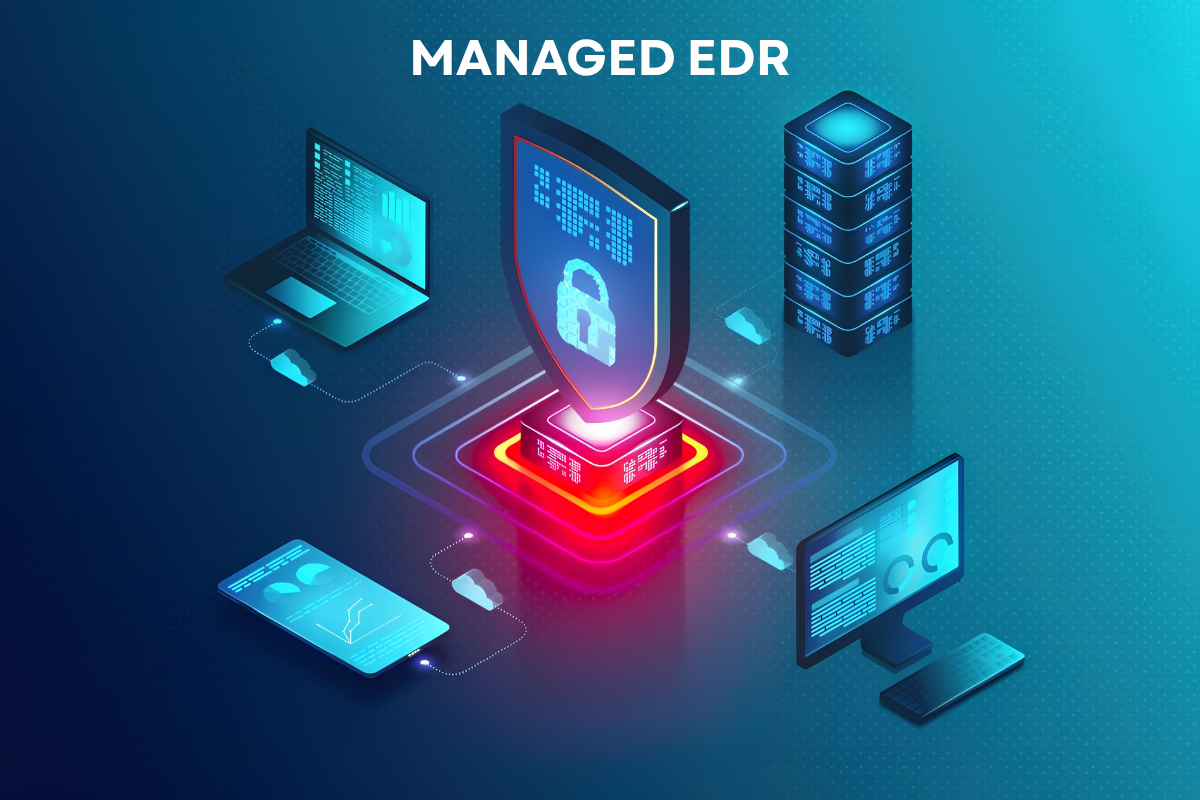
Antivirus protection can be one part of endpoint security. The wider system may also include device controls and tools that help IT teams investigate attacks. They are related, but not interchangeable.
Also Read: EDR vs Antivirus: How to Know Which Protection You Need
Which Features Should You Look for Before Choosing?
Good antivirus protection should do more than flash warnings at you. Look for features that offer real value, not just fancy names.
Protection that works quietly
- Real-time scanning: Checks files and downloads as they arrive.
- Automatic updates: Keeps threat information fresh.
- Behaviour monitoring: Spots suspicious activity.
- Ransomware protection: Helps keep important files safe.
Features that make life easier
- Web protection: Blocks known harmful links.
- Easy controls: Makes alerts and quarantined files simple to manage.
- Low system impact: Protects your device without slowing it down.
- Device support: Works with your operating system.
Before buying, check independent test results. AV-TEST reviews protection, speed, and ease of use, while AV-Comparatives tests real-world threats and false alarms. After all, software that blocks your favourite safe apps can become a headache.
What Are the Main Benefits?

A malware infection can cost you more than a few hours of frustration. It can put your files, privacy, and work at risk. Good antivirus protection helps in several ways:
| Benefit | How it helps |
| Malware prevention | Stop threats before they cause damage. |
| File safety | Helps protect personal and work files. |
| Safer downloads | Reduces the risk of harmful files. |
| Device security | Blocks unwanted programs from running. |
| Less downtime | Saves time spent fixing infections. |
| Added protection | Gives your device another layer of security. |
It lowers your risk, but no software can promise complete safety.
Also Read: Indicators of Compromise Explained: How to Detect and Prevent Cyber Attacks
How Do You Install and Maintain It?
Installing antivirus software is simple, but a few small steps can make a big difference.
- Choose trusted software that supports your device.
- Download it from the official website or app store.
- Turn on real-time protection and automatic updates.
- Run a full scan after installation.
- Review alerts and quarantine suspicious files.
- Update your operating system, browser, and apps.
- Back up important files regularly.
Verizon’s 2026 Data Breach Investigations Report found that 31% of breaches involved vulnerability exploitation. Antivirus protection cannot fix outdated software. Avoid pop-up downloads and check compatibility before running two antivirus programs together.
Conclusion: Make Device Security a Daily Habit
Good antivirus protection is a first step, but it works best alongside online habits. Choose trusted software, keep it updated, back up important files, and pause before opening unknown links or downloads. No tool can block every threat, so stay alert and make device security part of your daily routine.
Frequently Asked Questions
1. Is antivirus software enough to stay safe online?
No. Antivirus protection helps stop malware, but strong passwords, regular updates, and safe browsing matter too.
2. Can antivirus software remove existing malware?
Yes. Most tools can quarantine or remove detected threats. Some infections may need an offline scan.
3. Does antivirus software protect against phishing?
Some tools block harmful links, but they cannot catch every fake message or website.
4. Do smartphones need antivirus software?
Not always. Use trusted apps and built-in security features suited to your phone’s operating system.
5. Is free antivirus software enough?
It can cover basic needs. Check its features, updates, and independent test results before choosing.