How many endpoints does your business need to secure today? Laptops, smartphones, servers, remote devices, cloud-connected systems, and third-party devices can all become entry points when they are outdated, misconfigured, or unmanaged.
Endpoint security best practices help teams identify devices, secure configurations, control access, protect data, monitor activity, and respond when an endpoint is compromised.
The challenge is making these controls part of daily security operations. Teams need to know which devices need attention, what security standards they must meet, and how to respond when an endpoint falls short or shows signs of compromise.
What Are Endpoint Security Best Practices?
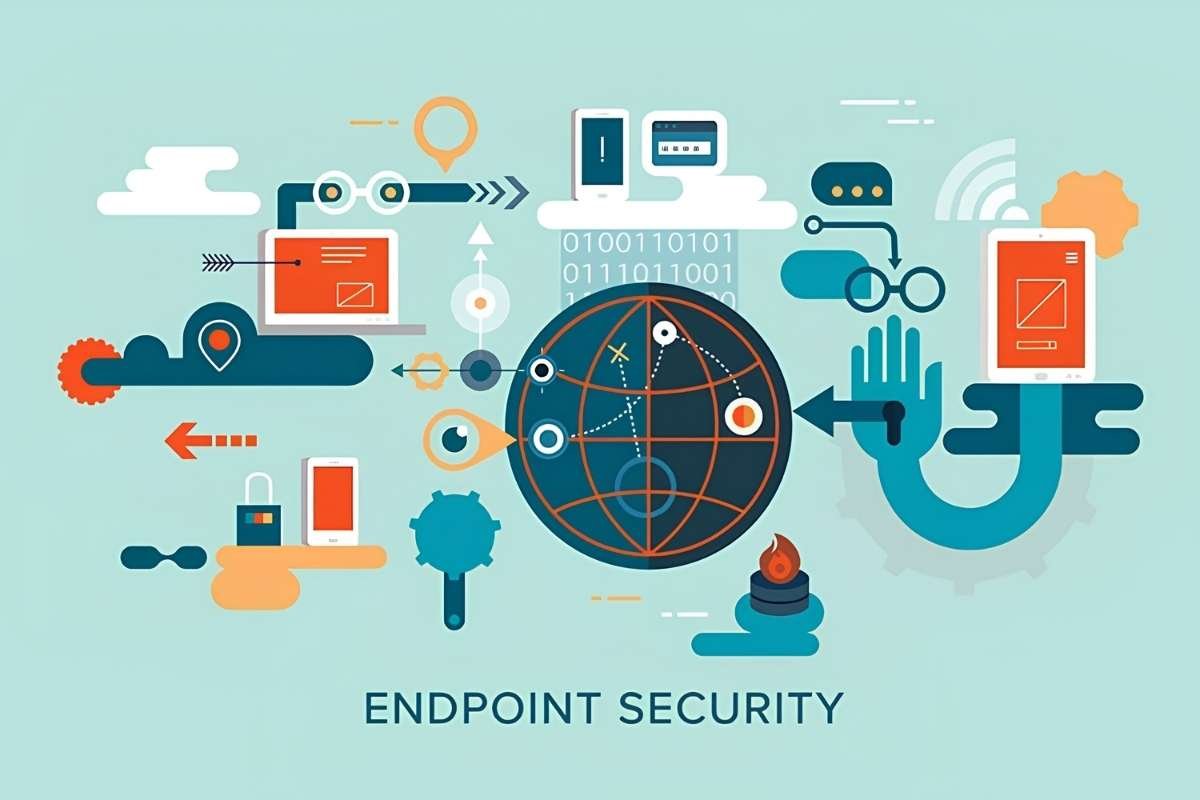
Endpoint security best practices are the policies and security controls organizations use to protect devices, data, and access. They help security teams identify weaknesses, apply consistent protections, and respond when an endpoint becomes risky or compromised.
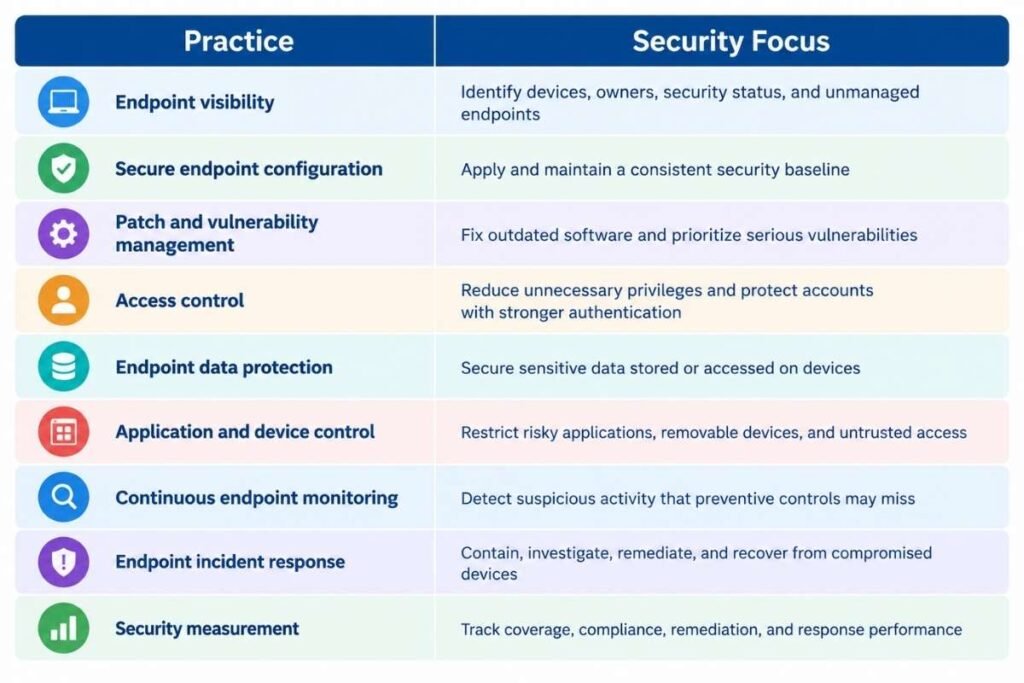
In this article, the practices are organized around the main areas security teams need to manage:
| Practice | Security Focus |
| Endpoint visibility | Identify devices, owners, security status, and unmanaged endpoints |
| Secure endpoint configuration | Apply and maintain a consistent security baseline |
| Patch and vulnerability management | Fix outdated software and prioritize serious vulnerabilities |
| Access control | Reduce unnecessary privileges and protect accounts with stronger authentication |
| Endpoint data protection | Secure sensitive data stored or accessed on devices |
| Application and device control | Restrict risky applications, removable devices, and untrusted access |
| Continuous endpoint monitoring | Detect suspicious activity that preventive controls may miss |
| Endpoint incident response | Contain, investigate, remediate, and recover from compromised devices |
| Security measurement | Track coverage, compliance, remediation, and response performance |
Together, these practices create a repeatable approach to securing endpoints and checking whether those controls are working as expected.
The next sections look at how to put each practice into place, what security controls it involves, and how it can reduce endpoint risk in day-to-day operations.
How Can You Build Complete Endpoint Visibility?
You cannot protect an endpoint that your security team does not know exists. Start with an accurate inventory of devices that connect to business systems and resources.
That inventory should cover more than company-issued laptops. Depending on the organization, it may include desktops, servers, smartphones, tablets, cloud workloads, IoT devices, remote devices, and approved personal devices.
For each endpoint, security teams should know basic information such as:
- Device owner or user
- Operating system and version
- Installed applications
- Security software status
- Patch and vulnerability status
- Encryption status
- Last check-in or activity
- Compliance status
Visibility should also include devices that fall outside normal management. A contractor laptop or unmanaged personal device may still have access to company applications and data.
Microsoft recommends using device registration, compliance policies, and device signals to make better access decisions. Its guidance also supports blocking access from unsupported or noncompliant devices where appropriate.
How Do You Create a Secure Endpoint Baseline?

Once devices are identified, set a minimum security standard that every supported endpoint should meet. This can include supported operating systems, disk encryption, an active firewall and security software, automatic updates, screen locks, restricted administrator access, and limited unnecessary services.
A standard configuration reduces the chance that individual devices develop different security weaknesses over time.
The baseline also needs regular checks. A device that meets the standard when it is deployed can fall out of compliance after a software installation, configuration change, or user action.
Also Read: How Endpoint Detection and Response Works When a Threat Hits
How Should Organizations Manage Patches and Vulnerabilities?
Patching is one of the simplest ways to reduce exposure to known software weaknesses. But effective patch management is not only about getting a high patch compliance rate.
Security teams should know which devices are affected, how serious each vulnerability is, whether it is being actively exploited, and how important the affected device is to the business.
Teams can then test important updates when needed, deploy them through a controlled process, verify that devices were updated, and track systems that cannot be patched immediately.
Verizon found that vulnerability exploitation was involved in 20% of breaches in its 2025 data, up 34% from the previous year. This makes it important to track how long critical vulnerabilities remain unpatched, not just overall patch compliance.
| Metric | What it tells security teams |
| Patch compliance | How many endpoints meet the required patch level? |
| Critical vulnerability age | How long serious weaknesses remain unresolved? |
| Unsupported devices | Which devices can no longer receive security updates? |
| Remediation time | How quickly are identified weaknesses fixed? |
How Can Strong Access Controls Reduce Endpoint Risk?
A secure endpoint can still become a security problem if an attacker gains access to a powerful account. Strong access controls are a key part of endpoint security best practices because they limit what users can do and help prevent stolen credentials from giving attackers unnecessary access.
1. Apply least privilege:
Give users and applications only the permissions they need to perform their work. Review local administrator accounts regularly and remove unnecessary privileges.
2. Separate privileged access:
Where practical, use separate accounts for everyday work and administrative tasks. This limits the damage if a regular user account is compromised.
3. Require multi-factor authentication:
MFA adds another layer of protection when passwords are stolen. Microsoft also recommends phishing-resistant methods such as passkeys and FIDO2 security keys to help protect against credential theft.
4. Check device security before granting access:
Microsoft Entra Conditional Access can require devices to meet defined security requirements before they can access protected resources.
This connects identity security with endpoint security. A valid username should not automatically give access to protected resources from every device.
How Can You Use Endpoint Security Best Practices to Protect Data?
Endpoints often contain sensitive information even when the main business data is stored in cloud services.
Laptops may contain downloaded documents, browser sessions, cached credentials, email data, or locally stored work files. Lost or stolen devices can therefore become a data exposure problem even when no malware is involved.
Organizations should consider controls such as:
- Encryption for stored data
- Access restrictions for sensitive files
- Controls for removable storage
- Remote lock or wipe capabilities
- Data-loss prevention where appropriate
- Policies for local storage of sensitive information
The right controls depend on the type of data and the device. A sales laptop, administrator workstation, and engineering system may require different protections.
The goal is to limit what an attacker or unauthorized user can obtain from a compromised or lost endpoint.
How Do You Control Applications, Devices, and Third-Party Access?
Users need applications and external devices to do their jobs, but every additional application or connection can create another security risk.
Application control policies can block unauthorized software, while device controls can limit the use of removable storage and other connected devices. Application allowlisting means creating a list of approved applications and blocking software that is not on the list. CISA and NIST guidance support this approach for controlling which applications can run in managed environments.
Third-party access deserves similar attention. Verizon found that breaches involving third parties doubled to 30% in its 2025 report.
That means endpoint policies should account for more than employees. Organizations should define security requirements for:
- Contractor devices
- Vendor access
- Partner environments
- BYOD
- Temporary devices
- Unsupported devices
Endpoint policies should use different access rules for managed, unmanaged, and higher-risk devices. When a device cannot be fully managed, application protection policies can help protect business data without requiring full device management.
How Can Continuous Endpoint Monitoring Improve Detection?
Preventive controls reduce risk, but they cannot guarantee that every attack will be blocked.
Continuous monitoring gives security teams visibility into activity that may indicate compromise. Depending on the technology and environment, this can include processes, commands, file changes, user activity, network connections, and security events.
This is where Endpoint Detection and Response fits within the wider endpoint security strategy. EDR focuses on monitoring endpoint activity, detecting suspicious behavior, supporting investigation, and helping security teams contain threats.
The important part of endpoint security best practices is making sure endpoint telemetry leads to useful action. Teams should know:
- Which alerts require investigation?
- Which events should trigger containment?
- Who owns the response?
- How does endpoint data connect with other security signals?
- How long should useful endpoint data be retained?
How Should Endpoint Security Best Practices Handle a Compromised Device?

A compromised endpoint needs a clear response process. Waiting for teams to decide what to do during an incident can delay containment.
A practical response should include:
- Detect: Confirm the suspicious activity and determine whether the endpoint has been compromised.
- Isolate: Disconnect the endpoint from other systems to limit further access while the team investigates.
- Investigate: Determine how the compromise happened and how far it may have spread. This may include checking for malicious software, unauthorized changes, affected accounts, and other connected devices.
- Remediate: Remove the threat, reverse unauthorized changes, patch the weakness, reset affected credentials, or rebuild the device when necessary.
- Recover: Return the endpoint to normal operation only after the security issue has been addressed. The underlying weakness should also be fixed to reduce the chance of the same problem happening again.
For a broader incident, the endpoint response should follow the organization’s incident response plan, including defined roles, escalation paths, evidence handling, communication, and recovery procedures.
How Do You Measure the Effectiveness of Endpoint Security Best Practices?
Security tools being installed does not prove that endpoints are secure. Teams need measurable evidence that important controls are actually reaching devices and reducing exposure.
Useful metrics include:
| Metric | What to measure | Why it matters |
| Endpoint coverage | Known and managed devices | Shows visibility gaps |
| Security baseline compliance | Devices meeting required settings | Shows configuration consistency |
| Patch compliance | Devices meeting update requirements | Shows patching coverage |
| Critical vulnerability age | Days serious flaws remain unresolved | Shows remediation risk |
| MFA coverage | Accounts protected by MFA | Shows access-control coverage |
| EDR coverage | Endpoints sending required security telemetry | Shows monitoring gaps |
| Detection-to-containment time | Time between detection and isolation | Shows response speed |
Conclusion:
Strong endpoint security comes from consistent controls, not a long list of security products. Endpoint security best practices help organizations keep track of devices, secure their settings, apply timely patches, control access, protect data, monitor activity, and respond to threats.
When teams can spot gaps, focus on the highest risks, and act quickly when a device is compromised, endpoint security becomes a regular part of the organization’s wider security strategy.
FAQs
1. How often should endpoint security policies be reviewed?
Review them at least once a year and after major changes to devices, applications, access rules, or security risks. A serious security incident should also trigger a review.
2. How can you check endpoint security for remote employees?
Check whether remote devices are known, updated, encrypted, protected, and meeting the required security standards. Also review which devices can access company systems.
3. What happens when an endpoint does not meet security requirements?
The device may need to fix the issue before regaining access. Depending on the risk, access can also be limited or blocked until the device meets the required standard.
4. How can endpoint security best practices be tested?
Use security checks, vulnerability tests, controlled attack exercises, alert tests, and response drills. These tests show whether controls work and whether teams can respond quickly.