A laptop may seem like just another work device, but a single security weakness can give attackers a way into the business. The 2025 Data Breach Investigations Report found that attacks exploiting vulnerabilities rose 34%, while ransomware was present in 44% of breaches it studied.
That makes Endpoint Security a core part of protecting a business. It protects the devices people and businesses rely on to access data, applications, and networks, from laptops and desktops to servers, mobile devices, and other connected systems.
And protecting an endpoint involves more than installing antivirus software. It also means reducing weaknesses, watching for suspicious activity, and having a plan for what to do when something goes wrong. That makes it important to understand what endpoint security includes and why each layer matters.
What Does Endpoint Security Protect?
It protects devices that connect to an organization’s systems and data. These devices can include laptops, desktops, servers, mobile phones, and IoT devices. Its goal is to stop threats and prevent unauthorized access.
It uses security tools, rules, and processes to keep devices safe. NIST’s Zero Trust guidance includes controls for malware, security weaknesses, threats, device attacks, and endpoint compliance.
The risk goes beyond malware. A hacked laptop could expose saved passwords, business files, browser sessions, or access to company systems. An attacker could then use that access to move deeper into the network.
Which Devices Are Considered Endpoints?
An endpoint is any device that connects to and exchanges information with a business network or its resources. That includes familiar user devices as well as servers and newer connected systems.
| Endpoint type | Examples | Common security concern |
| User devices | Laptops, desktops | Phishing, malware, stolen credentials |
| Mobile devices | Smartphones, tablets | Lost devices, malicious apps, account theft |
| Servers | File, web, application servers | Attacks, misuse of access |
| Cloud workloads | Virtual machines, hosted workloads | Misconfigurations, software flaws |
| Connected devices | IoT devices, printers, POS systems | Weak security, missing updates |
Microsoft lists laptops, desktops, smartphones, tablets, and servers among common endpoints, while NIST also includes IoT and other non-human devices in its endpoint-security model.
This wider definition matters because security teams cannot protect what they do not know exists. A forgotten server, unmanaged device, or poorly secured connected system can create a blind spot.
Why Are Endpoints a Major Target for Cyberattacks?
Attackers target endpoints because they connect users to apps, accounts, and business data. Once they break into one device, they may use it to reach other systems.
Verizon’s 2025 DBIR found that stolen credentials were still the most common way attackers gained initial access. It also found that attacks using software flaws made up 20% of breaches, up 34% from the year before. Edge devices and VPNs were also common targets for these attacks.
Consider a common office scenario. An employee opens a harmful attachment, and a script runs on their laptop. The attacker may then try to steal login details, access other systems, or find sensitive files. The laptop may be only the first step.
Ransomware can make the damage spread even faster. Verizon found ransomware in 44% of breaches in its 2025 dataset. CISA recommends controls such as application allowlisting and EDR to help spot and contain harmful activity.
It matters because one weak device can put the wider organization at risk.
What Are the Core Components of Endpoint Security?
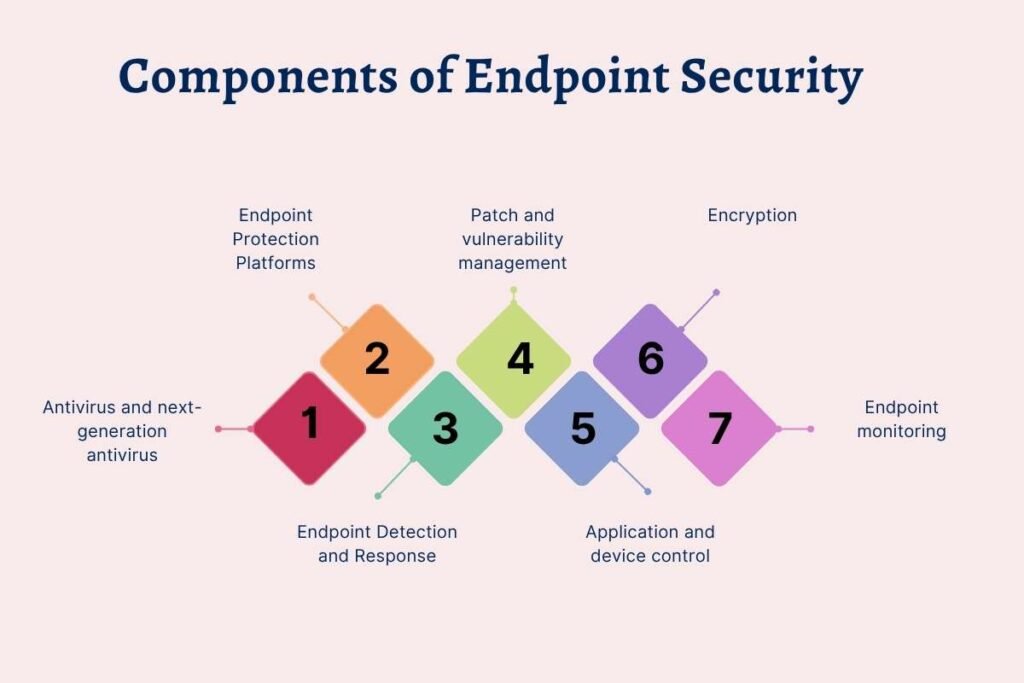
Effective endpoint security uses several layers because no single tool can stop every threat. The goal is to block attacks when possible, spot suspicious activity, and reduce damage if an attack gets through.
Key components include:
Antivirus and next-generation antivirus:
Detect and block malware. Modern antivirus can also use behavior-based methods to spot newer types of malware.
Endpoint Protection Platforms (EPP):
Bring several security controls into one platform. These may include web control, application control, firewalls, and data protection.
Endpoint Detection and Response (EDR):
Monitors devices for suspicious activity and helps security teams investigate and respond to threats.
Patch and vulnerability management:
Finds and fixes known software weaknesses before attackers can exploit them.
Application and device control:
Controls which apps can run and which devices can connect. This can help reduce risks from unsafe software and removable drives.
Encryption:
Protects data if a device is lost or stolen.
Endpoint monitoring:
Helps security teams see device activity, settings, and security issues.
One distinction is important: endpoint protection and endpoint management are related, but they are not the same. Endpoint management focuses on keeping devices known, configured, updated, and compliant. Endpoint protection focuses on preventing, detecting, and responding to threats.
NIST includes both areas within its approach to securing endpoints but treats them as separate capabilities.
How Does Endpoint Security Work Across the Device Lifecycle?
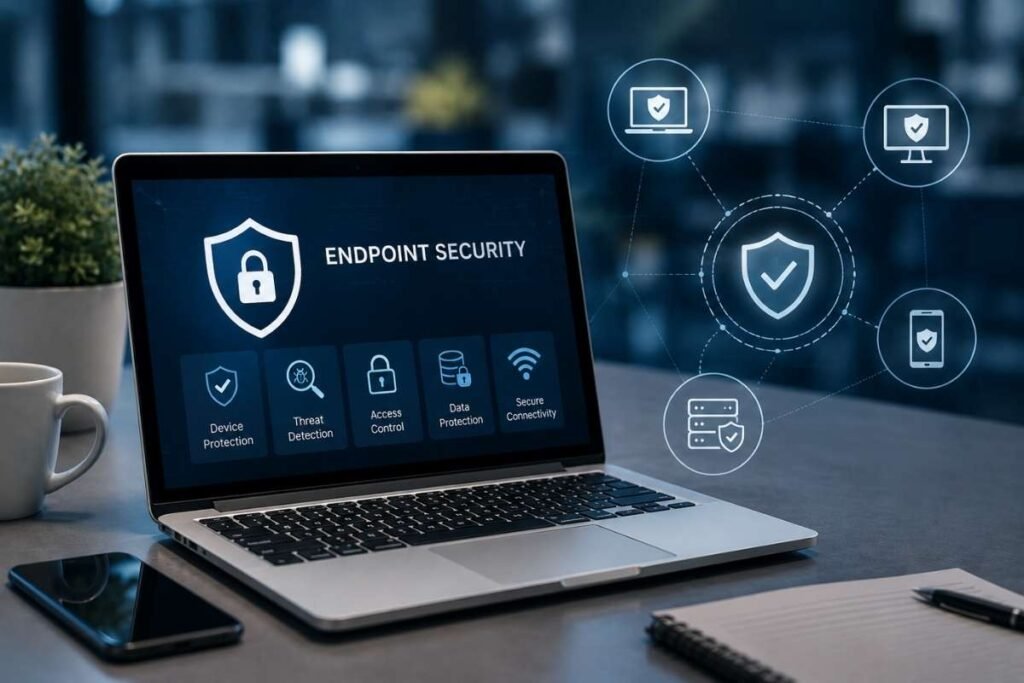
It works as an ongoing cycle. Teams identify devices, protect them, watch for threats, and respond when a risk appears.
1. Identify:
Security teams need to know which devices exist, who uses them, what software they run, and if they meet security rules. This helps find gaps before attackers can use them.
2. Protect:
Controls such as patching, device hardening, app restrictions, malware protection, encryption, and access rules help reduce risk. Microsoft describes attack surface reduction as a way to block risky actions, harmful connections, unwanted device access, and paths attackers could use.
3. Monitor:
Security tools watch devices for unusual activity or changes that could signal an attack. This is where endpoint detection tools play an important role.
4. Respond:
When a threat is confirmed, teams may need to isolate the device, block the threat, remove the cause, or investigate what happened. A clear incident response plan helps teams know who should act, what steps to follow, and how to recover.
This is an ongoing cycle, not a one-time task. New devices, software updates, vulnerabilities, and changes in user access can create new security risks.
How Does Endpoint Security Fit With Broader Security Technologies?
It works best when it connects with other security tools instead of working on its own.
A user’s device is linked to their identity. It connects to networks, uses cloud services, runs apps, and may access data across many systems. This means a risky sign-in, unsafe device, or unusual activity can be more useful when security teams view these signals together.
NIST’s Zero Trust guidance places endpoint security alongside identity, network, and other security functions. It also explains how Extended Detection and Response (XDR) can bring together tools such as Endpoint Detection and Response (EDR), Endpoint Protection Platforms (EPP), and network monitoring.
This is where Extended Detection and Response fits. EDR focuses on endpoint activity; XDR broadens that view across other parts of the environment.
AI is also changing device security. Software can now perform tasks with less human input. Organizations need to know what these tools can access and what actions they can take.
The risk is no longer just what a person does on a device. It also includes what software can do with the same access.
What Are the Best Practices for Strong Endpoint Security?
Strong device security starts with knowing which devices you have and applying basic security controls across them.
Start with an accurate list of all endpoints. Find devices that do not follow your security rules. Then focus on key controls such as patching, secure settings, least-privilege access, malware protection, and limits on risky apps or devices.
CISA recommends keeping antivirus and anti-malware tools updated and properly set up. It also recommends tools such as application allowlisting and Endpoint Detection and Response (EDR) to help detect and contain threats such as ransomware.
Testing is also important. A security control that looks good on paper may not work during a real attack. Teams should test threat alerts, device isolation, security policies, and recovery steps on a regular basis.
Consistency matters most. A strong endpoint program is not about having the most tools. It is about protecting the right devices, reducing common risks, and giving security teams a clear way to act when a threat appears.
How Should Businesses Evaluate an Endpoint Security Approach?
Businesses should evaluate endpoint protection by looking at coverage, protection, visibility, response, integration, and operational effort rather than comparing feature lists alone.
| Evaluation area | What to ask |
| Device coverage | Does it protect the endpoints the business actually uses? |
| Prevention | Can it block common threats and reduce risky behavior? |
| Visibility | Can security teams see useful endpoint activity and security state? |
| Detection | Can it identify suspicious behavior, not just known malware? |
| Response | Can teams isolate devices and contain threats quickly? |
| Integration | Does it work with identity, network, cloud, and security-monitoring tools? |
| Performance | Will security controls create major user or system impact? |
| Operations | Can the security team manage alerts and policies at scale? |
A useful evaluation also considers the business environment. A company with mostly managed laptops may have very different needs from one running large server fleets, cloud workloads, or connected devices.
The best approach is not necessarily the one with the most features. It is the one that closes the biggest gaps in the organization’s endpoint risk without creating an unmanageable security workload.
Conclusion:
Endpoint Security is more than protecting individual devices. It helps prevent attackers from using laptops, servers, mobile devices, cloud workloads, and other endpoints to reach business systems and data. A strong approach combines prevention, monitoring, detection, and response across the device lifecycle.
The right strategy starts with knowing which endpoints exist, reducing common risks, testing security controls, and choosing tools that work well with the wider security environment. The goal is not to use the most tools, but to protect the right devices and respond quickly when threats appear.
FAQs
1. What is the difference between endpoint protection and EDR?
Endpoint protection is the broader discipline of protecting endpoint devices. EDR is one part of that discipline, focused on monitoring endpoint activity, detecting suspicious behavior, investigating threats, and supporting response.
2. How does endpoint protection help prevent data loss?
It can use encryption, access controls, device policies, and threat detection to reduce the risk of sensitive data being exposed.
3. Can endpoint protection work without an internet connection?
Some endpoint security features can work offline, but many tools need an internet connection for updates, cloud analysis, threat intelligence, and central management.
4. How does endpoint security affect employee productivity?
Well-managed endpoint protection should protect devices without creating major delays. Poorly tuned controls, however, can cause alerts, blocked apps, or system slowdowns.