By the time an alert appears, an attacker may already be active on an endpoint. Waiting for alerts alone can leave you with less time to investigate.
Proactive EDR helps teams get ahead of that problem. It continuously collects endpoint activity, looks for suspicious behavior, supports threat hunting, and helps analysts respond faster.
The challenge is knowing which features actually make EDR proactive. This article breaks down the key features of proactive EDR and how they help teams spot and contain threats earlier.
What Makes EDR Proactive Instead of Reactive?
Reactive security waits for a known threat or alert before you act. Proactive EDR keeps watching endpoint activity so you can spot suspicious behavior earlier and investigate it before it grows into a larger incident.
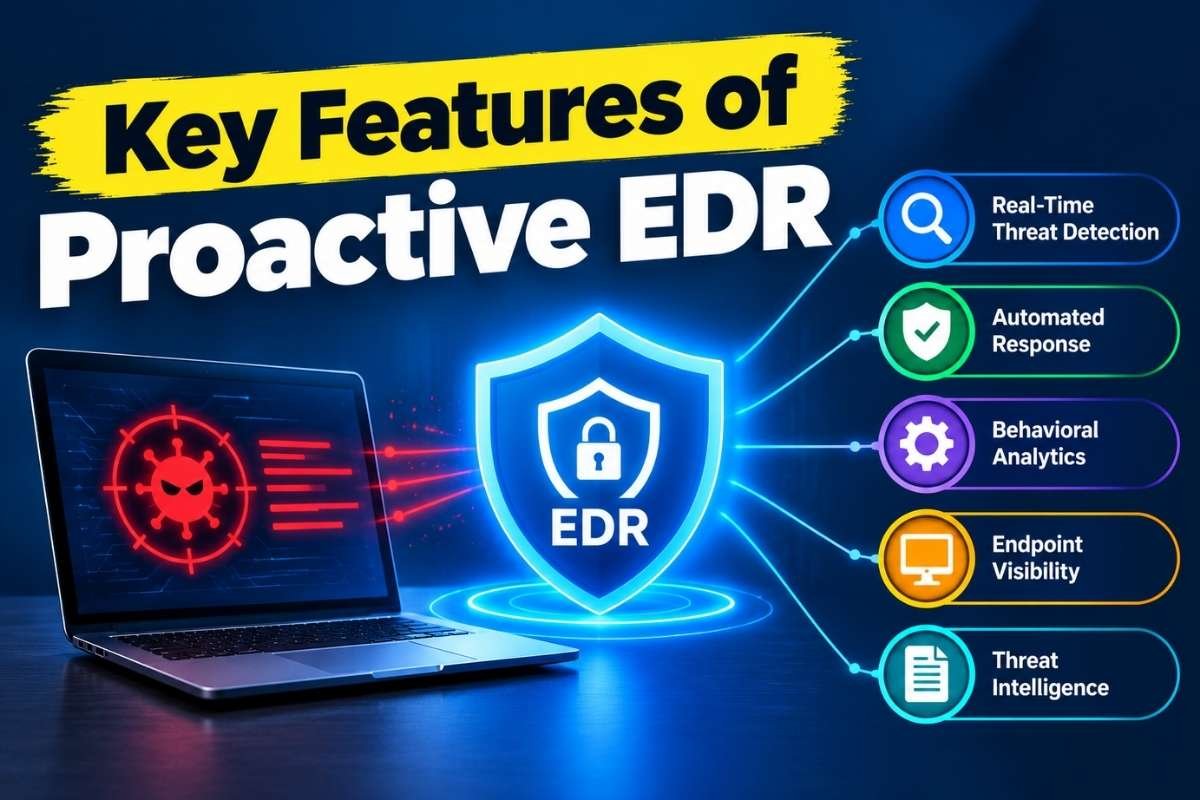
You get continuous endpoint visibility, behavioral analysis, threat hunting, investigation tools, threat intelligence, and response capabilities. These features work together so you can see what is happening, detect unusual activity, investigate the cause, hunt for related threats, and respond quickly.
The need is to find signs of an attack before you are forced to respond to a full-blown incident.
What Are the Key Features of Proactive EDR?
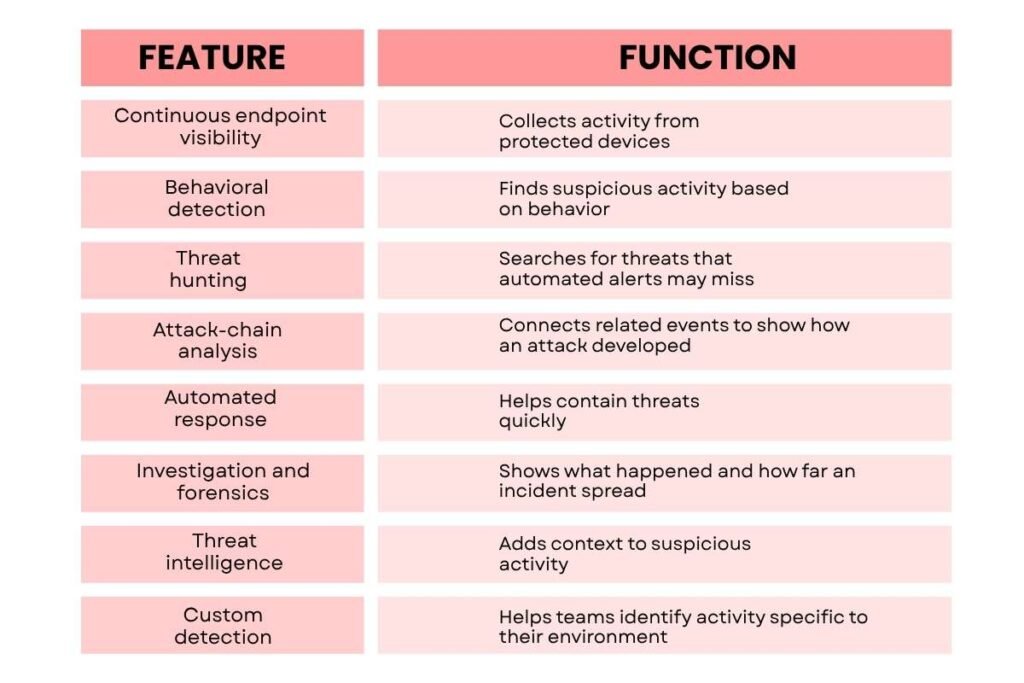
The main features can be grouped into the following areas:
| Feature | Function |
| Continuous endpoint visibility | Collects activity from protected devices |
| Behavioral detection | Finds suspicious activity based on behavior |
| Threat hunting | Searches for threats that automated alerts may miss |
| Attack-chain analysis | Connects related events to show how an attack developed |
| Automated response | Helps contain threats quickly |
| Investigation and forensics | Shows what happened and how far an incident spread |
| Threat intelligence | Adds context to suspicious activity |
| Custom detection | Helps teams identify activity specific to their environment |
The sections below explain the key features of proactive EDR and why each one matters to your security.
Feature 1: Continuous Endpoint Visibility
How Does Endpoint Visibility Make EDR More Proactive?
Proactive detection starts with knowing what is happening on an endpoint. EDR collects information such as process activity, file changes, network connections, user activity, and system events so security teams can investigate activity over time.
This is important because a single event may not look dangerous on its own. A new process, an unusual login, or a connection to an unfamiliar system may become more important when it appears alongside other suspicious activity.
The quality of this visibility also matters. If important devices are missing from the EDR platform, the team may have no telemetry to investigate when an attack reaches those endpoints.
Feature 2: Behavioral Detection

How Does Behavioral Detection Help Find Suspicious Activity?
Attackers do not always use known malware. They can also use legitimate tools in unusual ways to avoid detection.
Behavioral detection looks at what is happening on your endpoints. It tracks processes, applications, users, and system activity to spot behavior that may signal an attack.
For example, an administrative tool may be safe when used by an authorized employee. But if an unexpected user runs it, accesses credentials, and then makes unusual network connections, the activity becomes suspicious.
This gives your security team more context. You can investigate unusual activity even when there is no known malware file or signature to detect.
Feature 3: Threat Hunting
How Does Threat Hunting Make EDR More Proactive?
Alerts can show you that something is wrong, but they may not catch everything. Threat hunting lets you search your endpoint data for suspicious activity that automated detection may miss.
The key features of proactive EDR include threat hunting because you can search for known attack methods, unusual activity, or signs linked to recent threats. You can then check your EDR data to see whether the same behavior appears on other endpoints.
This helps you look for threats instead of waiting for an alert. It also lets you check whether a known attack pattern is already present in your environment.
That makes threat hunting an important part of proactive EDR. You are not only asking, “Did an alert fire?” You are also asking, “Is this suspicious behavior happening anywhere in my environment?”
If you want to understand how this process works in practice, EDR Threat Hunting covers the process in more detail.
Feature 4: Attack-Chain Analysis
How Does EDR Connect Events to Reveal an Attack?
An attack rarely happens in one step. You may see a phishing link first, followed by a new process, stolen credentials, persistence, and communication with another system.
This ability to connect events is central to the key features of proactive EDR, especially when separate alerts could appear harmless on their own. For example, a suspicious PowerShell process may seem minor, but if EDR links it to a malicious document, a new scheduled task, and an external connection, the larger attack pattern becomes easier to see.
This context helps you understand what is behind an alert and find related activity. You are not simply collecting alerts. You are using them to build a clearer picture of what is happening on the endpoint.
Feature 5: Automated Response

How Does Automated Response Help Contain Threats?
When you confirm a threat, you need to act quickly. An attacker can keep using a compromised device while your team is still investigating.
Automated response lets your EDR take set actions when it detects certain signs of a threat. It can isolate a device, stop a harmful process, block an app, or quarantine a file.
For example, isolating a device can stop an attacker from using it to reach other devices or steal data while your team investigates.
You should still set clear rules for automation. Let the EDR handle low-risk actions on its own, while actions that could disrupt work can require approval from your security team.
Your automated response rules should also support your wider Incident Response Plan.
Feature 6: Investigation and Forensics
How Does EDR Support Investigation and Forensics?
Finding suspicious activity is only the first step. You also need to know what happened, where it started, which devices were affected, and whether the attacker is still active.
EDR keeps records of endpoint activity and gives you tools such as activity timelines, process trees, network details, and investigation data. To understand how these systems collect and process endpoint data, the EDR architecture & Technology explains the technology behind them.
You can use this data to trace what happened on a device and see how different events are connected. It can also help you look back at activity that happened before the first alert.
Feature 7: Threat Intelligence
How Does Threat Intelligence Strengthen Proactive EDR?
One of the key features of proactive EDR is using threat intelligence to identify known malicious files, IP addresses, domains, attack methods, and other signs of a threat.
EDR can use this information to help you check whether suspicious activity is linked to a known threat. For example, an unfamiliar outbound connection may not be enough to confirm an attack. But if that destination is linked to known malicious activity, you have more information to assess the risk.
Threat intelligence can help you spot known threats faster and understand suspicious activity, but it should not replace investigation. You still need to check what happened on the endpoint and whether the activity is part of a larger attack.
Feature 8: Custom Detection

How Can EDR Adapt to Your Security Needs?
Your systems, users, and applications are different from those in other organizations. Custom detection lets you create rules for the activity that matters in your environment.
You can create rules for specific processes, commands, indicators, behaviors, or attack methods. This helps you catch threats that standard rules may miss and reduce alerts that do not apply to your systems.
You can also use what you learn from past incidents and threat hunts to create new rules. For example, if you find a suspicious command used against a business application, you can create a rule to watch for similar activity in the future.
This lets your EDR improve as you learn more about the threats targeting your company.
How Should You Measure the Key Features of Proactive EDR?
You should look at how well the above features work together and whether they support real security operations.
| Capability | What to check |
| Endpoint visibility | Coverage across important devices and useful telemetry |
| Behavioral detection | Ability to identify suspicious activity beyond known signatures |
| Threat hunting | Search capabilities and access to historical endpoint data |
| Investigation | Timelines, process relationships, and incident context |
| Response | Isolation, remediation, and other containment actions |
| Threat intelligence | Context for indicators and attacker techniques |
| Custom detection | Ability to create rules for organization-specific risks |
| Integration | Connection with SIEM, SOAR, identity, and other security tools |
| Measurement | Detection, response, coverage, and investigation metrics |
The practical test is whether analysts can move from a suspicious signal to an informed response without losing important context along the way.
Teams should also measure whether the platform is improving operations. Useful measures can include endpoint coverage, detection time, response time, false-positive volume, threat-hunting findings, and investigation time.
Conclusion
The key features of proactive EDR work best as one connected security process. Continuous visibility provides the data, behavioral detection finds suspicious activity, threat hunting searches beyond alerts, investigation adds context, and automated response helps contain threats.
The value comes from how these capabilities work together. A strong EDR setup should help security teams see what is happening, investigate why it matters, and act before a small endpoint compromise becomes a larger security incident.
FAQs
1. Can proactive EDR protect endpoints without internet access?
Protection depends on the EDR platform and its architecture. Some capabilities can continue operating locally, while cloud-based analysis and management may require connectivity.
2. How does proactive EDR affect endpoint performance?
EDR agents use system resources to collect and analyze endpoint activity. The actual performance impact varies by product, configuration, operating system, and workload.
3. What skills are needed to manage proactive EDR?
Teams typically need skills in endpoint security, incident investigation, threat hunting, detection engineering, and security operations. The level of expertise required depends on how much of the platform is managed internally.
4. Do key features of proactive EDR vary between vendors?
Yes. Vendors differ in telemetry depth, supported platforms, detection methods, hunting tools, integrations, automation, and investigation features.