A SAML assertion is a secure XML token that passes user login details between systems without sharing passwords. It protects enterprise applications using digital signatures and strict time limits. Read on to learn how these tokens work, how to secure them, and how to fix common login errors.
If your idea of a fun morning is watching users get locked out because a server clock was off by a few seconds, you probably need a new hobby.
Even without those sudden glitches, managing multiple cloud apps is a constant headache. Workers get tired of remembering separate passwords, and IT teams struggle to keep accounts secure across different systems.
So, let’s make sense of SAML assertion once and for all, from what goes inside the XML file to fixing those errors before your notifications blow up.
What is a SAML Assertion and How Does It Function?
Programmers often find it tricky to move login data across company networks without sharing user passwords. A security token solves this problem. It is a standard XML file that safely carries a user’s verified identity, profile details, and access rights between different systems.
When a user logs into a work app, the central SAML Identity Provider checks their password and creates this secure file. The web browser then acts as a messenger, passing the signed file to the target application.
The OASIS Security Services Technical Committee created the SAML v2.0 standard for this exact reason. This standard stops teams from writing custom code for every new software tool.
Instead, all apps use the same format. The target app opens the file, checks the digital signature, and logs the user in safely using the details inside.
How Do SAML Assertions Help Keep Company Data Safe?
Companies face big security risks when they store and check passwords across many different cloud apps. They use an XML security file to keep user login details separate from each app.
This means workers do not need a separate password for every single tool, which stops password fatigue and keeps the company safer.
If an employee leaves the company, IT can shut off their access in one central spot. That instantly blocks them from every connected app without forcing IT to update each database one by one.
The National Institute of Standards and Technology (NIST) points out that shared login tokens keep passwords safer by putting control in one place. Once the login token reaches an app, the designated SAML Service Provider reads the details and lets the user in.
The app does this without ever seeing or storing the user’s actual password. This split in duties makes it much harder for hackers to break in.
How Does the SAML Assertion Lifecycle Work?
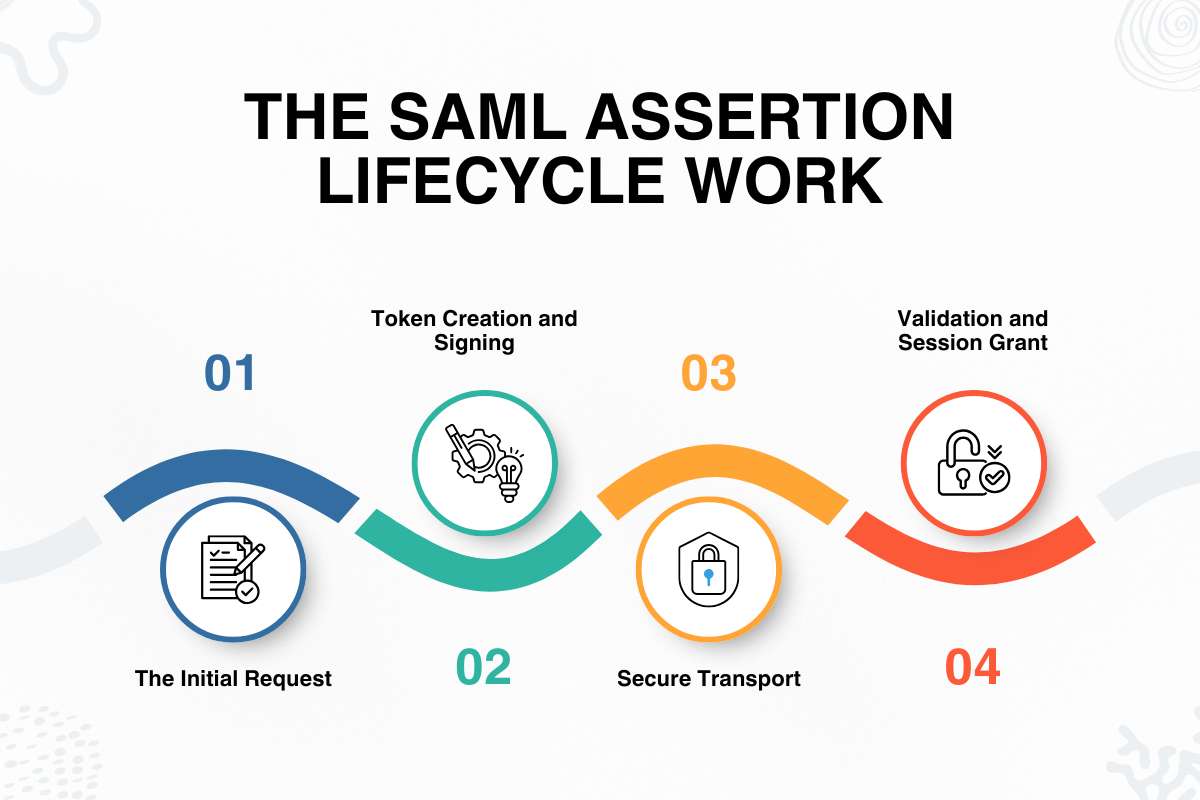
This token lifecycle is the step-by-step journey of a login token as it moves from the SAML identity provider to the web application. Tracking this journey helps developers catch errors early during sign-in.
The process follows four clear stages:
1. The Initial Request:
A user tries to open a secure app. Because the app does not know who is visiting, it pauses the request and redirects the user to the central login portal.
2. Token Creation and Signing:
The user logs in successfully at the portal. The identity server then builds an XML security file containing user details and signs it with a digital key so no one can change it.
3. Secure Transport:
The browser acts as a carrier, passing the signed package through an HTTP POST action straight to the target app’s intake door.
4. Validation and Session Grant:
The target app checks the digital signature and time stamps to make sure the token is fresh. If everything matches, it creates a new session and lets the user in.
When this chain breaks, users get locked out or face security faults. The majority of login bugs happen because apps fail to check the token’s time limit or destination address correctly. To see how these steps fit into wider login flows, you can read our guide on SAML Authentication.
What Are the Key Components of an Assertion?
Accepting XML tokens without checking them puts company apps at risk of attacks. A standard SAML assertion depends on three main parts to work safely:
- The Subject: Identifies who the user is.
- The Conditions: Sets strict time limits and usage rules.
- The Statement: Lists the specific permissions the user has.
Every piece is required to prove trust to the receiving server. Every valid token must follow strict guidelines. For example, the conditions block sets exact time limits so hackers cannot reuse an old token hours later.
Before apps read these security blocks, both systems must agree on security keys and web addresses. To make this process automatic and secure, admins rely on configured SAML metadata profiles to create trust between the two sides.
What Do SAML Assertion XML Examples Look Like?
Looking at raw XML code helps developers fix bugs before pushing code live. A standard security token wraps user details inside a main XML container.
It includes specific namespace tags, a unique ID, and digital signature nodes. Engineers check these tags by hand to confirm who sent the file and ensure the user details are correct.
Valid XML files must use unique IDs and time limits to stop hackers from reusing old tokens.
When apps read these files, they search for specific tags like <saml:Assertion> and <saml:AttributeStatement> to pull user emails and roles.
What Are the Primary Types of SAML Statements?

Different apps need different proof depending on how sensitive a page or file is. SAML handles this by using three main statement types:
- Authentication statements: Prove when and how a user signed in.
- Attribute statements: Carry user details like an email address or department name.
- Authorization decision statements: Check if a user has permission to open a specific resource.
These separate parts give apps tight control over user sessions without needing to ask the main server constantly. Research published in the IEEE Transactions on Information Forensics and Security points out that keeping user details separate from login proof makes systems safer. It ensures apps only process the exact data they require.
How Do Digital Signatures Secure SAML Assertions?
If a login token lacks a proper digital signature, hackers can change user roles, fake user accounts, or pretend to be admins while the data moves across the network.
Digital signatures use special security rules to prove that nobody altered the login file after the identity server created it. The receiving app checks this signature against a trusted public certificate before it lets anyone open a protected page.
The Cybersecurity and Infrastructure Security Agency (CISA) says that checking these signatures is required to stop token forging and network attacks. If an attacker changes even one letter in the XML file, the security code breaks, and the server immediately throws the token away.
How Can You Troubleshoot Common SAML Assertion Errors?
Web apps often break during login because of tiny time delays or setup mistakes between servers. Most of these errors happen because server clocks do not match. If the expiration time runs out before the app reads the token, the login fails. Following proper SAML SSO best practices helps your team catch and prevent these issues early.
To fix and prevent these errors, teams can focus on a few key steps:
- Sync server clocks: Make sure all servers use matched clocks to stop time gaps. Syncing your server clocks is a must to stop login errors caused by time delays.
- Inspect the raw XML file: Look closely at the code to spot typos or missing tags.
- Check certificate fingerprints: Verify that the security keys match on both ends.
- Confirm audience restrictions: Make sure the token is meant for the exact app trying to read it.
How Do SAML Assertions Compare to OAuth Tokens?
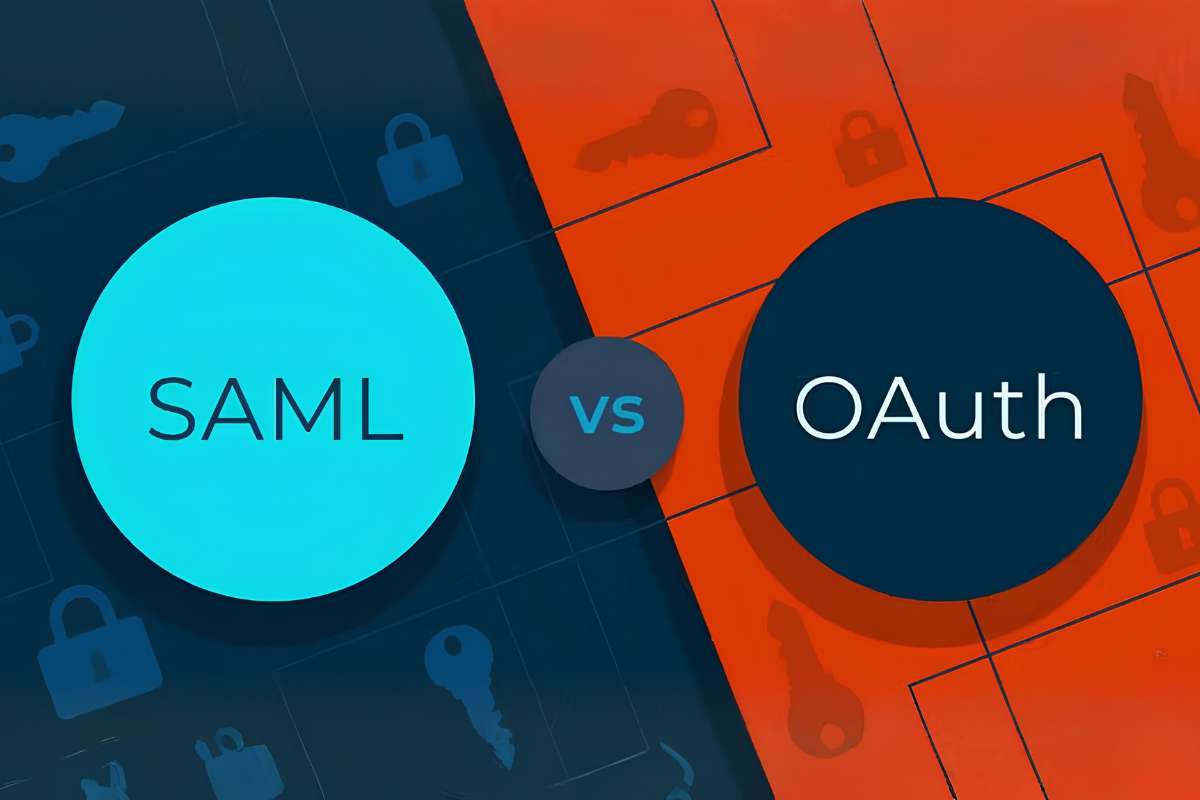
Picking the right token format keeps your tech stack running smoothly. SAML and OAuth handle different jobs, so mixing them up causes delays and security gaps.
1. SAML:
It focuses entirely on identity. When an employee logs into a work portal, SAML bundles their identity and security group data into a signed XML document and hands it to the target app. It tells the app: “Yes, this person is verified, and here is their department.”
2. OAuth:
It focuses on access and permissions rather than who you are. Instead of verifying login credentials, an OAuth token tells an app what actions it is allowed to perform on your behalf. For example, if a mobile app wants to read your cloud files, OAuth gives that app a temporary digital key to access only those files without ever seeing your password.
Key Differences at a Glance
| SAML Assertions | Feature | OAuth Tokens |
| Identity authentication (proving who you are) | Main Goal | API authorization (proving what you can access) |
| Detailed XML files | Data Format | Lightweight JSON files |
| Enterprise web browsers and corporate single sign-on | Best Suited For | Mobile apps, microservices, and backend APIs |
| Passes user attributes and security rules in one big package | How It Works | Uses scoped access keys to grant limited app permissions |
Most companies use both together: SAML handles employee web single sign-on, while OAuth secures backend microservices and mobile apps.
Conclusion:
Getting SAML assertions right keeps your applications secure and your users moving without hassle. By understanding how tokens travel, checking digital signatures, and keeping server clocks matched, your team can stop login errors early.
Whether you are setting up employee single sign-on, pairing SAML with OAuth, or mastering the wider ecosystem of Security Assertion Markup Language, paying attention to these details builds a safe and reliable login system for everyone.
Frequently Asked Questions
1. What is the difference between a response and an assertion?
The response is the outer XML wrapper sent by the identity server. The assertion is the inner security packet that holds the user’s identity, profile details, and permissions.
2. How long is a login token valid before it expires?
Time limits are set by specific token rules, usually lasting between 5 and 15 minutes. This short window stops attackers from reusing old login data.
3. Where is the SAML assertion stored in the browser?
The browser does not store it long-term. It passes the token through a web POST request, keeping it temporarily in app memory or hidden form fields during the handoff.
4. Can these security tokens be encrypted using public keys?
Yes, the assertion payload or specific sensitive elements can be encrypted using XML Encryption standards to ensure that intermediate proxies cannot read user attribute data.