A Zero Trust Implementation Guide is a step-by-step roadmap that helps organizations secure networks by verifying every single access request. This article covers the five core pillars of security, explains top government frameworks, and outlines a practical 7-step rollout timeline. Read on to discover how to build your custom transition plan, select the right software stack, and use a playbook strategy to minimize employee friction.
Cyberattacks are getting harder to stop. Hackers often slip past firewalls using one stolen password or an unpatched laptop. This is why so many organizations are moving to Zero Trust security.
A solid Zero Trust Implementation Guide can help your team cut the risk of data breaches in a major way. Forrester Research, the firm that coined the term “Zero Trust” back in 2010, has found that mature programs face far fewer security incidents than companies using old-style perimeter defenses.
This article explains what Zero Trust implementation means, its key parts, and the steps to follow. We’ll also cover the tools you will need and the challenges teams run into along the way.
Zero Trust Implementation Explained: Meaning, Pillars, and Frameworks
Zero Trust implementation is the process of putting Zero Trust rules to work across your network, devices, apps, and data. The core idea is simple. Trust no user or device by default, even if they are already inside your network. Every request for access gets checked, every single time.
This is a big change from the old “castle and moat” model. In that model, anyone who got past the outer wall was trusted from then on. Once an attacker broke in, they could often move freely.
Based on the CISA Zero Trust Maturity Model, Zero Trust is built around five pillars: Identity (who is asking), Devices (are they healthy), Networks (limit movement), Applications and Workloads (secure apps and APIs), and Data (classify and protect sensitive files). Each pillar has its own tools and controls.
Which Zero Trust Implementation Framework Should You Follow?

Several U.S. government agencies publish Zero Trust frameworks worth knowing.
NIST SP 800-207 is the most widely used starting point. It lists seven core tenets, including checking access on a per-session basis and treating every resource as worth protecting, no matter where it sits on the network.
CISA’s Zero Trust Maturity Model sorts each of the five pillars into four stages: Traditional, Initial, Advanced, and Optimal. This gives teams a clear way to measure how far along they are.
NSA’s ZIGs (Zero Trust Implementation Guidelines) go deeper. Published in early 2026, they cover a Primer, Discovery, Phase One, and Phase Two, breaking the work into specific tasks like enforcing MFA and segmenting networks. Written for defense teams, but useful for any organization.
A good Zero Trust guide draws from all three. NIST gives you the principles, CISA helps you measure progress, and the NSA ZIGs give you a concrete task list.
Zero Trust Implementation Guide: How Do You Build a Roadmap in 7 Steps?
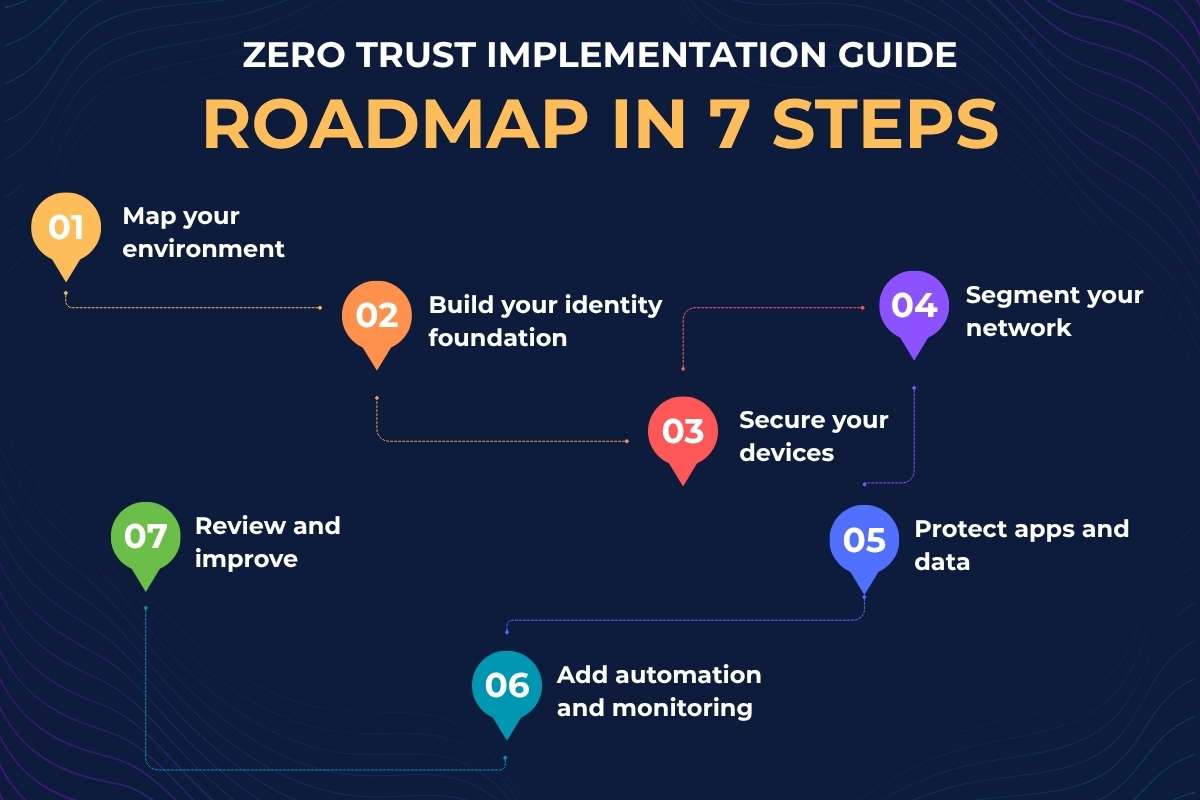
A Zero Trust rollout works best in phases. Trying to fix everything at once almost always fails. Here is a roadmap that works for most companies, spread across 12 to 24 months.
1. Map your environment:
List every user, device, app, and data flow before touching anything else. You cannot protect what you cannot see. This step often takes 4 to 8 weeks and usually turns up surprises like dormant admin accounts, shadow IT apps, or unencrypted data stores. Tools like ServiceNow CMDB or Microsoft Defender for Endpoint can speed up discovery.
2. Build your identity foundation:
Turn on multi-factor authentication (MFA) for all accounts and move to single sign-on (SSO) where possible. This is the base that every other step in this Zero Trust Implementation Guide relies on. Also, apply role-based access control (RBAC) so users only get the permissions their job actually needs, nothing more.
3. Secure your devices:
Roll out endpoint detection and response (EDR) tools and create a device health policy. Only patched, compliant devices should connect to company resources. Mobile device management (MDM) tools like Microsoft Intune or Jamf help enforce this for laptops, phones, and tablets in one place.
4. Segment your network:
Break the network into small zones using microsegmentation or Zero Trust Network Access (ZTNA). If an attacker gets in through one zone, they cannot freely reach others. This is especially important for protecting critical systems like finance servers or patient records from the rest of the network.
5. Protect apps and data:
Add data loss prevention (DLP) tools and encrypt sensitive files, both at rest and in transit. Apply least-privilege access so people only see what their role requires. For cloud apps, a Cloud Access Security Broker (CASB) adds an extra layer of control over who can access what and from where.
6. Add automation and monitoring:
Deploy a SIEM or SOAR tool to collect logs, flag unusual behavior, and trigger automated responses. For example, if a user logs in from two countries within an hour, the system should block access and alert the security team automatically, without waiting for a human to catch it.
7. Review and improve:
Zero Trust is not a one-time project. Schedule quarterly policy reviews, run tabletop exercises to test your response plans, and consider annual red-team drills to find gaps before attackers do. Threat landscapes change, so your controls need to keep up.
Most organizations start with steps 1 and 2, since these offer the fastest wins for the lowest cost. A phased roadmap like the one in this Zero Trust Implementation Guide also makes it easier to get budget approval, because each phase shows clear progress to leadership.
How Complex is Your Zero Trust Rollout?
Before you start, you must look at how much your new security rules might disrupt daily work. This is called rollout friction. If you push too fast, employees may get frustrated and find ways to bypass the rules.
You can figure out your risk level by looking at three simple things:
- Your Users: Do you have 50 employees or 5,000? More people mean more support tickets.
- Your Apps: Do your tools use modern logins, or do you rely on old, legacy software? Old tools are harder to secure.
- Your Current Tech: Is multi-factor authentication (MFA) already turned on for everyone, or are you starting from scratch?
Which Rollout Path Fits Your Team Size and Setup?

Once you see your risk, use one of these three paths to keep things moving smoothly. This will help you get the most out of this Zero Trust Implementation Guide.
Path 1: Low Friction (Startups and Small Teams)
If you have mostly cloud tools and a small team, your friction risk is low.
- Your Move: Turn on MFA for all main apps over one weekend.
- Tip: Give your team a three-day warning so they know what to expect.
Path 2: Medium Friction (Growing Businesses)
If you have a mix of new cloud tools and a few older systems, your risk is medium.
- Your Move: Do not change everything at once. Pick one department, like Finance, to test the new rules first.
- Tip: Fix any bugs with this small group before you roll it out to the whole company.
Path 3: High Friction (Large Teams and Old Systems)
If you have thousands of users and very old software, your risk is high.
- Your Move: Do not force modern logins onto old tools right away. Put a secure gateway in front of them first.
- Tip: Roll out changes in slow, monthly waves to keep your IT help desk from getting overwhelmed.
Which Tools Power a Zero Trust Security Stack?
You do not need every tool on day one. Most teams add tools in roughly the order shown below, matching the roadmap above.
| Category | What It Does | Example Tools |
| Identity & Access Management (IAM) | Verifies users and manages MFA/SSO | Okta, Microsoft Entra ID, Ping Identity |
| Endpoint Detection & Response (EDR) | Monitors device health and threats | CrowdStrike, SentinelOne, Microsoft Defender |
| Zero Trust Network Access (ZTNA) | Replaces traditional VPNs for remote access | Zscaler, Cloudflare Access, Palo Alto Prisma |
| Microsegmentation | Limits lateral movement inside the network | Illumio, Akamai Guardicore |
| Data Loss Prevention (DLP) | Stops sensitive data from leaving the network | Microsoft Purview, Symantec DLP |
| SIEM/SOAR | Collects logs and automates response | Splunk, Microsoft Sentinel, Google Chronicle |
The toolset described in this Zero Trust Implementation Guide does not need to come from one vendor. Many companies mix products from different vendors and tie them together through APIs and a central identity provider.
What are the Challenges in Zero Trust Implementation?
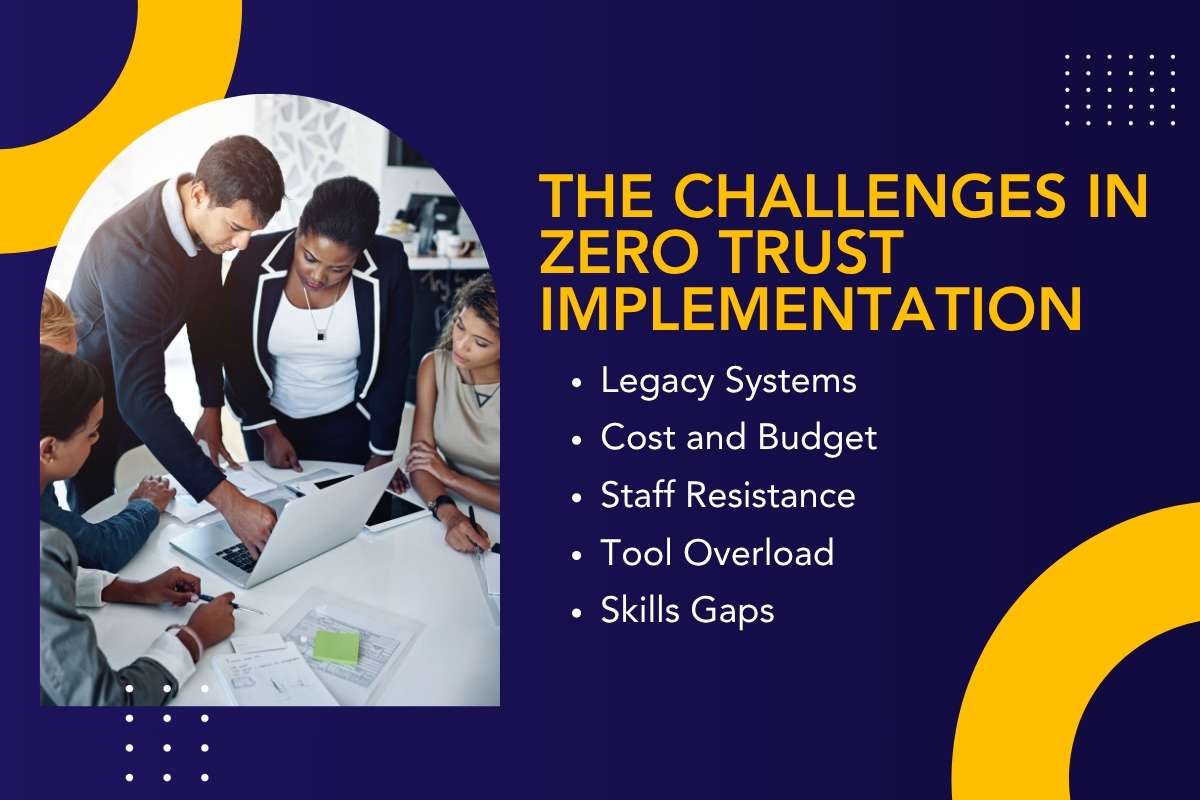
Zero Trust brings real benefits, but most teams hit a few common roadblocks along the way.
- Legacy Systems: Older apps and hardware often cannot support modern authentication or per-session checks, and may need extra work or replacement.
- Cost and Budget: Small businesses can expect to spend roughly $50,000 to $150,000 in the first year, while larger companies often spend much more.
- Staff Resistance: Employees used to easy access may push back against new MFA prompts and stricter rules, so clear communication matters.
- Tool Overload: Buying too many point products before setting a plan creates gaps and extra work for IT teams.
- Skills Gaps: Zero Trust touches identity, networking, and cloud security all at once, so many teams need outside help or training to close gaps.
Following a clear Zero Trust Implementation Guide, built around phases, helps teams avoid most of these problems before they grow into bigger issues.
Conclusion
Zero Trust implementation is not a single product or a quick fix. It is a long-term shift in how your company handles access, built on the NIST, CISA, and NSA frameworks covered above.
Start small. Map your environment, lock down identity with MFA, and build outward from there. Each phase should lower the risk and give your team a clear win to show leadership.
A well-planned rollout, guided by a Zero Trust Implementation Guide and done in stages over 12 to 24 months, gives most organizations a strong security foundation without disrupting daily work. Review progress often, since both threats and tools keep changing.
FAQs
1. How long does Zero Trust implementation take?
Most mid-size companies need 12 to 24 months for a full rollout. Smaller teams with simple environments can finish the core steps in 6 to 9 months.
2. Is Zero Trust only for large enterprises or government agencies?
No. While NIST and the NSA write guides mainly for federal use, the principles in a Zero Trust Implementation Guide work for businesses of any size.
3. Do I need to replace my VPN to start Zero Trust?
Not right away. Many teams run ZTNA alongside an existing VPN, then phase out the VPN once ZTNA covers most users.
4. What is the first step in a Zero Trust implementation roadmap?
The first step is always discovery: mapping your users, devices, apps, and data flows before making any changes.
5. Does Zero Trust replace my firewall and antivirus software?
No. Zero Trust adds extra layers of identity and access checks on top of tools like firewalls and antivirus software, rather than replacing them.