Managing IT for multiple clients means monitoring devices, handling requests, protecting systems, and keeping information accessible. As client numbers grow, disconnected tools can slow down service delivery.
MSP software brings these tasks into a more organized workflow, helping providers monitor systems, automate routine work, manage requests, protect endpoints, recover data, and support users remotely. MSPs can choose specialized tools or a consolidated platform based on their needs.
What Is MSP Software?
MSP software refers to the platforms and tools managed service providers use to monitor, maintain, secure, support, and manage their clients’ IT environments.
It can include remote monitoring and management (RMM), professional services automation (PSA), backup and disaster recovery, endpoint security, documentation, remote access, reporting, and automation.
The purpose is to reduce repetitive work, improve visibility, respond to problems faster, and provide consistent IT services across multiple clients.
What Are the Main Types of MSP Software? Main Types of MSP Software
MSP software covers several functions, with each type serving a specific operational need.
1. Remote Monitoring and Management

Remote monitoring and management (RMM) software gives technicians centralized visibility into client devices and helps them automate routine maintenance, patching, and troubleshooting.
Popular tools include:
1. NinjaOne
Rating: 4.7/5
RMM platform for endpoint monitoring, automated patching, remote management, and task automation.
2. N-able N-central
Rating: 4.4/5
RMM platform with device monitoring, asset discovery, automation, scripting, patch management, and remote control.
3. ConnectWise RMM
Rating: 4.1/5
Provides centralized monitoring, automated patching, scripting, and endpoint management for MSPs.
Best for: MSPs managing multiple endpoints and servers that need centralized monitoring and proactive maintenance.
Key features:
- Automated patching
- Device monitoring
- Alert management
- Script and task automation
- Asset inventory
- Remote management
- PSA and security integrations
2. Professional Services Automation
Professional services automation (PSA) software manages the business and service-delivery side of an MSP, including tickets, projects, resources, time tracking, SLAs, and billing.
Popular tools include:
1. ConnectWise PSA
Rating: 4.0/5
Combines ticketing, project and resource management, SLA tracking, time and expense management, customer portals, reporting, and billing.
2. Autotask PSA
Rating: 4.3/5
Provides service desk, project and resource management, time tracking, billing, CRM, analytics, and workflow automation for MSPs.
Best for: MSPs that need to organize customer requests, technician workloads, contracts, projects, and billing.
Key features:
- Ticket and SLA management
- Project management
- Resource scheduling
- Time tracking
- Contract management
- Customer portal
- Billing and invoicing
- Reporting and analytics
3. Backup and Disaster Recovery

Backup and disaster recovery (BDR) software helps MSPs protect client data and restore systems after events such as hardware failure, accidental deletion, outages, or ransomware.
Popular tools include:
1. N-able Cove Data Protection
Rating: 4.5/5
Cloud-first backup and recovery for servers, workstations, and Microsoft 365 data, managed through a multi-tenant dashboard.
2. Acronis Cyber Protect Cloud
Rating: 4.7/5.
Combines backup and recovery with cybersecurity, endpoint protection, vulnerability assessment, and disaster recovery capabilities for service providers.
Best for: MSPs responsible for protecting business-critical workloads and restoring client systems after disruptions.
Key features:
- Automated backups
- Backup monitoring
- Retention policies
- Recovery testing
- Flexible restoration
- Cloud and local recovery
- Protection against unauthorized deletion or tampering
4. Security and Endpoint Protection
Security and endpoint protection tools focus on detecting, investigating, and responding to threats rather than simply managing devices.
Popular tools include:
1.CrowdStrike Falcon
Rating: 4.7/5
Endpoint security platform that provides threat detection, investigation, and response capabilities.
2. SentinelOne Singularity Endpoint
Rating: 4.6/5
Uses behavioral detection, automated response, threat containment, and rollback to protect endpoints against threats such as ransomware.
3. Microsoft Defender for Endpoint
Rating: 4.4/5
Provides endpoint protection, EDR, automated investigation and response, vulnerability management, and attack-surface reduction.
Best for: MSPs providing managed security services or supporting clients with higher security requirements.
Key features:
- Endpoint detection and response
- Behavioral threat detection
- Automated investigation
- Threat containment
- Endpoint isolation
- Vulnerability visibility
- Security integrations
- Centralized policy management
5. Documentation and Knowledge Management
Documentation software gives MSP technicians a central place to organize client information, assets, credentials, procedures, and knowledge-base content.
Popular tools include:
1. Hudu
Rating: 4.7/5
Combines IT documentation, asset management, password management, knowledge bases, SOPs, permissions, and integrations in one platform.
2.IT Glue
Rating: 4.6/5
Provides structured documentation, password and asset management, search, and integrations for IT teams and MSPs.
Best for: MSPs that need technicians to quickly find accurate information about client environments.
Key features:
- Structured client documentation
- Asset records
- Knowledge bases
- Credential management
- Search
- Templates and SOPs
- Role-based permissions
- Version history
- Integrations
6. Remote Access

Remote-access software lets technicians connect to client devices without travelling on-site, making it useful for troubleshooting, maintenance, and user support.
Popular tools include:
1. Splashtop Remote Support
Rating: 4.7/5
Provides attended and unattended access, screen sharing, file transfer, remote reboot, session recording, and multi-platform support.
2.ScreenConnect
Rating: 4.7/5
Provides remote support and access capabilities for technicians, although MSPs should keep the product updated and follow current security advisories.
Best for: MSPs that frequently troubleshoot and maintain client devices remotely.
Key features:
- Attended and unattended access
- Multi-monitor support
- File transfer
- Session recording
- Remote reboot
- Technician permissions
- Session controls
- Activity logging
Real-World Case Study: Solulan Recovers From Ransomware
The Problem:
A Canadian MSP, Solulan, had a client whose seven servers were compromised by ransomware. The attackers demanded a ransom, putting the client’s files and applications at risk.
The Solution:
Solulan had backed up the client’s workloads using a Datto backup appliance. Datto provides backup and business continuity and disaster recovery (BCDR) solutions that help MSPs protect and restore client systems.
The Result:
Solulan restored all seven servers in three hours, recovered critical files and applications, and avoided paying the ransom.
Key Lesson:
Reliable backups give MSPs a faster recovery option when ransomware disrupts client systems.
All-in-One or Best-of-Breed MSP Software: Which Should You Choose?
| Approach | What It Means | Main Advantage | Best For |
| All-in-One | Multiple MSP functions in one platform | Simpler management and fewer integrations | MSPs that value simplicity and centralized workflows |
| Best-of-Breed | Specialized tools from different vendors | Deeper capabilities and flexibility | MSPs with specific technical or client requirements |
The right approach depends on the MSP’s service model, existing tools, integration requirements, budget, and growth plans.
MSP Software Security Checklist

Because MSP software can provide access to multiple client environments, security should be considered before functionality and convenience alone.
Before deploying a platform, check whether it supports:
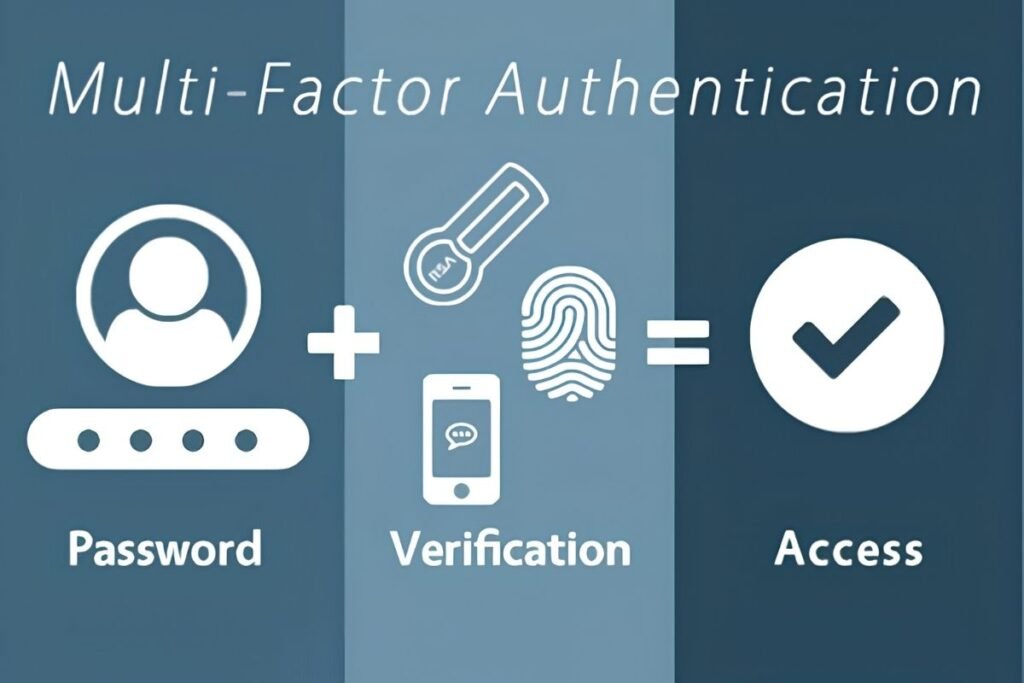
- Multi-factor authentication
- Role-based access control
- Least-privilege permissions
- Audit logs
- Secure remote access
- Strong administrator controls
- Secure API and integration practices
- Regular security updates
- Backup protection
- Monitoring for suspicious activity
When to Upgrade Your MSP Software Stack
An MSP may need to review its software when existing tools begin creating operational bottlenecks.
Common warning signs include:
- Technicians constantly switch between disconnected consoles.
- Alert volumes are difficult to manage.
- Important tasks still require manual work.
- Backup failures are difficult to identify.
- Client documentation is scattered or outdated.
- Security tools do not integrate with service workflows.
- Reporting requires extensive manual effort.
- The current platform cannot support additional clients or endpoints.
Conclusion
MSP software can shape how efficiently a provider delivers IT services as its client base grows. The real value comes from giving technicians the right information and capabilities at the right time, without creating unnecessary complexity.
Review your current setup, identify the tasks that slow your team down, and compare tools that can address those gaps. Before making a long-term commitment, test shortlisted options with real workflows to see what actually works for your team.
FAQs
1. How much does MSP software cost?
MSP software pricing varies by provider and may be based on devices, users, technicians, or selected features.
2. Can MSP software be used for small businesses?
Yes, MSP software can support small businesses by helping providers manage their IT services without building an in-house IT team.
3. Can MSP software automate IT tasks?
Yes, many platforms can automate routine tasks such as patching, maintenance, alerts, ticket workflows, and scheduled reports.
4. Can MSP software replace in-house IT tools?
It can consolidate several IT management functions, but the tools an MSP uses will depend on its service model, client requirements, and existing technology stack.