The best ZTNA tools in 2026 include Zscaler, Cloudflare Access, Palo Alto, and more. This article ranks them all, covering features, pricing, and who each one suits. Startups get free-tier options. Enterprises get enterprise-grade picks. Everyone gets a clear comparison table to speed up the decision.
Remote work changed how companies think about security. The old model of trusting everyone inside the network is no longer safe. Attackers who steal one password can move freely through a traditional network.
That’s where Zero Trust Network Access (ZTNA) steps in. Instead of granting broad access, it verifies identity, device health, and context before allowing anyone to access an application (Every single time without exception).
This article covers the best ZTNA tools available in 2026. The ones security teams actually recommend, ranked by real-world usability, security depth, pricing fairness, and integration options. Whether you’re a startup or a global enterprise, there’s a solution on this list for you.
What is a ZTNA Tool?
A ZTNA tool is a security technology that provides secure remote access to applications based on one rule: trust no one. Unlike older systems that give a user access to an entire network, ZTNA creates a private “tunnel” between a specific user and the specific app they need. Everything else stays invisible to them.
Key principles behind all the best ZTNA tools:
- Never Trust, Always Verify: Every request is authenticated
- Least Privilege Access: Users see only what they need
- Application-level Segmentation: No broad network exposure
- Continuous Validation: Device posture is checked, not just at login
ZTNA evaluates the user’s identity, device security posture, and other factors before granting access. It uses a secure, encrypted tunnel to connect users to specific applications, providing an extra layer of security.
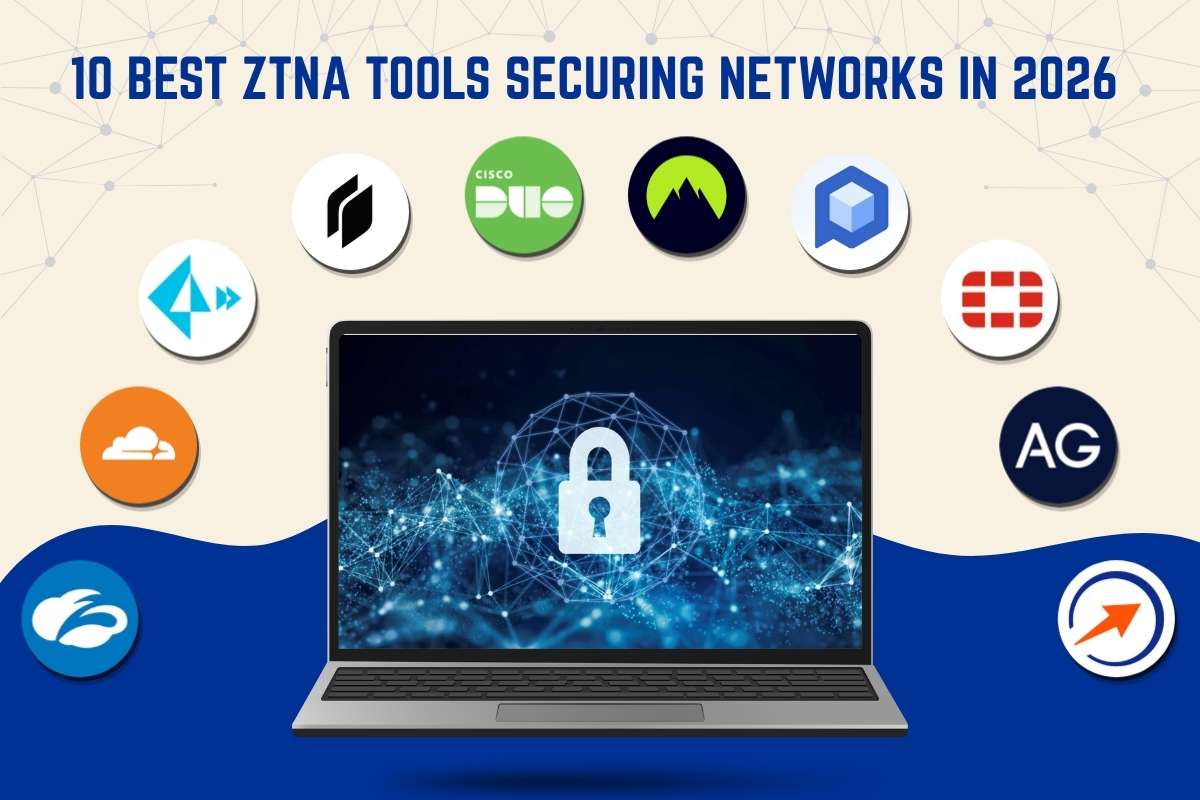
10 Best ZTNA Tools Securing Networks in 2026
When comparing the best tools, keep in mind that there is no universal winner. The right fit depends on team size, existing infrastructure, and security maturity.
Selection Criteria & Ranking Method
To rank the best tools fairly, each was evaluated on six criteria:
| Criteria | What We Looked At |
| Security depth | MFA, device posture, continuous auth |
| Ease of deployment | Time to go live, agent requirements |
| Integration | IdP, SSO, cloud platforms |
| Scalability | SMB to enterprise suitability |
| Pricing | Transparency and value |
| Compliance support | SOC 2, HIPAA, GDPR, PCI-DSS |
The best ZTNA tools are ranked from best overall to more specialized options. Enterprise leaders appear first; SMB-friendly and niche tools follow.
1. Zscaler Private Access (ZPA)
Zscaler Private Access allows authorized users to connect only to approved resources, making apps invisible and inaccessible to attackers. It offers a global edge presence with 150+ cloud edge locations worldwide, ensuring scalability and performance without on-premises appliances.
Key Features:
- Full inline inspection with DLP
- User-to-app segmentation (no network-level access)
- 150+ global PoPs
- Integrates with Okta, Azure AD, and CrowdStrike
Best for: Large enterprises replacing VPNs at scale
Pros: Industry-leading security depth; strongest Gartner ZTNA quadrant position
Cons: Complex to configure; expensive at scale
Pricing: Starts at $6–$12/user/month; enterprise deployments range from $20,000 to $300,000+ annually.
Also Read: Zero Trust Security: How Modern Companies Protect Data and Systems
2. Cloudflare Access (Cloudflare One)

When cloud-first teams look for the best ZTNA tools, they prefer Cloudflare Access. It secures internal apps without exposing them to the internet. It runs on Cloudflare’s global edge network, offers a generous free tier for up to 50 users, and deploys without complex configuration or hardware.
Key Features:
- Clientless access for web apps
- Runs on Cloudflare’s global Anycast edge
- Free tier for up to 50 users
- WARP client for non-web app access
Best for: Startups, SMBs, and cloud-first teams
Pros: Fast to deploy; excellent free tier; transparent pricing
Cons: Advanced DLP and browser isolation cost extra
Pricing: Free (up to 50 users); Paid plans starting at $7/user/month.
3. Palo Alto Networks Prisma Access
Prisma Access is a cloud-delivered ZTNA solution that uses machine learning to build dynamic, risk-based access policies. It sits inside Palo Alto’s broader security platform, connecting natively with Cortex XDR, NGFW, and SD-WAN for a unified SecOps experience.
Key Features:
- ML-powered policy engine
- Native integration with Cortex XDR
- SASE-ready (combines SD-WAN, SWG, ZTNA)
- Microsegmentation across hybrid environments
Best for: Enterprises needing unified SASE + ZTNA
Pros: Best for orgs already on Palo Alto; unified SecOps
Cons: Premium pricing; complex for smaller teams
Pricing: Usage-based; contact for enterprise quotes
4. Twingate
Twingate is a modern ZTNA tool built for developer teams and regulated industries. It replaces VPN without exposing public IPs, offers granular per-resource access policies and detailed activity logs, and deploys in minutes without touching your existing network configuration.
Key Features:
- DNS encryption and split tunneling
- No public IP exposure required
- Developer-friendly API for automation
- Supports Okta, Azure AD, Google Workspace
Best for: Developer teams and regulated industries
Pros: Extremely fast deployment; clean UI; SOC 2 & GDPR compliant
Cons: Fewer advanced enterprise features; smaller community
Pricing: Free plan available; Teams plan from $5–$15/user/month
5. Cisco Duo (with ZTNA)
Cisco Duo checks device health and confirms identity before granting access to any app. It works across hundreds of cloud and on-prem environments with minimal setup. Teams already on Cisco infrastructure will find it one of the best ZTNA tools they can add without starting over.
Key Features:
- Device trust + MFA as a combined layer
- Integrates with hundreds of apps natively
- Phishing-resistant passwordless authentication
- Granular policy per application
Best for: Organizations already using Cisco infrastructure
Pros: Best MFA in the industry; smooth Cisco ecosystem fit
Cons: ZTNA features require higher-tier plans
Pricing: Free (up to 10 users); $3–$9/user/month for paid plans.
6. NordLayer
NordLayer is built specifically for remote and distributed workforces. It combines identity-aware access, SSO, dedicated cloud gateways, and DNS-level threat protection into one platform. No hardware is required, and teams can be onboarded in a matter of hours.
Key Features:
- Dedicated IP and gateway options
- SSO via Google, Azure AD, Okta
- DNS filtering and threat protection
- Easy onboarding with no hardware
Best for: Remote and distributed workforces
Pros: Very affordable; simple admin panel; great for SMBs
Cons: Less granular than enterprise-grade tools
Pricing: Starts at $8/user/month (Lite); Premium at $14/user/month
7. Perimeter 81
Perimeter 81 is a cloud-native ZTNA platform built for growing companies. It combines software-defined perimeters, microsegmentation, and policy controls in one place. Teams can set up secure access without needing a dedicated network engineer.
Key Features:
- Software-defined perimeter (SDP) architecture
- Microsegmentation out of the box
- Automatic Wi-Fi security
- Works across multi-cloud environments
Best for: Mid-market companies moving away from VPN
Pros: Easy setup; good policy management; strong SMB focus
Cons: Can feel limited for large enterprises
Pricing: Essentials from $8/user/month; Premium and Enterprise tiers available
8. Fortinet Universal ZTNA
For hybrid environments, Fortinet Universal ZTNA is among the best ZTNA tools. It is designed to control application access regardless of where the app lives. FortiClient is a unified agent that can support ZTNA and VPN patterns. It is a practical transition path for orgs that cannot rip and replace overnight.
Key Features:
- Single FortiClient agent for ZTNA + EPP + VPN
- Works with FortiGate SD-WAN
- On-prem, cloud, and hybrid support
- Centralized policy with FortiManager
Best for: Hybrid environments with Fortinet firewalls
Pros: Best choice for existing Fortinet customers; flexible transition
Cons: Requires the Fortinet ecosystem for full value
Pricing: Bundled with FortiClient EMS; contact for pricing
9. Appgate ZTNA
Appgate ZTNA provides continuous authentication that adjusts based on real-time risk variables like changes in user behavior or device compromise. It provides support for standards like HIPAA, PCI-DSS, and GDPR. This equips IT teams with actionability, audit trails, and behavior analytics.
Key Features:
- Dynamic trust model with behavioral analytics
- Fine-grained microsegmentation
- Supports cloud, on-prem, and hybrid infrastructure
- Full audit trails for compliance
Best for: Highly regulated sectors (finance, healthcare, government)
Pros: Best compliance coverage; enterprise-grade identity controls
Cons: Higher learning curve; enterprise pricing
Pricing: Contact Appgate for a custom quote
10. GoodAccess
GoodAccess is a lightweight ZTNA tool built for small teams and freelancers. It offers a free Starter plan with secure access, MFA, and a simple dashboard. Paid plans add dedicated gateways and SSO for growing teams.
Key Features:
- Access cards for individual users or groups
- Dedicated cloud gateways
- MFA and SSO support
- Simple dashboard with user-level controls
Best for: Small teams and freelancers on a budget
Pros: Free tier; easiest to manage for small teams
Cons: Not built for enterprise scale
Pricing: Free (Starter); paid plans from $7/user/month
Quick Comparison Table
Here’s a side-by-side view of the best ZTNA tools covered above:
| Tool | Best For | Free Tier | Approx. Starting Price | Compliance |
| Zscaler ZPA | Large enterprise | No | $6–12/user/mo | SOC 2, HIPAA, GDPR |
| Cloudflare Access | SMB, cloud-native | Yes (50 users) | $7/user/mo | SOC 2, GDPR |
| Palo Alto Prisma | Unified SASE/enterprise | No | Custom | SOC 2, HIPAA |
| Twingate | Developers, regulated | Yes | $5/user/mo | SOC 2, GDPR |
| Cisco Duo | Cisco ecosystem | Yes | $3/user/mo | SOC 2, HIPAA |
| NordLayer | Remote workforce | No | $8/user/mo | SOC 2, GDPR |
| Perimeter 81 | Mid-market | No | $8/user/mo | SOC 2, HIPAA |
| Fortinet ZTNA | Hybrid/Fortinet shops | No | Bundled, contact support | SOC 2, GDPR |
| Appgate ZTNA | Regulated sectors | No | Custom | HIPAA, PCI-DSS |
| GoodAccess | Small teams | Yes | $7/user/mo | SOC 2, GDPR |
How to Choose the Right ZTNA Tool?
Knowing which of the best ZTNA tools fits your team is simpler when you match your size to the right tier. Here’s a simple decision path:
- You’re a solo developer or small startup: Start with GoodAccess (free) or Twingate (free tier). Both deploy in under an hour.
- You’re a mid-market company: Cloudflare Access or Perimeter 81 gives you the best balance of simplicity and control.
- You’re in a regulated industry: Appgate ZTNA or Zscaler ZPA. Both are built for audit trails and strict compliance.
- You’re already on a security platform: Match the vendor. Fortinet shops should use FortiClient ZTNA. Palo Alto shops should use Prisma Access. Cisco shops benefit most from Duo.
- You want the lowest cost at scale: Cloudflare leads in cost efficiency and ease of deployment, while Zscaler offers advanced security features that justify its higher price for comprehensive protection.
Evaluating the best ZTNA tools for your team means answering a few practical questions first:
Key questions to ask before buying:
- Do users need agent-based or agentless access?
- Which identity providers (IdPs) do you already use?
- Do you need on-premises app support, or is everything cloud-hosted?
- What compliance frameworks do you have to meet?
- How many users will you onboard in the next 12 months?
ZTNA vs VPN: Which is Better?
This comparison comes up constantly, and the answer matters.
| ZTNA | Feature | VPN |
| App-level only | Access scope | Full network |
| Minimal | Attack surface | Large |
| Prevented by design | Lateral movement | Possible |
| Generally faster | Performance | Can introduce latency |
| Seamless | User experience | Can be clunky |
| Cloud-native | Scalability | Hardware-dependent |
| Varies | Cost | Lower upfront |
Traditional VPNs provide broad network access, which increases attack surfaces and lateral movement risks. ZTNA solves this by granting application-level access only, reducing exposure and improving security posture.
When looking at the ZTNA tools vs VPNs, the gap in security architecture is clear. That said, VPNs aren’t dead yet. If your users need raw network-level access (legacy apps, some OT/IoT systems), a VPN still has its place. For most modern setups, ZTNA is the better long-term bet.
Also Read: ZTNA vs VPN: Which Remote Access Solution Is Right for You?
Conclusion
Choosing between the best ZTNA tools available today comes down to your specific situation. These tools don’t just lock things down; they make secure access feel invisible to end users while giving IT teams full visibility and control. The right pick depends on your size, stack, and compliance requirements.
Start small if needed. Cloudflare and GoodAccess both have free tiers that let you test ZTNA without a budget commitment. Scale up when your needs grow.
One thing is certain: in 2026, running a flat network with VPN-only access is a risk most organizations can no longer afford.
Frequently Asked Questions
1. What are the best ZTNA tools that are free?
Cloudflare Access offers a free plan for up to 50 users, Twingate has a free tier for small teams, and GoodAccess offers a free Starter plan for freelancers and micro-teams.
2. Can ZTNA fully replace a VPN?
In most modern cloud-first environments, yes. ZTNA offers better security, less attack surface, and a smoother user experience for accessing SaaS and private apps.
3. Is ZTNA hard to set up?
It depends on the tool. Twingate and Cloudflare Access can be live in under an hour. Enterprise tools like Zscaler or Appgate ZTNA require more planning and setup time.
4. Do ZTNA tools work for third-party contractors?
Yes, this is one of their strongest use cases. You can give vendors access to exactly one app without exposing anything else on your network.
5. What’s the difference between ZTNA and SASE?
ZTNA is a specific access control method. SASE (Secure Access Service Edge) is a broader framework that bundles ZTNA with SD-WAN, SWG, CASB, and more into a single cloud-delivered service.