Identity and Access Management (IAM) is a security framework that controls who can access your systems, apps, and data, and under what conditions. This guide covers how IAM works, its core components, key principles, and the top tools in 2026. You’ll also learn why IAM projects fail and how to avoid costly mistakes that most organizations overlook.
Every day, employees log into dozens of apps, databases, and cloud systems. Each login is a potential entry point for attackers. In fact, SentinelOne data shows that 70% of cloud breaches originate from compromised identities rather than software flaws.
That’s where Identity and Access Management (IAM) comes in. IAM is the set of processes and technologies that control who gets access to what in your organization, and under what conditions. Done right, it keeps data safe, reduces insider threats, and helps companies meet compliance rules. Done poorly, it leaves doors wide open.
This article breaks down everything you need to know about IAM: what it is, how it works, why projects fail, and how to get it right.
What is identity and access management?
IAM is a framework of policies, processes, and technologies that helps organizations manage digital identities and control user access to resources.
Think of it this way: IAM is like a building’s key card system. Each employee gets a badge that only opens the doors they’re allowed to use. The security desk tracks who entered, when, and where. If someone leaves the company, their card is deactivated immediately.
IAM does the same thing, but for digital systems.
The four rules that every effective IAM strategy is built on

Identity and Access Management works best when it’s built on a few core rules. These principles don’t just guide tool selection; they shape how your entire access policy is designed and enforced.
1. Least Privilege:
Every user, system, or AI agent gets only the access they need to do their job, nothing more. If a contractor needs to read one folder, they get access to one folder.
2. Zero Trust:
“Never trust, always verify.” No user or device is automatically trusted, even if they’re already inside the network. Every request is verified in context.
3. Separation of Duties:
No single person should have end-to-end control over a sensitive process. For example, the person who approves a payment shouldn’t also be able to initiate it.
4. Just-in-Time Access:
Users get elevated permissions only when they need them, and only for as long as necessary. After the task, access is revoked automatically.
What are the core components that make IAM work?
Let’s understand the core components of IAM with examples:
| Component | What It Does | Example |
| Identity Management | Creates and stores digital user profiles | Employee database with roles and departments |
| Authentication | Verifies you are who you say you are | Password + fingerprint scan |
| Authorization | Decides what you’re allowed to access | HR manager can view payroll, but not engineering repos |
| Administration | Manages user onboarding, role changes, and offboarding | Auto-removing access when someone resigns |
| Auditing & Monitoring | Tracks who accessed what and when | Log showing a file was opened at 2 AM from an unknown location |
How does IAM actually control who gets in?
IAM works through a series of steps every time a user tries to access a resource:
- A user requests access (e.g., logs into a company app)
- The IAM system authenticates the user (checks credentials, MFA, device health)
- It checks what the user is authorized to do (based on role or attributes)
- Access is granted or denied
- The activity is logged for auditing and compliance
Example: A finance analyst logs into Salesforce. The Identity and Access Management system checks their password and sends a one-time code to their phone (MFA). It confirms they have the “Finance Analyst” role, which allows read-only access to client billing records. The login is logged. They cannot export bulk data because their role doesn’t allow it.
This happens in milliseconds, invisibly.
You may also like: How Zero Trust Architecture Reduces Cyber Risks in Organizations
Which type of IAM does your organization need?
Not all IAM solutions are built the same. The right type depends on who you’re managing access for: employees, customers, admins, or even AI agents. Here’s a breakdown of the main categories:
| Type | Best For | Key Feature |
| Workforce IAM | Managing employee identities | SSO, MFA, HR system integration |
| Customer IAM (CIAM) | Managing customer-facing logins | Scalable, low-friction, privacy-focused |
| Privileged Access Management (PAM) | Securing admin/root accounts | Session recording, just-in-time access |
| Cloud IAM | Multi-cloud environments | Manages access across AWS, Azure, and GCP |
| Non-Human Identity Management | AI agents, bots, service accounts | Credential rotation, least-privilege by default |
Non-human identities are the fastest-growing challenge in Identity and Access Management in 2026. AI agents can now provision accounts, access databases, and move sensitive data. Just like human users, they need identities, credentials, and access controls. Most organizations are unprepared for this.
From passwords to passkeys: how IAM verifies who you are?

Authentication is the first line of defense in any IAM system. The method you choose directly affects both security strength and user experience. It is a tradeoff every organization has to manage. Here’s how the most common methods compare:
| Method | How It Works | Security Level |
| Password | Static secret known by the user | Low |
| Multi-Factor Authentication (MFA) | Password + code or biometric | High |
| Passwordless (FIDO2/WebAuthn) | Biometric or hardware key, no password | Very High |
| Single Sign-On (SSO) | One login for multiple apps via identity provider | Medium-High |
| Adaptive Authentication | Adjusts requirements based on risk signals (location, device, behavior) | Very High |
Expert Take: The FIDO Alliance reports that phishing-resistant authentication methods like passkeys eliminate the risk of credential phishing, since there’s no password to steal.
Why do most IAM projects fail (and how to avoid it)?
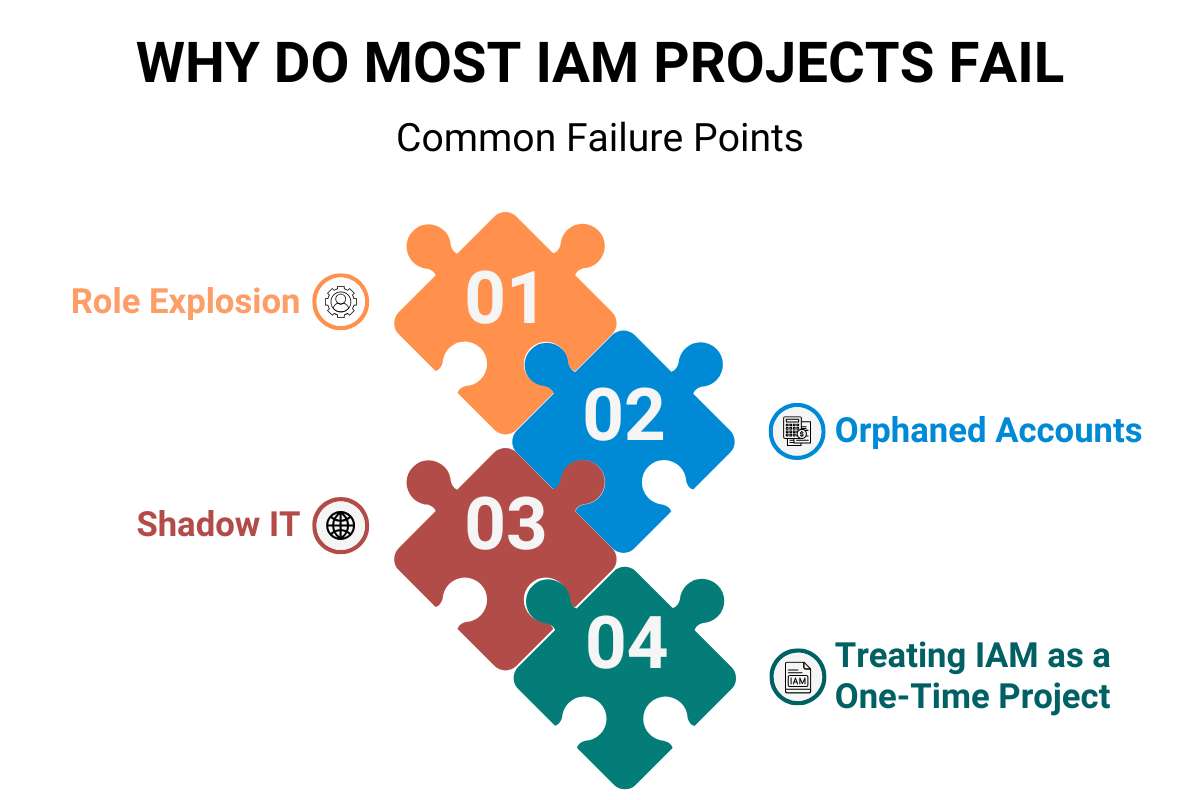
Most IAM articles skip this entirely. But knowing why IAM fails is just as important as knowing how to set it up.
Common Failure Points:
1. Role Explosion:
When companies use Role-Based Access Control (RBAC) without a governance plan, roles multiply out of control. A company with 500 employees can end up with 2,000+ roles, many overlapping or outdated. Access decisions become guesswork.
Fix: Start with a clean role taxonomy. Review roles quarterly.
2. Orphaned Accounts:
Ex-employees and contractors whose access is never removed are a major risk. Enterprise security reports indicate that over 50% of organizations have experienced active insider incidents.
Fix: Automate deprovisioning. When HR marks someone as terminated, IAM should auto-revoke access immediately.
3. Shadow IT:
When employees use unsanctioned tools (personal Dropbox, free project management apps), IAM has no visibility into those access paths. Data moves outside your control.
Fix: Combine IAM with a Cloud Access Security Broker (CASB) to gain visibility into shadow app usage.
4. Treating IAM as a One-Time Project:
Identity and Access Management is not a software installation. It’s a continuous program. Organizations that set it up and walk away find their access policies drifting out of sync with actual business needs within months.
Fix: Schedule regular access reviews, ideally every 90 days, and assign a dedicated IAM owner internally.
You may also like: Zero Trust Network Access: How It Protects Modern Business Networks
What are the top IAM tools in 2026?
The enterprise identity market in 2026 focuses on AI automation, Zero Trust enforcement, and managing non-human machine identities.
| Tool | Best For | Standout Feature |
| Microsoft Entra ID | Microsoft-centric organizations | Deep M365 & Azure integration |
| Okta | Cloud-forward enterprises | 7,000+ app integrations + adaptive MFA |
| CyberArk | Privileged access management | Credential rotation + session recording |
| SailPoint | Large-scale identity governance | AI-driven access analytics |
| JumpCloud | Remote/distributed workforces | Unified identity + device management |
| IBM Security Verify | Zero trust + threat detection | AI risk scoring + IBM threat intelligence |
| Ping Identity | Developer-centric organizations | API-first adaptive authentication |
Note: The right tool depends on your environment, size, and compliance needs. Many enterprises combine a core IAM platform with a separate PAM tool for privileged accounts.
How does IAM boost cybersecurity?
Identity and Access Management and cybersecurity are closely linked, but they’re not the same thing.
IAM is a management discipline. It controls who has access and manages the lifecycle of identities. Identity Security is a security discipline. It detects and responds to threats targeting those identities, like credential stuffing, account takeover, or lateral movement inside Active Directory.
IAM tools that store and manage identities for SSO or MFA cannot detect and prevent identity-driven attacks in real time. You need both.
How IAM specifically helps cybersecurity:
- Reduces the attack surface by limiting over-privileged accounts
- Makes it easier to detect anomalies (unusual login location, time, or behavior)
- Speeds up incident response by giving security teams a clear picture of who accessed what
- Enables fast account revocation when a threat is detected
What does your organization gain from IAM?
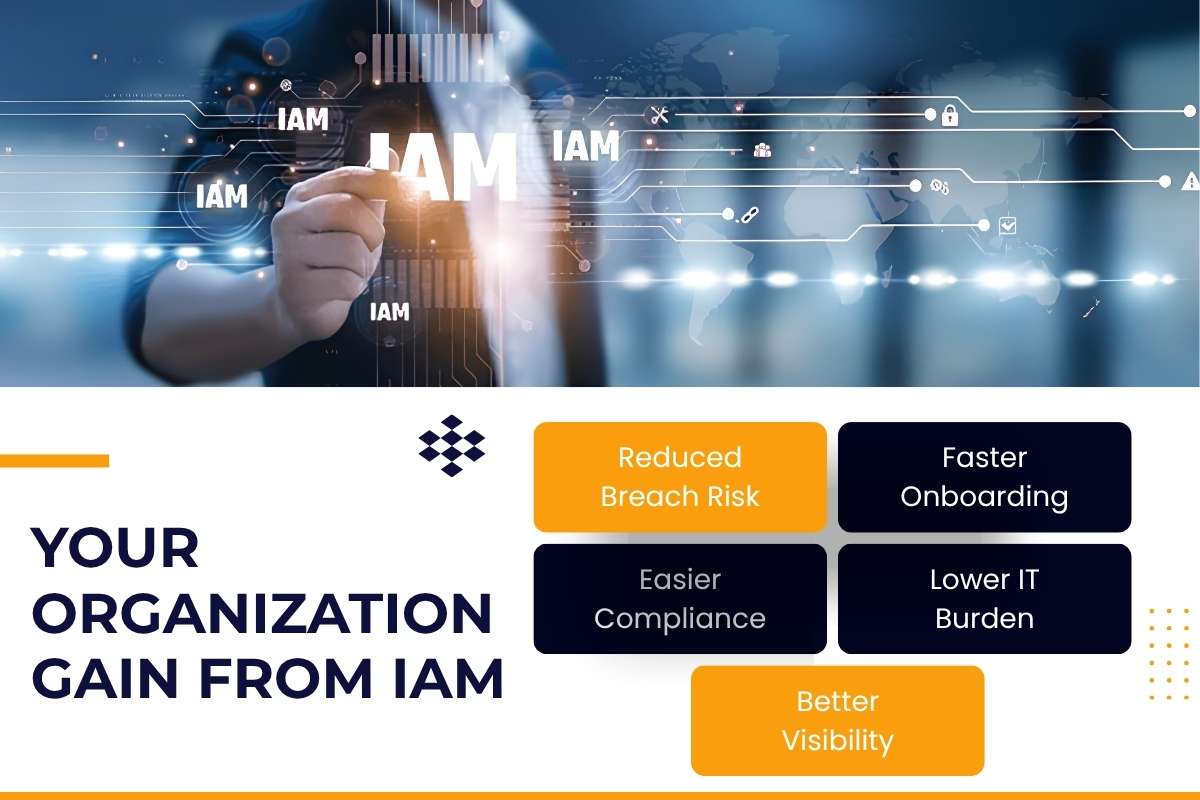
- Reduced Breach Risk: Limiting access means attackers have fewer entry points to exploit
- Faster Onboarding: Automated provisioning gets new employees set up on day one
- Easier Compliance: Identity and Access Management creates the audit trails required by GDPR, HIPAA, SOC 2, and ISO 27001
- Lower IT Burden: Self-service password resets and SSO cut down helpdesk tickets significantly
- Better Visibility: Security teams can see who has access to what, at any time
How does IAM fit into zero trust security?
Zero Trust is a security model built on the assumption that no user or device should be trusted by default, regardless of whether they’re inside or outside the network.
IAM is the foundation of Zero Trust. Here’s how they connect:
- Verify Every User: IAM authenticates every access request, every time
- Enforce Least Privilege: IAM ensures users only have the minimum access needed
- Assume Breach: IAM logs and monitors all activity so security teams can investigate fast
- Continuously Validate: Adaptive authentication re-checks risk signals throughout a session, not just at login
Conclusion
Identity and Access Management is no longer optional for organizations of any size. With credential-based attacks dominating the threat landscape and AI agents joining human users on enterprise networks, managing who has access to what has never been more complex or more critical.
The companies that get IAM right treat it as a continuous program, not a one-time project. They automate provisioning and deprovisioning, enforce least privilege consistently, review access regularly, and layer identity security on top of IAM for real-time threat detection.
Start with the basics: enable MFA everywhere, adopt SSO to reduce password sprawl, and run your first access review. Those three steps alone will put you ahead of most organizations.
Frequently asked questions
1. What is the concept of identity and access management?
IAM is the idea that every user, device, or system that requests access to a resource should be verified. They should be given only the access needed and monitored, so organizations always know who is in their systems and why.
2. What are the 4 pillars of IAM?
The four pillars are authentication (verifying identity), authorization (controlling what a user can access), administration (managing user lifecycle), and auditing (tracking access activity for compliance and investigation).
3. Is IAM considered cybersecurity?
IAM is closely related to cybersecurity, but it is technically a management framework that governs access. For full protection, IAM should be paired with identity security tools that detect and respond to identity-based threats in real time.
4. What are the 3 A’s of IAM?
The three A’s are Authentication (proving who you are), Authorization (confirming what you’re allowed to do), and Auditing (recording what you did). Some frameworks add a fourth: Administration.
5. What is the difference between IAM and PAM?
IAM manages access for all users across an organization. Privileged Access Management (PAM) is a specialized subset focused on securing high-risk accounts (like system administrators and root users) with elevated permissions. PAM includes extra controls like session recording and just-in-time access elevation