Zero Trust Architecture is a cybersecurity approach that verifies every user, device, and access request before granting access. This guide explains how Zero Trust works, its key components, benefits, implementation steps, and the role of AI. Read on to learn how organizations can reduce cyber risks, strengthen access controls, and better protect data in modern cloud and remote-work environments.
Traditional cybersecurity followed a simple rule: trust users and devices inside the company network and block threats from outside.
Today, that approach is no longer enough. Employees work from home and use cloud apps. They also access company data from many devices. At the same time, cybercriminals use stolen passwords and accounts to get into systems.
This is why many organizations are moving to Zero Trust Architecture. In this guide, you’ll learn what it is, why it matters, how it works, and how AI supports it.
What Does Zero Trust Architecture Mean?
It is a cybersecurity approach built on one key idea: “Never trust, always verify.”
According to the National Institute of Standards and Technology (NIST), Zero Trust assumes that no user, device, or connection should be trusted. Every request must be verified and monitored.
Before access is granted, the system checks:
- User identity
- Device security
- Location
- Risk level
- Requested resource
- Security policies
NIST describes ZTA as a security model that focuses on protecting users, devices, applications, and data. It doesn’t rely only on network boundaries.
Traditional Security vs Zero Trust
Here’s the difference between traditional security and zero trust to help you better understand their difference:
| Traditional Security | Zero Trust Architecture |
| Trusts users inside the network | Trusts no one by default |
| Focuses on the network edge | Focuses on identities and resources |
| One-time login checks | Continuous verification |
| Broad access permissions | Least-privilege access |
| Harder to secure remote work | Built for cloud and remote access |
What are the Core Pillars of Zero Trust Architecture?
The Cybersecurity and Infrastructure Security Agency (CISA) identifies five main pillars of Zero Trust.
| Pillar | Purpose |
| Identity | Verify users continuously |
| Devices | Secure and validate endpoints |
| Networks | Monitor and control communications |
| Applications & Workloads | Protect software and services |
| Data | Protect sensitive information |
Supporting capabilities include:
- Visibility and analytics
- Automation and orchestration
- Governance and policy enforcement
What are the Key Components of Zero Trust Architecture?
1. Identity and Access Management (IAM)
IAM manages user identities, authentication, and access permissions. It often includes MFA, SSO, and role-based access controls. IAM ensures only verified users can access approved resources.
2. Zero Trust Network Access (ZTNA)
ZTNA gives users secure access only to the applications they are authorized to use. Unlike traditional VPNs, it does not expose the entire network. This reduces the attack surface and limits unauthorized access.
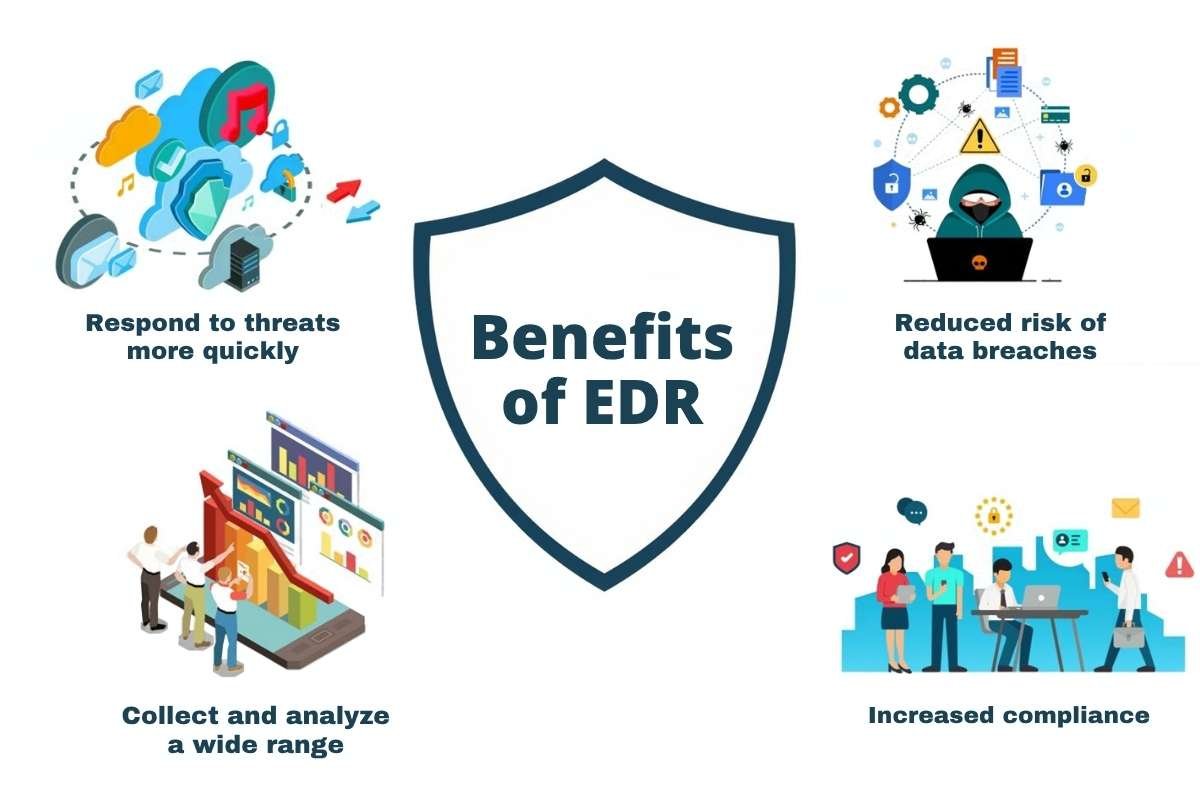
3. Endpoint Detection and Response (EDR)
EDR monitors devices such as laptops, servers, and mobile phones for suspicious activity. It helps detect threats like malware and ransomware. Many EDR tools can isolate compromised devices automatically.
4. Security Information and Event Management (SIEM)
SIEM collects and analyzes security logs from across the organization. It helps security teams detect threats, investigate incidents, and monitor activity from a central location. Many SIEM platforms also support automated alerts.
5. Data Loss Prevention (DLP)
DLP protects sensitive data from unauthorized access, sharing, or theft. It monitors how information is stored and transferred across systems. This helps organizations protect customer data and meet compliance requirements.
6. Microsegmentation
Microsegmentation divides networks and applications into smaller security zones. Access between zones is controlled through security policies. This helps stop attackers from moving across systems if they gain access.
7. Security Analytics and Risk Monitoring
Security analytics tools analyze user behavior, device activity, and network traffic for signs of risk. Many use machine learning to detect unusual patterns. This supports continuous monitoring and risk-based access decisions.
How Does Zero Trust Architecture Work?
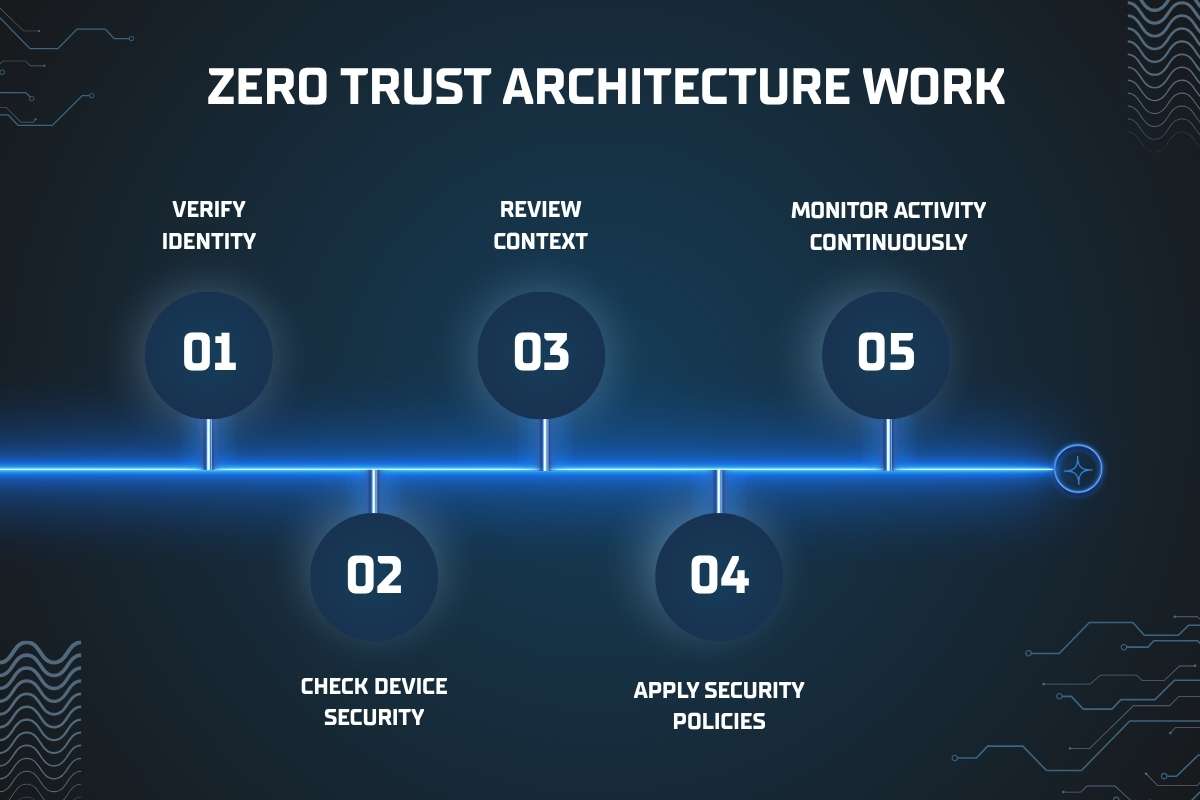
ZTA checks every access request before allowing access to a resource. The process usually includes the following steps.
1. Verify Identity
The first step in Zero Trust is verifying the user’s identity. Before access is granted, the system must confirm that the person requesting access is who they claim to be. Organizations use passwords and multi-factor authentication (MFA). Biometrics such as fingerprints or facial recognition are also used to make identity verification stronger. This helps reduce the risk of unauthorized access through stolen credentials.
2. Check Device Security
After verifying the user, the system checks whether the device meets security requirements. For example, it may confirm that the device has the latest security updates installed. It may also check that the device is running approved endpoint protection software. A trusted user using an unsecured device can still create security risks. That’s why device health is an important part of the decision process.
3. Review Context
Zero Trust does not rely only on identity and device checks. It also evaluates the context of each access request. The system may consider factors such as the user’s location and the time of access. It can also check network conditions and recent user behavior. By analyzing this information, organizations can better identify potentially risky activity.
4. Apply Security Policies
Once enough information is gathered, security policies are used to determine whether access should be allowed. These policies are based on business requirements and risk levels. For example, HR employees may be allowed to access payroll systems. If a login attempt appears risky, additional verification may be required.
5. Monitor Activity Continuously
In a Zero Trust model, trust is never permanent. Even after access is approved, the system continues monitoring user activity throughout the session. If it detects unusual behavior, it can automatically trigger alerts. Continuous monitoring helps organizations respond to threats before they cause major damage.
How can Organizations Build a Zero Trust Architecture?
Building Zero Trust is an ongoing process, not a one-time project.
| Step | What to Do | Example / Expert Insight |
| 1. Identify Critical Assets | Identify and classify sensitive data, critical applications, cloud workloads, and privileged accounts. | Microsoft recommends protecting high-value assets first rather than trying to secure everything at once. |
| 2. Map Users and Data Flows | Understand who accesses each resource, how data moves, and how systems interact. | Google’s BeyondCorp project began by mapping users, devices, and applications. |
| 3. Improve Identity Management | Implement IAM, MFA, role-based access controls, and conditional access policies. | Microsoft describes identity as the foundation of Zero Trust security. |
| 4. Apply Least-Privilege Access | Give users only the access they need and remove unused permissions. | Many organizations use Just-in-Time access to reduce standing privileges. |
| 5. Segment Networks | Use microsegmentation to divide networks and applications into smaller security zones. | Segmentation helps prevent attackers from moving across systems after a breach. |
| 6. Monitor Continuously | Use tools for real-time monitoring, threat detection, risk scoring, and alerts. | NIST recommends continuous monitoring because trust should never be permanent. |
| 7. Automate Security Policies | Automate responses such as blocking access, isolating devices, or requiring extra verification. | Automation helps security teams respond faster and enforce policies consistently. |
What are Common Use Cases of Zero Trust Architecture?
| Use Case | How Zero Trust Helps? |
| Remote Workforce Security | Employees can securely access company resources from any location. Access is continuously verified. |
| Cloud Security | Organizations protect cloud applications, workloads, and storage. Strict access controls and continuous monitoring are enforced. |
| Third-Party Access | Vendors and contractors receive limited access only to the resources they need, reducing security risks. |
| Privileged Access Management | Administrators receive tightly controlled permissions based on the principle of least privilege. |
| Healthcare | Hospitals and healthcare providers use Zero Trust to protect patient records, medical devices, and clinical systems. |
| Financial Services | Banks and financial institutions use Zero Trust to secure customer data, prevent unauthorized access, and reduce fraud. |
| Government Agencies | Government organizations use Zero Trust to protect critical infrastructure, sensitive information, and mission-critical systems. |
What are the Benefits of Zero Trust Architecture?
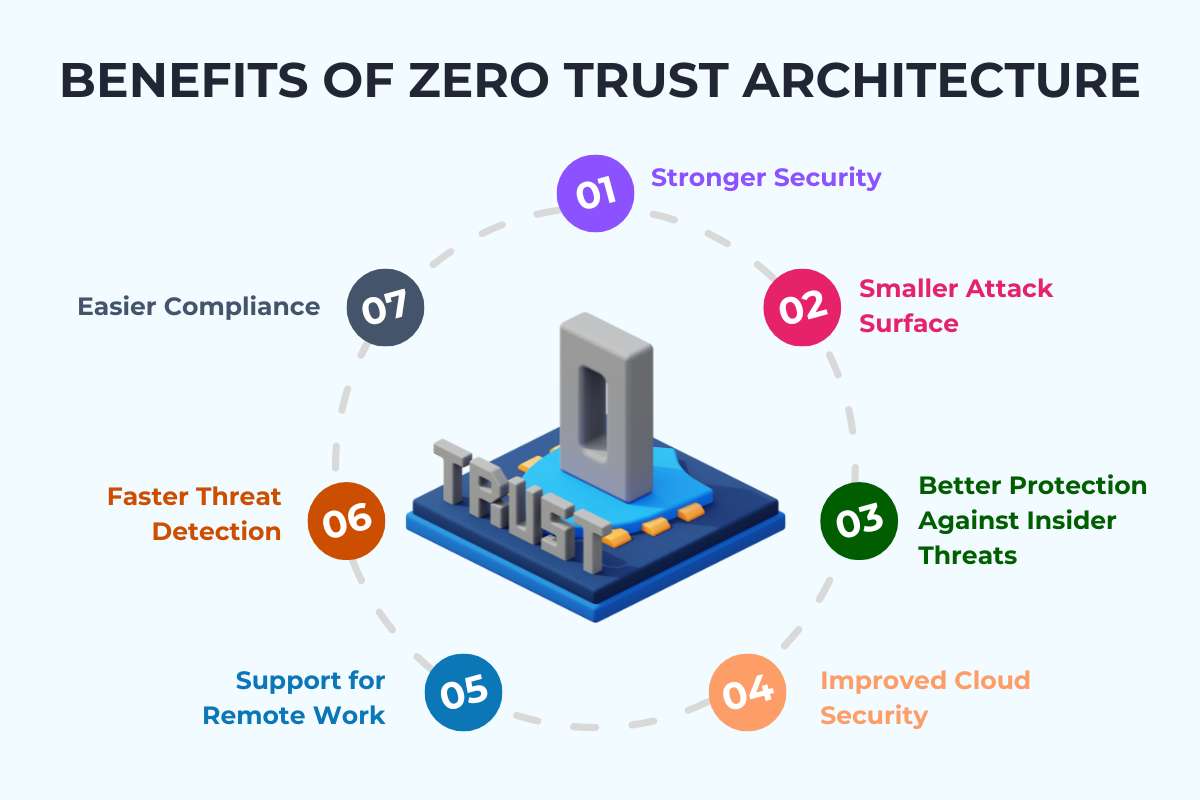
Organizations that adopt ZTA often improve both security and operations. Here are its key benefits:
- Stronger Security: Continuous verification makes it harder for attackers to gain access.
- Smaller Attack Surface: Users can access only approved resources.
- Better Protection Against Insider Threats: The same security rules apply to both internal and external users.
- Improved Cloud Security: Zero Trust works well in cloud, hybrid, and multi-cloud environments.
- Support for Remote Work: Employees can securely access resources from almost any location.
- Faster Threat Detection: Continuous monitoring helps identify suspicious activity sooner.
- Easier Compliance: Zero Trust supports many compliance frameworks, including GDPR, HIPAA, PCI DSS, and ISO 27001.
Why is Zero Trust Architecture Important?
Cyber threats have changed a lot in recent years. Organizations now deal with:
- Remote and hybrid work
- Cloud applications
- Insider threats
- Ransomware
- Stolen credentials
- Third-party access risks
Real-World Example:
In 2025, Coinbase disclosed a major breach after attackers bribed support staff with legitimate system access. Customer information, including identity documents, was stolen. The company estimated the incident could cost up to $400 million. The breach shows that attackers often target identities and access privileges. This highlights why ZTA has become essential.
Many attackers no longer break through firewalls. Instead, they use stolen usernames and passwords to log in as trusted users. IBM’s Cost of a Data Breach Report 2025 found that the average global cost of a data breach reached $4.4 million.
Zero Trust helps reduce these risks by continuously verifying access rather than granting trust once. Organizations use ZTA because it can:
- Block unauthorized access
- Reduce the attack surface
- Limit attacker movement inside networks
- Protect cloud resources
- Support compliance efforts
- Improve visibility into user activity
What Role Does AI Play in Zero Trust Architecture?

Artificial intelligence is becoming an important part of modern Zero Trust environments. Security teams collect huge amounts of data every day. AI helps analyze that data quickly and find risks that humans might miss. Here’s how AI supports zero trust:
1) Behavioral Analytics
AI learns what normal user behavior looks like and detects unusual actions. For example, if an employee suddenly downloads thousands of files late at night, the system can flag the activity.
2) Risk-Based Authentication
AI can adjust security checks based on risk. Low-risk activity may require only MFA. High-risk activity may require extra verification or may be blocked.
3) Threat Detection
Machine learning can identify: credential abuse, account takeovers, insider threats, and suspicious network activity.
4) Automated Response
AI can automatically remove access, isolate devices, and start security investigations.
As organizations use more AI tools and AI agents, Zero Trust principles help control access to sensitive systems and data.
Conclusion
Zero Trust Architecture is now an important cybersecurity strategy for modern organizations. Cloud services, remote work, and AI-powered systems continue to grow. That’s why traditional security models are becoming less effective.
By following the principle of “never trust, always verify,” organizations can reduce risk. They can limit unauthorized access and better protect users, devices, and data. Although implementing ZTA takes time and planning, it can lead to stronger security. It helps with better visibility and improved protection against modern cyber threats.
FAQs
1. What is Zero Trust Architecture in simple terms?
It is a security approach that requires every user and device to be verified before accessing company resources.
2. What is the main principle of Zero Trust?
The main principle is “never trust, always verify.”
3. What is the difference between Zero Trust and VPNs?
VPNs often trust users after they connect, while Zero Trust keeps checking access throughout the session.
4. Does Zero Trust require multi-factor authentication?
MFA is not the whole Zero Trust model, but it is a key part of most Zero Trust deployments.
5. Can AI improve Zero Trust security?
Yes. AI can help detect threats, assess risk, monitor behavior, and automate security actions.