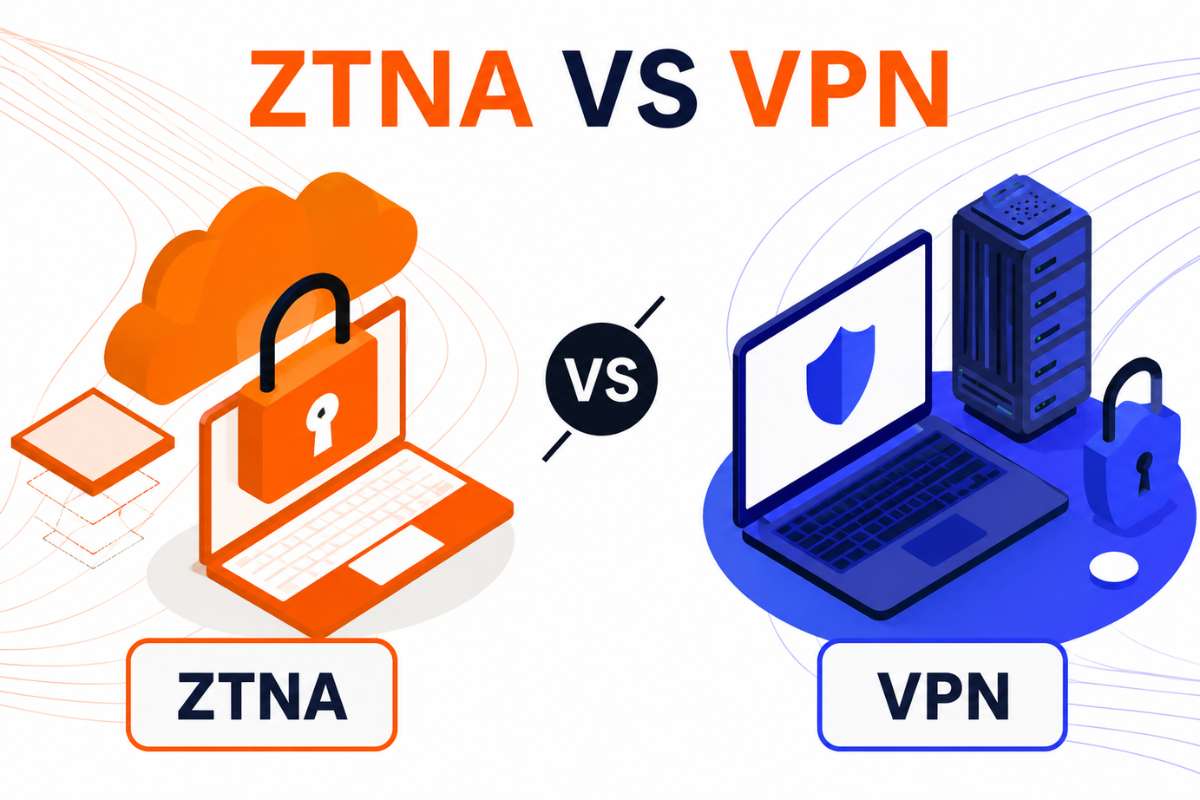
ZTNA vs VPN both help users access company resources remotely, but they work in different ways. This guide explains how each solution works, its key security and performance differences, and the best use cases for each. It also covers cloud applications, legacy systems, contractor access, and hybrid environments to help businesses choose the right remote access approach.
Remote work, cloud applications, and hybrid workplaces have changed how people access business systems. Employees now work from offices, homes, airports, and many other locations. At the same time, business applications are no longer stored only inside company networks. Many now run in the cloud.
Because of this shift, organizations need secure ways to control who can access company resources. Understanding ZTNA vs VPN is important when choosing the right remote access solution for modern environments.
ZTNA gives users access only to approved applications after continuous identity verification. VPNs connect users to an entire network after a single authentication step. ZTNA generally offers stronger security and better cloud compatibility, while VPNs remain useful for legacy systems and full network access.
What Is A VPN And How Does It Work?
A Virtual Private Network (VPN) is a tool that lets users securely connect to a company network from another location. It creates an encrypted tunnel between the user’s device and the organization’s network, helping protect data while it travels across the internet.
To connect, users usually enter a username, password, or another form of verification. Once approved, they can access company resources through the VPN connection. In many cases, users gain access to a broader section of the network after logging in.
When comparing ZTNA vs VPN, this broad network access is one of the biggest differences.
Where VPNs Were Originally Designed To Help
VPNs were built when most business applications were stored inside company data centers. Their main job was to help remote employees reach internal systems that were not available on the public internet.
What Is ZTNA And How Does It Work?
Zero Trust Network Access (ZTNA) is a security approach that gives users access only to the applications they are approved to use. Instead of trusting someone after a single login, ZTNA checks identity and device security before access is granted.
The core idea is simple: never trust, always verify.
ZTNA typically checks:
- User identity
- Device security status
- Location or access conditions
- Application access permissions
Unlike traditional network access tools, users only see the applications they are allowed to use. They do not gain visibility into the wider network.
This model has become more important as identity attacks continue to rise. According to Microsoft’s Digital Defense Report 2025, identity-based cyberattacks increased by 32% in the first half of 2025, highlighting the need for stronger identity-focused access controls.
Application Cloaking
One feature that sets ZTNA apart is application cloaking. Protected applications remain hidden from unauthorized users. If a user does not have permission, the application is not visible at all. This reduces exposure and makes it harder for attackers to find potential targets. This is one reason the security discussion around ZTNA vs VPN continues to grow.
ZTNA vs VPN: Core Differences Explained
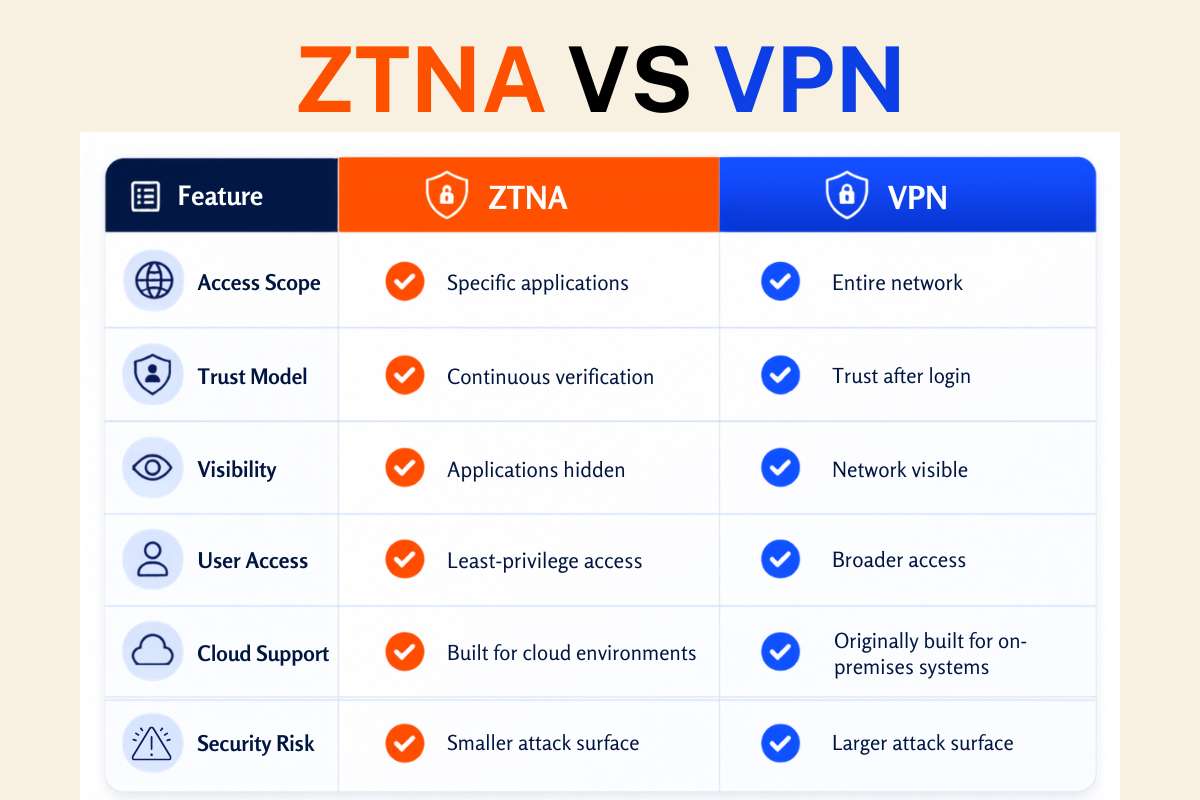
When comparing ZTNA and VPN, the biggest difference is what users can access after they log in. VPNs connect users to a network, while ZTNA connects users directly to approved applications. This difference affects security, visibility, and how access is controlled.
| Feature | ZTNA | VPN |
| Access Scope | Specific applications | Entire network |
| Trust Model | Continuous verification | Trust after login |
| Visibility | Applications hidden | Network visible |
| User Access | Least-privilege access | Broader access |
| Cloud Support | Built for cloud environments | Originally built for on-premises systems |
| Security Risk | Smaller attack surface | Larger attack surface |
Why Network Access And Application Access Are Not The Same
Many comparisons focus on features, but the access model is often the more important difference.
With a VPN:
- Users connect to the company network first.
- Multiple systems may become visible after login.
- Access is based on network connectivity.
With ZTNA:
- Users connect directly to approved applications.
- The wider network stays hidden.
- Access is based on application permissions.
This difference becomes important during a security incident. If an attacker gains access through a VPN account, there may be more opportunities to move through the network and reach other systems. With ZTNA, access remains limited to approved applications, which can reduce exposure and help contain threats more effectively.
Also Read: Zero Trust vs Traditional Network Security: What Every IT Team Needs to Know
ZTNA vs VPN Security Comparison
Security is where the differences between ZTNA and VPN become most clear.
A VPN often gives users access to part of the company network after login. This can create a larger attack surface because more systems may be visible and reachable. If login credentials are stolen, attackers may have a wider area to explore.
ZTNA takes a narrower approach. Users only get access to approved applications, and access checks continue throughout the session. This helps limit exposure if a user account is compromised.
In the comparison of ZTNA vs VPN, continuous verification is a major advantage. Access is not based on trust from a single login alone.
According to the IBM Cost of a Data Breach Report 2025, the global average cost of a data breach reached $4.4 million.
How Attackers Move After Initial Access
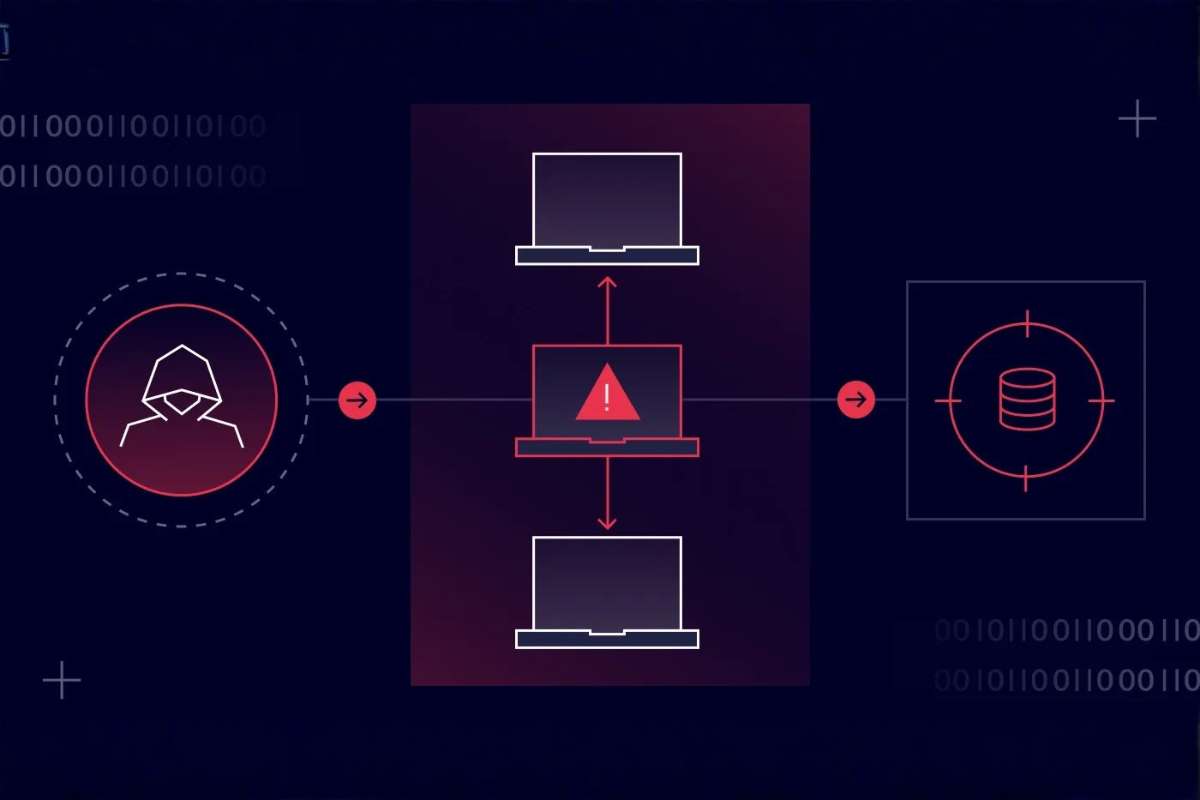
- A compromised VPN account may expose multiple systems.
- Attackers may be able to move across the network if permissions allow.
- ZTNA keeps access limited to approved applications.
- Restricted access helps reduce lateral movement and contain threats faster.
Performance Comparison
When evaluating ZTNA vs VPN, performance can be just as important as security. The way traffic travels affects speed, responsiveness, and the overall user experience.
With a VPN, traffic is often routed through a corporate gateway before reaching its destination. This process, known as backhauling, can add extra distance and increase delays.
ZTNA usually connects users directly to approved applications, which can improve access to cloud services and reduce unnecessary traffic routing.
Why Geography Matters
VPN performance can drop when users are far from the corporate gateway handling their connection. The longer the data must travel, the greater the chance of slower application performance. ZTNA can help reduce this issue by providing more direct access to cloud applications.
ZTNA vs VPN For Different Use Cases
The right choice depends on what users need to access and how your environment is built.
| Use Case | Better Choice |
| Cloud SaaS Applications | ZTNA |
| Remote Employees | ZTNA |
| Third-Party Contractors | ZTNA |
| Legacy Internal Systems | VPN |
| Full Network Administration | VPN |
| Hybrid Environments | Both |
ZTNA works well for cloud applications, remote teams, and organizations that want tighter access controls. VPNs remain useful when employees need broad access to internal systems or when older infrastructure still plays a major role.
According to Flexera’s 2025 State of the Cloud Report, 61% of organizations identify cloud security as a top challenge, reflecting the growing need for secure access controls across cloud environments.
Contractor Access Is Often Overlooked
Temporary users can be difficult to manage with traditional VPNs because they may receive more network access than needed. ZTNA allows organizations to grant access to specific applications only, making contractor access easier to control. This is another important factor when evaluating ZTNA vs VPN.
Can ZTNA And VPN Work Together?

Yes. Many organizations use both solutions at the same time. VPNs often continue to support legacy systems and older applications, while ZTNA is used to secure access to modern cloud services.
For large enterprises, replacing VPNs overnight is rarely practical. Many choose a gradual migration approach, moving users and applications to ZTNA over time while keeping VPN access where needed. This balanced approach is common in real-world ZTNA and VPN deployments.
When Should You Choose ZTNA vs VPN?
When comparing ZTNA and VPN, it is important to look beyond features alone. Consider where your applications are located, how people access them, and what level of security is needed. The right solution should support both your current needs and future growth plans.
| Situation | Best Choice |
| Most applications are cloud-based | ZTNA |
| Third-party or contractor access is common | ZTNA |
| Least-privilege access is required | ZTNA |
| Security modernization is a priority | ZTNA |
| Legacy infrastructure remains important | VPN |
| Full network access is necessary | VPN |
| Migration budgets are limited | VPN |
| You operate a hybrid environment | Both |
| Cloud and on-premises applications must be supported | Both |
| A gradual migration strategy is preferred | Both |
There is no single answer for every organization. The right choice depends on how users access resources, where applications are hosted, and how much flexibility the business needs during security upgrades.
Conclusion
The key difference between ZTNA vs VPN is how access is granted. VPNs connect users to networks, while ZTNA connects users to specific applications. Access models matter more than connectivity alone. The right choice depends on your infrastructure, security priorities, and how users need to access business resources.
FAQs
1. What is the biggest difference between ZTNA and VPN?
ZTNA provides access to specific applications, while VPN provides access to a network.
2. Is ZTNA more secure than VPN?
In most modern environments, ZTNA reduces attack exposure through continuous verification.
3. Can small businesses use ZTNA?
Yes. Many cloud-based ZTNA solutions are built for organizations of all sizes.
4. Does ZTNA replace VPN completely?
Not always. Many businesses still use VPNs for legacy systems and applications.
5. Why is ZTNA growing faster than VPN?
Organizations increasingly need secure access to cloud applications rather than entire networks.