
Think about this for a moment. You lock your front door before stepping out. But the windows stay open. That feels unsafe, right?
Many web applications work the same way. They look secure on the outside. But small weaknesses hide inside the system. Hackers rarely crash in.
They move quietly.
They click around.
They test forms and logins.
Then they wait.
Once they spot a gap, they take advantage of it. That is why Web application penetration testing Matters. It is like asking a trusted expert to think like a hacker. They try to break into your app safely. They show you what needs fixing.
This is not about fear. It is about being prepared. Strong security builds confidence. And confident systems grow faster.
What Is Web Application Penetration Testing?
Web application penetration testing is a planned and safe way to test how secure a web application really is. Security experts try to break into the application on purpose. They do this before real attackers get a chance.
These experts think like hackers. They use the same tricks and methods. But they work with permission. And they never cause damage.
Every action stays controlled.
Every weakness gets documented.
Every result goes into a clear report.
The main purpose of web application penetration testing is simple. It helps businesses see problems early. Fixing issues early costs less and protects users.
This testing checks all important parts of a web app. It reviews login pages. It tests forms and input fields. It examines APIs that connect systems. It inspects databases where data lives. It checks sessions that keep users logged in.
The focus is not only on technical bugs. It also tests logic mistakes. These mistakes often allow attackers to bypass rules without hacking tools. That is what makes web app. penetration testing so valuable.
Types of Web Application Penetration Testing

Different situations need different testing approaches. That is why penetration testing has types. Each type shows a different attack angle.
1. Black Box Testing
In Black Box Testing, testers start with zero information.
They do not see the code.
They do not know the system design.
They only see what the public sees.
This setup copies a real external attack. Hackers outside the company work this way. Testers try to guess how the system works. They probe inputs. They test URLs. They observe responses.
Black Box Testing helps measure real-world exposure. It shows how easy it is for strangers to break in.
2. White Box Testing
White Box Testing gives testers full access.
They see the source code.
They get credentials.
They review architecture diagrams.
This method goes deep. It finds hidden flaws fast. It reveals weak logic and unsafe code patterns.
White Box Testing saves time. It improves accuracy. It helps teams fix root problems. This approach strengthens web application penetration testing at a technical level.
3. Grey Box Testing
Grey Box Testing sits in the middle. Testers receive limited access. They know some internal details, not everything. This mirrors real-life threats. Leaked credentials. Disgruntled employees. Misused access. Grey Box Testing checks how far limited access can go.
You may also like: Find Bugs Before Hackers Do: Pentesting Tools
Benefits of Professional Web Application Penetration Testing Services
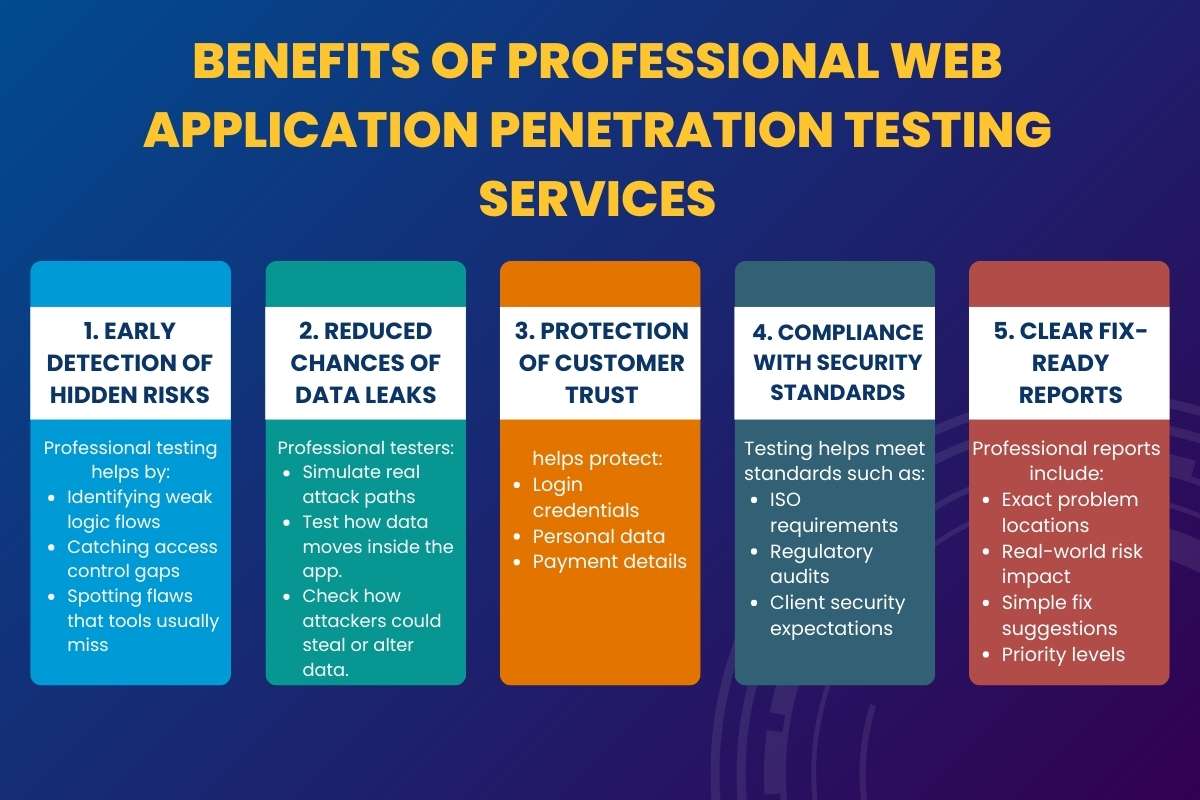
Professional web app. penetration testing is not just about running tools and checking boxes. It is about thinking like a real attacker and acting before damage happens.
Security tools follow rules.
Hackers do not.
That is where professionals make a real difference.
Why Professional Testing Works Better?
Experienced testers do more than scan systems. They question every workflow, every button, and every user action.
They ask:
- What if this input is misused?
- What if access rules fail?
- What if users behave differently than expected?
Attackers think this way, too. That is why expert-led web application penetration testing delivers stronger results.
Key Benefits:
1. Early Detection of Hidden Risks: Many security issues stay invisible during daily use. They sit quietly until someone abuses them.
Professional testing helps by:
- Identifying weak logic flows
- Catching access control gaps
- Spotting flaws that tools usually miss
Early detection saves time, money, and reputation.
2. Reduced Chances of Data Leaks: Data leaks often start small. A weak session. A broken permission check.
Professional testers:
- Simulate real attack paths
- Test how data moves inside the app.
- Check how attackers could steal or alter data.
This sharply lowers the risk of leaks.
3. Protection of Customer Trust: Customers expect safety. They leave when trust breaks. Professional web application penetration testing.
helps protect:
- Login credentials
- Personal data
- Payment details
When users feel safe, they stay loyal.
4. Compliance With Security Standards: Many industries demand proof of security.
Testing helps meet standards such as:
- ISO requirements
- Regulatory audits
- Client security expectations
Reports show clear evidence of responsible security practices.
5. Clear Fix-Ready Reports: Good testing does not confuse developers.
Professional reports include:
- Exact problem locations
- Real-world risk impact
- Simple fix suggestions
- Priority levels
This makes security fixes faster and cleaner.
Why Human Testing Beats Automated Scans?

Automated scans follow patterns. They miss context.
Human testers:
- Understand business logic
- Combine flaws creatively
- Test unusual user behavior.
This human edge makes web application penetration testing far more effective than tools alone.
Penetration Testing Methodology
A strong process keeps results accurate and useful. Each step builds on the previous one.
1. Planning: Everything starts with clarity.
During planning:
- The testing scope is defined
- Systems and features are listed.
- Risk areas are prioritized.
This avoids confusion and prevents unexpected disruptions.
2. Reconnaissance
Testers collect information quietly.
They study:
- Application structure
- User roles
- Entry points
This mirrors how attackers prepare before an attack.
3. Scanning
Now the real inspection begins.
Testers check:
- Forms and inputs
- APIs and endpoints
- Session handling
- Authentication logic
This step maps where weaknesses may exist.
4. Exploitation
Controlled attacks are performed safely.
Testers:
- Attempt real break-ins
- Prove impact without harm.
- Measure how far an attacker could go.
No data is damaged. Everything stays controlled.
5. Reporting
Results are documented clearly.
Reports include:
- What was tested
- What failed
- Why it matters
- How to fix it
No technical overload. Just clear guidance.
Goals of Web Application Penetration Testing
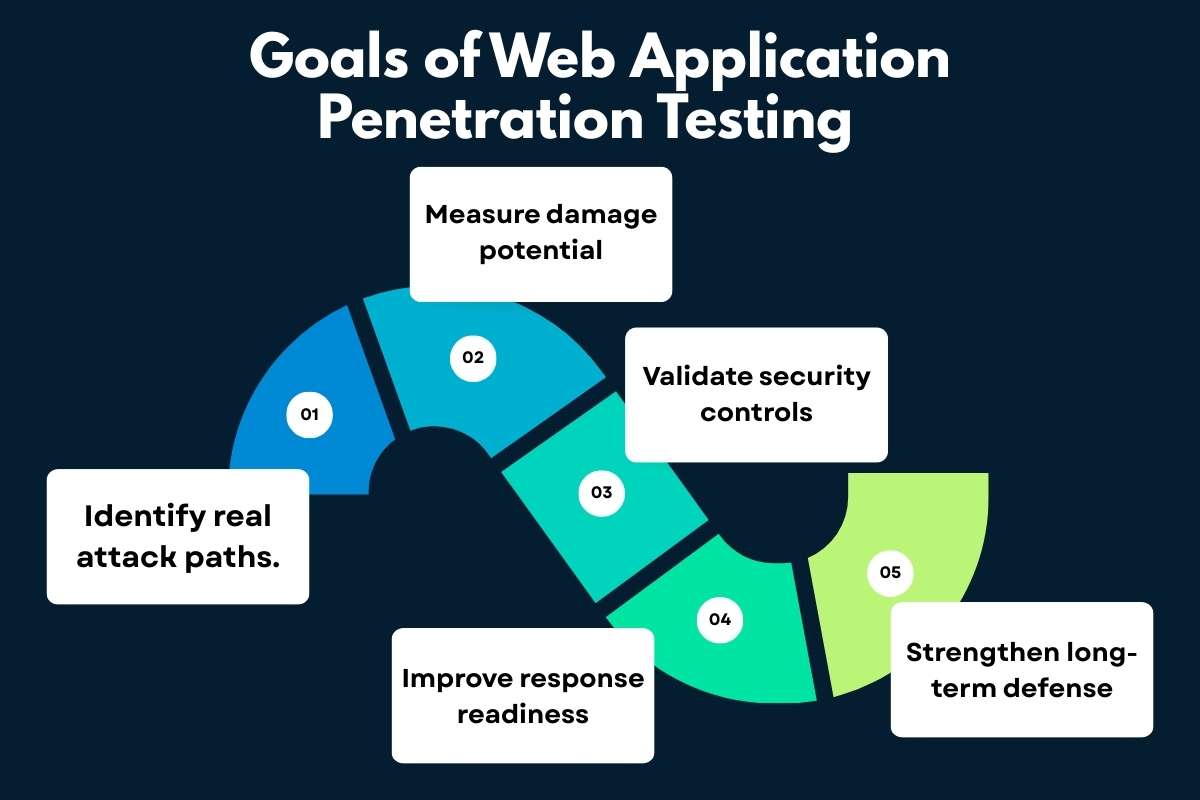
1. Identify real attack paths.
Web application penetration testing shows how attackers can actually enter a web application. It reveals weak pages, exposed forms, unsafe APIs, and logic flaws that attackers can chain together. This helps teams see risks as they exist in the real world, not just on paper.
2. Measure damage potential.
Not every weakness causes the same harm. Testing helps teams understand what attackers can really do once they get in. This includes stealing data, taking over accounts, changing records, or gaining admin access. Knowing the impact helps teams fix the most dangerous issues first.
3. Validate security controls.
Many applications already use security tools, but they do not always work correctly. Web app. penetration testing checks whether login systems, access rules, session controls, and input validation actually block attacks. This confirms whether security measures protect the app or just look good on paper.
4. Improve response readiness.
Security is not only about stopping attacks. It is also about responding fast when something goes wrong. Testing shows how alerts behave, how logs capture activity, and how teams react under pressure. This prepares teams to act calmly and reduce damage during real incidents.
5. Strengthen long-term defense.
Security improves over time with regular testing. Each test highlights patterns, recurring mistakes, and areas that need better development practices. Continuous web application penetration testing builds stronger habits, better awareness, and safer applications in the long run.
Common Reasons Web Apps Become Vulnerable
- Poor Input Validation: Applications trust user input too easily.
- Weak Authentication: Simple passwords and poor session handling invite trouble.
- Broken Access Control: Users sometimes access more than they should.
- Insecure APIs: Modern apps rely heavily on APIs.
- Third-Party Integrations: External tools save time. But they also bring risk.
Top 6 Best Tools Used in Web App Penetration Testing

Professional security testers rely on both experience and the right tools. Tools help speed up testing and highlight weak areas. But tools alone never secure an application. Skill, thinking, and judgment always matter most. Here is a detailed look at the most trusted tools used during web application penetration testing.
1. Burp Suite:
Burp Suite acts like a middleman between the browser and the web app. It lets testers see every request and response.
This tool helps testers:
- Inspect login data
- Modify form inputs
- Test cookies and sessions
- Detect logic flaws
Burp Suite is powerful because it shows how the app behaves in real time. Many serious bugs appear only when traffic is changed manually.
2. OWASP ZAP:
OWASP ZAP is beginner-friendly but very effective. It works well for both automatic scans and hands-on testing.
This tool helps testers:
- Scan pages for common risks
- Test input fields for injections
- Analyze security headers
- Catch basic misconfigurations
Because it is open source, many experts trust and improve it. It is often the first step in web application penetration testing.
3. Nmap:
Nmap focuses on what is exposed to the internet. It checks which doors are open and which services respond.
This tool helps testers:
- Identify open ports
- Detect running services
- Spot outdated software
- Understand attack surfaces
Nmap gives a clear picture of what attackers can see from outside.
4. Metasploit:
Metasploit shows what happens after a weakness is found. It safely tests how serious a flaw really is.
This tool helps testers:
- Simulate real attacks
- Measure potential damage
- Validate reported risks
- Prove exploit impact
It turns theory into reality without causing harm.
5. SQLmap:
SQLmap focuses on database security. It checks whether attackers can access or control stored data.
This tool helps testers:
- Detect SQL injection flaws
- Extract sample database data
- Test database permissions
- Validate input validation
Databases store sensitive data. That makes SQLmap very valuable.
6. Nikto:
Nikto scans web servers for basic but dangerous mistakes. It works fast and flags known issues.
This tool helps testers:
- Find outdated software
- Detect risky configurations
- Spot exposed files
- Identify weak server setups.
Nikto often catches problemsthat teams forget to check.
You may also like: Discover 8 Burp Suite Tools, Features, Benefits, and Limitations for Cybersecurity
Real-World Example With Known Companies
Example: E-Commerce and SaaS Security
Large companies like Amazon and Salesforce handle massive amounts of user data every day.
Millions of users log in, shop, store data, and manage accounts.
Now imagine this situation. An e-commerce platform similar to Amazon had a pricing logic issue. The discount system applied coupons before checking the final limits. Attackers noticed this gap. They stacked discounts in a clever order. The system accepted it. Orders went through at very low prices. Nothing looked broken on the surface. Security experts performed Web Application Penetration Testing. They tested checkout rules step by step. They behaved like real users with bad intent. The flaw appeared during controlled testing. The company fixed the logic instantly. Money loss stopped. Customer trust stayed intact.
Example: SaaS Dashboard
A SaaS platform like Salesforce depends heavily on APIs. These APIs control dashboards, reports, and admin actions.
In one case, an API trusted user roles too much. A normal user could access admin-level features.
No alert triggered.
No warning appeared.
During web application penetration testing, experts tested role boundaries. They changed request values and monitored responses. The issue surfaced before attackers abused it. The company tightened access rules and added monitoring. Data stayed safe. Reputation stayed strong.
Best Practices to Secure Web Applications
Security is a habit. Not a one-time task. Best practices include:
- Secure coding standards
- Regular updates and patches
- Strong authentication
- Least privilege access
- Continuous monitoring
- Scheduled Web application penetration testing.
Prevention costs less than recovery.
Conclusion
Remember the unlocked window? That is what attackers look for.
Web application penetration testing, shut those windows before damage begins.
It protects users.
It protects reputation.
It protects growth.
Security done early feels invisible. Security done late feels painful. Choose preparation over panic. And let confidence run your web app.
FAQs
Q) How often should testing happen?
A: At least once a year. More after major updates.
Q) Is automated testing enough?
A: No. Humans catch what tools miss.
Q) Does testing slow development?
A: It speeds trust and stability.
Q) Is it only for big companies?
A: No. Small apps are prime targets.
Q) Is Web Application Penetration Testing? expensive?
A: It costs less than a breach.