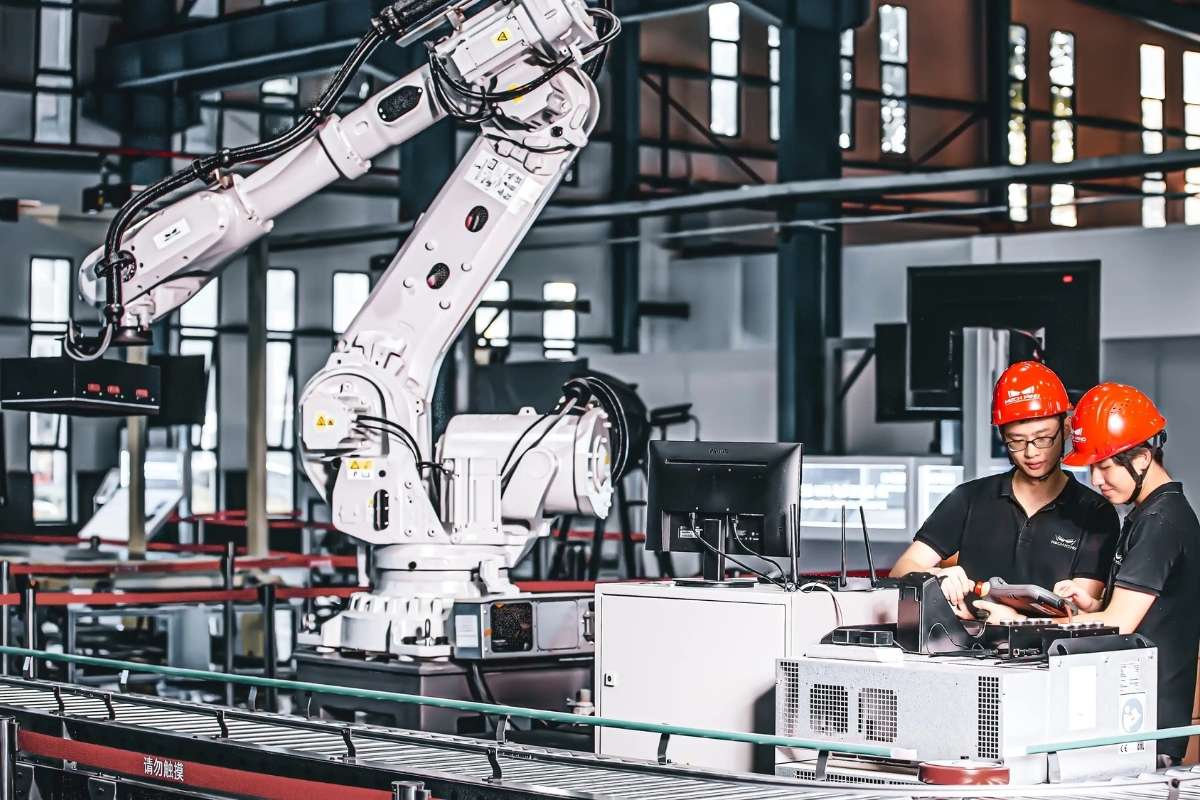
You open your laptop to finish one quick task. Then it turns into copying data, updating sheets, sending emails, and checking the same details again and again. Before you know it, hours are gone on work that feels repetitive and slow.
This is where robotic process automation tools come in. They use software bots to handle these routine tasks, just like a person would, but faster and with fewer errors. You do not need advanced skills to get started. Most tools are simple and built for everyday business use.
If your work involves repeated steps, there is a good chance it can be automated. Understanding how these tools work is the first step to saving time and reducing manual effort.
What are RPA Tools?
Robotic process automation tools are software that use bots to do simple, repetitive tasks on a computer. These bots follow steps just like a person. They can click, type, copy, paste, and move data between apps.
They are often used for work like data entry, sending emails, handling invoices, and updating records. Instead of doing these tasks by hand, the bot does them for you.
You do not need to know how to code to use most of these tools. Many come with easy, visual setups where you can show the bot what to do step by step.
These tools work best with tasks that follow clear rules. If a task has the same steps every time, a bot can handle it well. This helps reduce mistakes and keeps work running even when no one is at the desk.
12 Best Robotic Process Automation Tools in 2026
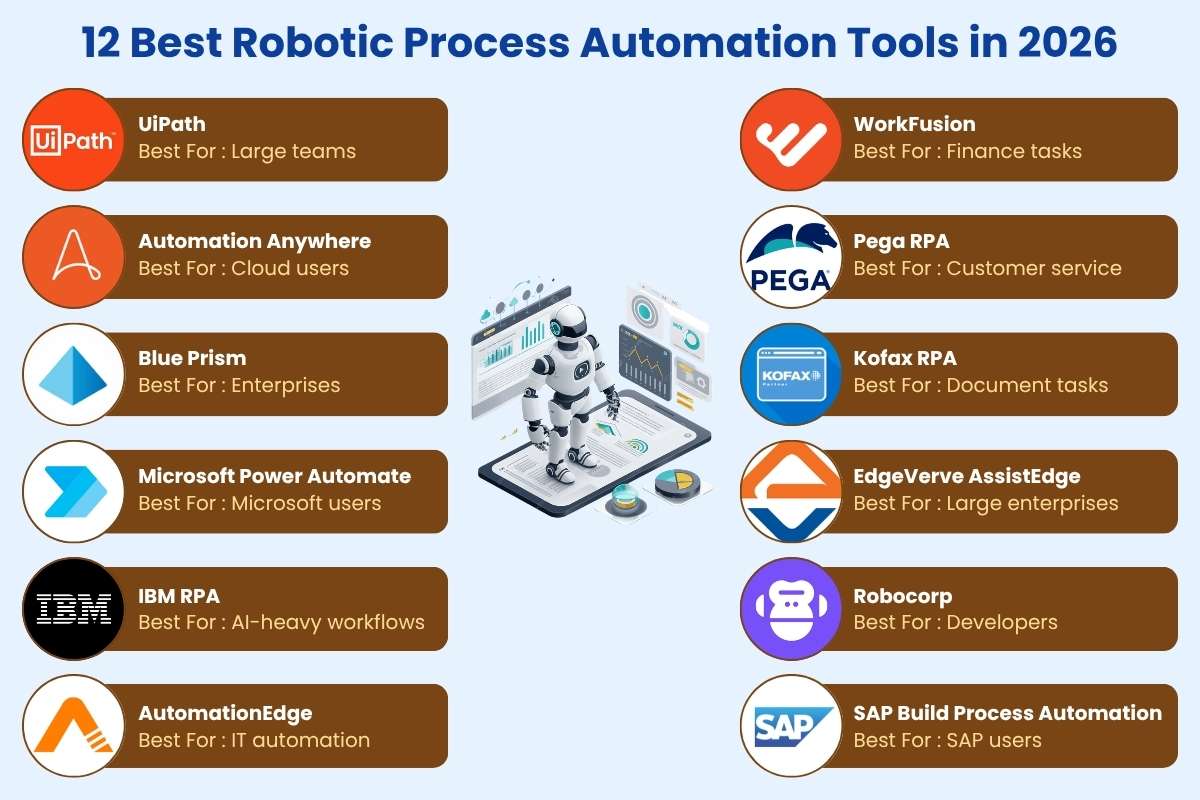
Before we go deeper, here is a simple view of the most useful automation tools and what they are best at. This helps you quickly see which one may fit your needs.
| Sr. No. | Tool | Best For | Ease of Use | Key Strength |
| 1 | UiPath | Large teams | Easy | Strong ecosystem |
| 2 | Automation Anywhere | Cloud users | Medium | AI features |
| 3 | Blue Prism | Enterprises | Hard | Strong security |
| 4 | Microsoft Power Automate | Microsoft users | Easy | Deep integration |
| 5 | IBM RPA | AI-heavy workflows | Medium | AI and analytics |
| 6 | AutomationEdge | IT automation | Medium | Good integrations |
| 7 | WorkFusion | Finance tasks | Medium | Data handling |
| 8 | Pega RPA | Customer service | Medium | Workflow automation |
| 9 | Kofax RPA | Document tasks | Medium | Document processing |
| 10 | EdgeVerve AssistEdge | Large enterprises | Medium | Scalability |
| 11 | Robocorp | Developers | Hard | Open-source flexibility |
| 12 | SAP Build Process Automation | SAP users | Medium | SAP integration |
Each tool has its own strengths. Some are simple and easy to start with, while others are built for large and complex systems. Picking the right one depends on your daily tasks, budget, and how much control you need.
1. UiPath
UiPath is one of the most widely used robotic process automation tools today. It is known for being easy to start and powerful as you grow. Many businesses use it to automate daily tasks without much setup. It has a large community, so help and guides are easy to find. It works well for both small teams and big companies that need scale.
- Easy drag-and-drop builder
- Large library of ready bots
- Strong support and training
2. Automation Anywhere
Automation Anywhere is built for cloud-based work. It helps teams automate tasks from anywhere without heavy setup. It also offers AI features that can handle more complex work, like reading documents. Many companies choose it when they want flexibility and scale. It is a good option for teams that are moving to cloud systems.
- Cloud-first platform
- Built-in AI tools
- Bot store for ready solutions
3. Microsoft Power Automate
Microsoft Power Automate is a simple tool that works best if you already use Microsoft apps. It connects easily with Excel, Outlook, and Teams. You can automate daily tasks like sending emails or updating data with just a few steps. It is one of the easiest tools to learn and is great for beginners or small teams.
- Works with Microsoft apps
- Simple and beginner-friendly
- Good for daily office tasks
Also Read: The Future of Efficiency: An In-Depth Look at Robotic Process Automation
4. SS&C Blue Prism
SS&C Blue Prism is designed for large companies that need strong control and security. It is often used in fields like banking and healthcare where rules are strict. The tool is more complex than others, but it is very reliable. It focuses on stable and secure automation for long-term use in big systems. It is one of the robotic process automation tools trusted for handling sensitive and high-risk operations.
- High security and compliance
- Built for enterprise use
- Reliable for critical tasks
5. IBM Robotic Process Automation
IBM Robotic Process Automation is built for businesses that want both automation and smart decision-making. It can handle tasks like data entry, but it also uses AI to understand information and make choices. This makes it useful for more complex work. It is often used by companies that deal with large amounts of data and need better insights, along with automation.
- Combines automation with AI
- Useful for data-heavy workflows
- Strong analytics and insights
6. AutomationEdge
AutomationEdge is a flexible tool that works well for IT tasks and service processes. It helps automate things like ticket handling, system checks, and backend work. It connects easily with many apps and systems, which makes it useful for businesses with mixed tools. It is a good choice for teams that want to improve internal operations without too much complexity.
- Strong system integrations
- Good for IT service tasks
- Handles backend processes well
7. WorkFusion
WorkFusion is focused on industries like finance and banking, where there is a lot of data to manage. It can handle tasks like document processing, data extraction, and compliance checks. It also uses AI to improve accuracy over time. This makes it helpful for teams that deal with large volumes of structured and unstructured data every day, making it one of the robotic process automation tools suited for data-heavy environments.
- Built for finance workflows
- Handles large data volumes
- Uses AI to improve accuracy
8. Pega RPA
Pega RPA is designed to improve customer service and business workflows. It helps automate tasks that involve customer data, support tickets, and service requests. It also connects well with other Pega tools, making it useful for companies already using its platform. It is often chosen by businesses that want to speed up service and improve response times.
- Strong in customer service tasks
- Works well with Pega systems
- Helps improve response speed
9. Kofax RPA
Kofax RPA is built for handling documents and data from different sources. It can read files, extract key details, and move that data into systems without manual work. This makes it useful for tasks like invoice processing and form handling. Many businesses use it when they deal with a lot of paperwork and need faster, more accurate data handling.
- Strong document processing features
- Extracts data from files and forms
- Reduces manual data entry
10. EdgeVerve AssistEdge
EdgeVerve AssistEdge is designed for large companies that need automation across many teams and systems. It helps manage complex workflows and supports high volumes of tasks. It is often used by enterprises that want to scale automation over time. The platform also offers insights to track performance and improve processes.
- Built for large-scale automation
- Handles complex workflows
- Provides performance insights
11. Robocorp
Robocorp is a developer-focused tool that supports open-source automation. It allows users to build bots using code, which gives more control and flexibility. It is a good choice for teams that want to create custom automation solutions. While it may take more effort to set up, it offers strong freedom for advanced users and stands out among robotic process automation tools for its flexibility.
- Open-source and flexible
- Best for coding-based automation
- High control over workflows
12. SAP Build Process Automation

SAP Build Process Automation is ideal for businesses that already use SAP systems. It helps automate tasks within SAP and connect workflows across different parts of the business. It is useful for managing processes like approvals, data updates, and reporting. This tool works best when used inside the SAP ecosystem.
- Deep SAP integration
- Automates business workflows
- Good for internal processes
Key Features to Look For

When choosing robotic process automation tools, focus on features that make your work easier and more reliable. The right tool should not just automate tasks but also fit smoothly into your daily workflow.
- Easy setup: Look for tools that are simple to use. Many offer drag-and-drop options so you can build automations without coding.
- Integration with apps: The tool should connect well with the apps you already use, like email, spreadsheets, and business software.
- Security and compliance: Strong security is important, especially if you handle sensitive data. The tool should follow proper safety standards.
- AI capabilities: Many tools now include AI features. This helps them handle tasks like reading documents or making basic decisions.
- Scalability: Choose a tool that can grow with your needs. It should handle more tasks as your business expands.
Modern tools are no longer just about basic automation. They now combine automation with AI to handle more complex work in a simple way.
Here’s a rewritten “Real Use Cases” section with real, data-backed case studies + links. This removes vagueness and adds credibility.
Real Use Cases

Robotic process automation tools are not just ideas. Many companies already use them to solve real problems and save time.
1. Invoice processing (Finance case)
A large company used automation to handle expense receipts and invoices. The system reduced processing time by over 80% and improved accuracy across records. (arXiv)
2. HR onboarding (UiPath case study)
One HR service provider automated payroll and onboarding tasks using bots. Processing time dropped by 80–85%, and errors went down to zero. (UiPath)
3. Loan processing (Banking case)
A mortgage company automated loan data entry and processing. What once took weeks became near real-time, saving millions and reducing delays.
4. Customer service workflows (Bank case)
A bank automates support tasks like account updates and requests. Response time dropped from up to 24 hours to just a few minutes.
5. Data entry and reporting (Enterprise case)
A financial company used bots across teams and saved over 10,000 work hours every year by automating routine tasks and reports. (Aggranda)
These examples show how routine work can be done faster, with fewer errors, and on a much larger scale.
Benefits of Using Robotic Process Automation Tools
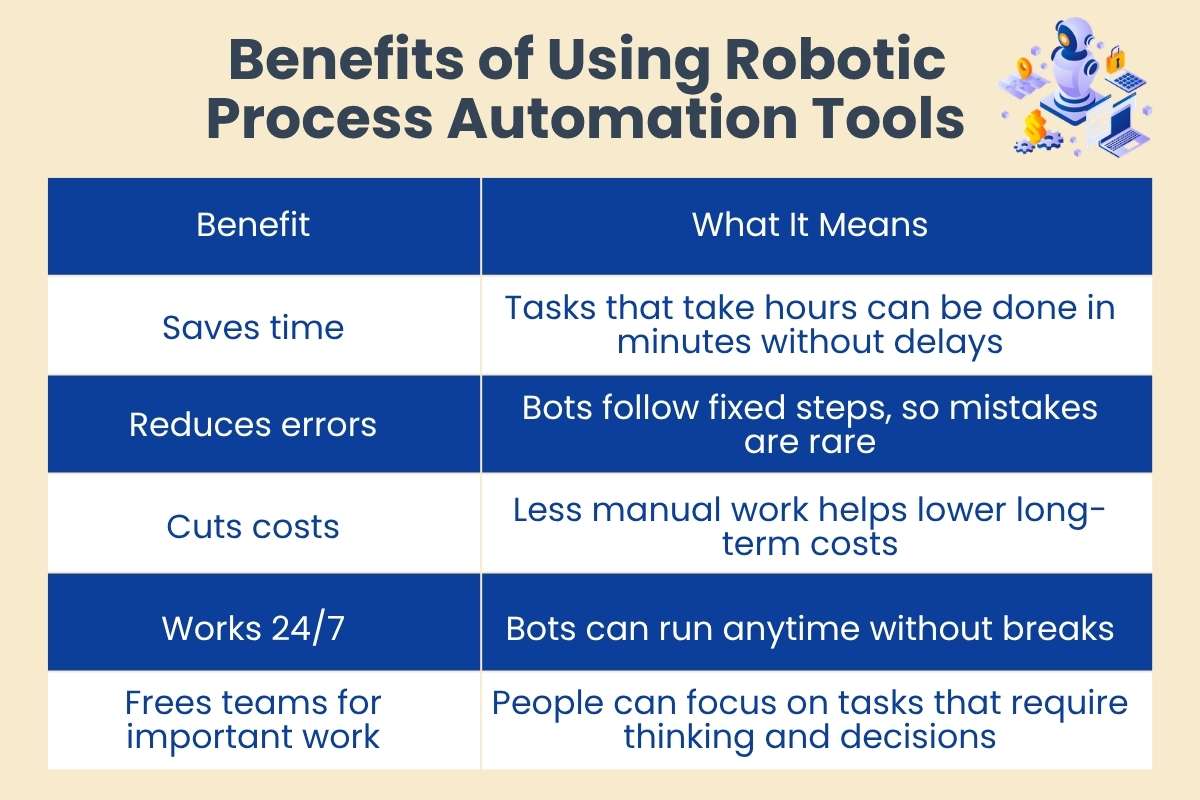
| Benefit | What It Means |
| Saves time | Tasks that take hours can be done in minutes without delays |
| Reduces errors | Bots follow fixed steps, so mistakes are rare |
| Cuts costs | Less manual work helps lower long-term costs |
| Works 24/7 | Bots can run anytime without breaks |
| Frees teams for important work | People can focus on tasks that require thinking and decisions |
These benefits make automation a practical choice for businesses that want faster and more accurate work.
Common Mistakes to Avoid
When using robotic process automation tools, small mistakes can lead to wasted time or poor results. Avoiding these early can help you get better value from automation.
- Choosing based on brand only
A popular name does not always mean it fits your needs. Focus on what works for your tasks. Always compare features before making a decision.
- Ignoring setup complexity
Some tools need more time and skill to set up. Make sure your team can handle it. This helps avoid delays and frustration later.
- Not testing with a pilot.
Always start small. Test one process before applying automation to larger tasks. This makes it easier to fix issues early.
- Over-automating too early
Trying to automate everything at once can create confusion. Start with simple tasks and grow step by step. This keeps the process clear and manageable.
Taking a careful approach helps you avoid problems and build a smoother automation process.
Future Trends to Watch
Robotic process automation tools are changing fast as new technology improves how they work. One major shift is the mix of automation with AI. This allows bots to handle tasks that need simple thinking, like reading data or making basic choices.
At the same time, more no-code tools are being built. This means people without technical skills can create automations with ease. Another clear trend is the move to cloud-based systems, which makes tools easier to access and manage from anywhere.
Bots are also becoming smarter. They are no longer limited to fixed steps and can now adapt to simple changes in tasks. These trends show that automation is becoming more flexible and useful for everyday work.
Final Thoughts
There is no single best option when it comes to robotic process automation tools. The right choice depends on your needs, your team, and the type of work you want to automate. A tool that works well for one business may not suit another.
It is better to focus on how well a tool fits your daily tasks rather than how popular it is. Start with a small setup, test what works, and then expand over time. This approach helps you avoid mistakes and build a system that actually supports your work instead of making it more complex.
FAQs
1. What are RPA tools in simple words?
They are software bots that do repetitive computer tasks like clicking, typing, and moving data, so people do not have to do them by hand.
2. Which robotic process automation tools are best for beginners?
Tools like Microsoft Power Automate and UiPath are good for beginners because they are easy to use and do not require coding.
3. How do RPA tools help businesses?
They save time, reduce errors, and handle routine work, which helps teams focus on more important tasks.
4. Are RPA tools only for large companies?
No, small businesses can also use them. Many tools are affordable and built for simple use cases.
5. What tasks can RPA tools automate?
They can handle tasks like data entry, invoice processing, sending emails, and creating reports.
6. Do robotic process automation tools require coding skills?
Most tools do not require coding. Many offer simple visual setups where you can create automation step by step.