
Web application security testing plays a critical role in protecting online applications from attackers attempting to exploit weaknesses, gain unauthorized access, or extract sensitive data. Organizations lose millions of dollars each year due to preventable security gaps, and the impact extends far beyond financial losses. As web applications now support everything from digital payments and healthcare systems to internal workflows, a single overlooked flaw can disrupt operations, compromise user trust, and trigger long-term reputational harm.
Recent breach reports reveal that a large portion of successful attacks originate at the application layer, often through insecure APIs, broken authentication logic, or overlooked code-level issues. These incidents are rarely the result of highly sophisticated exploits; more often, they stem from common weaknesses that went undetected during development or release cycles. Web application security testing helps identify these risks early by combining code analysis, simulated attack scenarios, and runtime assessments that reflect how modern threats behave in real environments.
In this article, we break down what web application security testing involves, explain the major testing types and phases teams rely on, highlight essential tools and best practices, and walk through real-world examples that show why consistent, well-planned testing is no longer optional for modern applications.
What is Web Application Security Testing?

It is the process of systematically examining web applications for weaknesses that attackers could exploit to gain unauthorized access, manipulate data, or disrupt services. Teams perform automated scans, simulate real-world attack techniques, and review source code to identify issues such as SQL injection, broken authentication, insecure APIs, and access control flaws before they escalate into serious incidents. The process may follow black-box, gray-box, or white-box methodologies depending on the tester’s level of internal knowledge. It also aligns with widely recognized threat categories outlined in frameworks such as the OWASP Top 10:2025.
This approach goes far beyond basic perimeter defenses, such as firewalls or network monitoring. While network security protects infrastructure, application-level testing evaluates business logic, user input validation, session management, and backend data handling. Testers deliberately probe APIs, forms, authentication flows, and integration points to determine whether data can leak, privileges can escalate, or sessions can be hijacked. Modern testing also accounts for supply chain risks, third-party components, and configuration errors that increasingly contribute to application-layer breaches.
When implemented correctly, this process integrates into the development lifecycle rather than operating as a one-time checkpoint. Developers receive structured, prioritized findings that map directly to remediation steps, reducing both technical debt and exploit windows. With applications updating rapidly through CI/CD pipelines, continuous testing ensures that new code does not silently reintroduce old vulnerabilities or create new ones under evolving threat conditions.
Types of Web App Security Testing
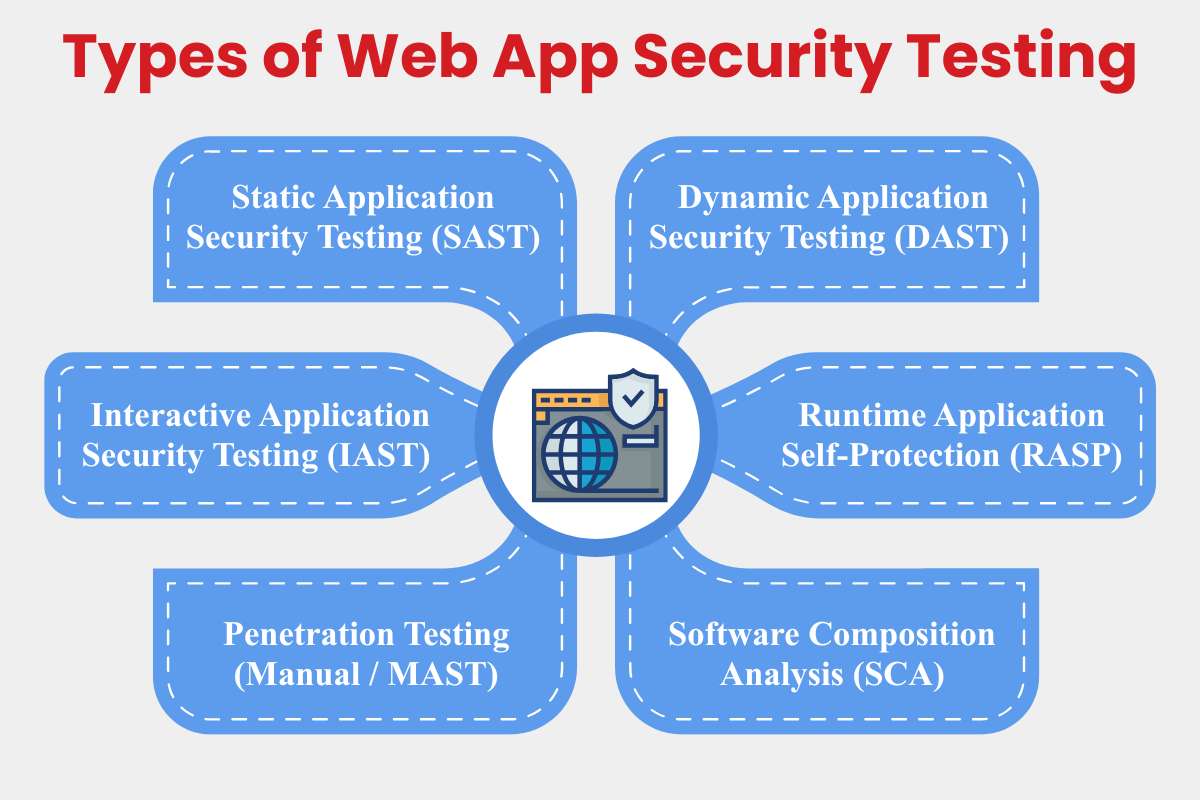
Web application security testing is not a typical exercise. Different testing types serve different purposes across the application lifecycle, from early development to live production environments. Modern applications evolve quickly, rely on open-source components, and expose functionality through APIs, making it essential to combine multiple testing approaches rather than relying on a single tool or technique.
Choosing the right mix depends on factors such as application complexity, release frequency, architecture, and risk exposure. Mature security programs layer these testing types to balance coverage, accuracy, and speed.
1. Static Application Security Testing (SAST)
Static Application Security Testing analyzes application source code, bytecode, or binaries without executing the program. By inspecting code paths directly, SAST identifies vulnerabilities such as injection flaws, insecure cryptographic usage, hard-coded credentials, and unsafe input handling early in the development process. Because it does not require a running application, SAST fits naturally into developer workflows and CI/CD pipelines.
These tools provide fast feedback during coding, allowing teams to remediate issues before they reach staging or production. However, SAST lacks runtime context, which can lead to false positives or missed vulnerabilities tied to application behavior and configuration.
- Pros: Early detection, no runtime environment needed.
- Cons: Higher false positives, limited insight into runtime behavior.
- Examples: SonarQube (free community edition), Checkmarx (enterprise-focused with AI-driven triage).
- Best for: Java- and . NET-heavy applications with structured development pipelines.
2. Dynamic Application Security Testing (DAST)
Dynamic Application Security Testing evaluates applications while they are running by simulating real-world attacks from an external perspective. These tools crawl live applications, manipulate inputs, and analyze responses to uncover vulnerabilities such as cross-site scripting (XSS), cross-site request forgery (CSRF), authentication weaknesses, and exposed endpoints that only appear during execution.
DAST provides a realistic view of how attackers interact with an application, making it particularly valuable for validating deployed builds. However, it typically requires a stable staging or test environment and can be slower than static approaches, especially for complex applications.
- Pros: Realistic black-box testing, no source code required.
- Cons: Slower scans; depends on the availability of accessible environments.
- Examples: OWASP ZAP (open-source), Burp Suite Pro (widely used for manual testing).
- Best for: JavaScript-heavy single-page applications and externally exposed systems.
3. Interactive Application Security Testing (IAST)
Interactive Application Security Testing combines the strengths of static and dynamic approaches by instrumenting the application during runtime. As part of modern web application security testing, IAST tools monitor data flow as the application runs, tracing how inputs move through the code and identifying vulnerabilities with precise context, such as the exact line of code responsible for a flaw.
This hybrid approach significantly reduces false positives and helps developers understand not just what is vulnerable, but why. The trade-off is the need to deploy agents or instrumentation within the application environment.
- Pros: High accuracy, real-time contextual insights.
- Cons: Requires agent deployment and runtime access.
- Examples: Contrast Security, Synopsys Seeker.
- Great for: Microservices architectures and continuously deployed applications.
4. Runtime Application Self-Protection (RASP)
Runtime Application Self-Protection embeds security mechanisms directly into the application. Instead of detecting vulnerabilities during testing phases, RASP monitors live execution and actively blocks attacks such as SQL injection or command execution attempts in production environments.
RASP can provide immediate protection even when vulnerabilities slip through earlier testing stages. However, improper configuration may introduce performance overhead or operational complexity.
- Pros: Operates independently of network controls and real-time attack blocking.
- Cons: Potential performance impact if misconfigured.
- Examples: Imperva RASP, Signal Sciences.
- Best suited for: High-traffic, business-critical applications requiring continuous protection.
5. Penetration Testing (Manual / MAST)
Manual penetration testing involves security professionals actively attempting to compromise an application using custom techniques and adversarial thinking. Unlike automated tools, human testers can identify complex business-logic flaws, chained exploits, and privilege-escalation paths that are difficult to detect programmatically.
Penetration tests typically follow structured methodologies such as the OWASP WSTG and produce detailed, actionable reports. While highly effective, these engagements are time-bound and resource-intensive.
- Pros: Deep, context-aware testing.
- Cons: Costly, not continuous.
- Example: Outsourced assessments by firms like Bluefire Redteam.
6. Software Composition Analysis (SCA)
Software Composition Analysis focuses on identifying vulnerabilities and licensing risks in open-source and third-party dependencies. As modern web applications rely heavily on external libraries, SCA has become critical within web application security testing programs, especially given the prominence of supply chain risks in recent threat models.
SCA tools integrate directly with package managers and build pipelines to flag outdated or vulnerable components. Their effectiveness depends on clear remediation policies and ownership within development teams.
- Pros: Automated dependency monitoring, continuous coverage.
- Cons: Requires enforcement policies to drive fixes.
- Examples: Snyk, Black Duck.
- Essential for: Node.js and Python-based applications with extensive dependencies.
Also Read: Exploring the Insights of Intrusion Detection Systems in Cybercrime
Core Testing Phases & Methodologies
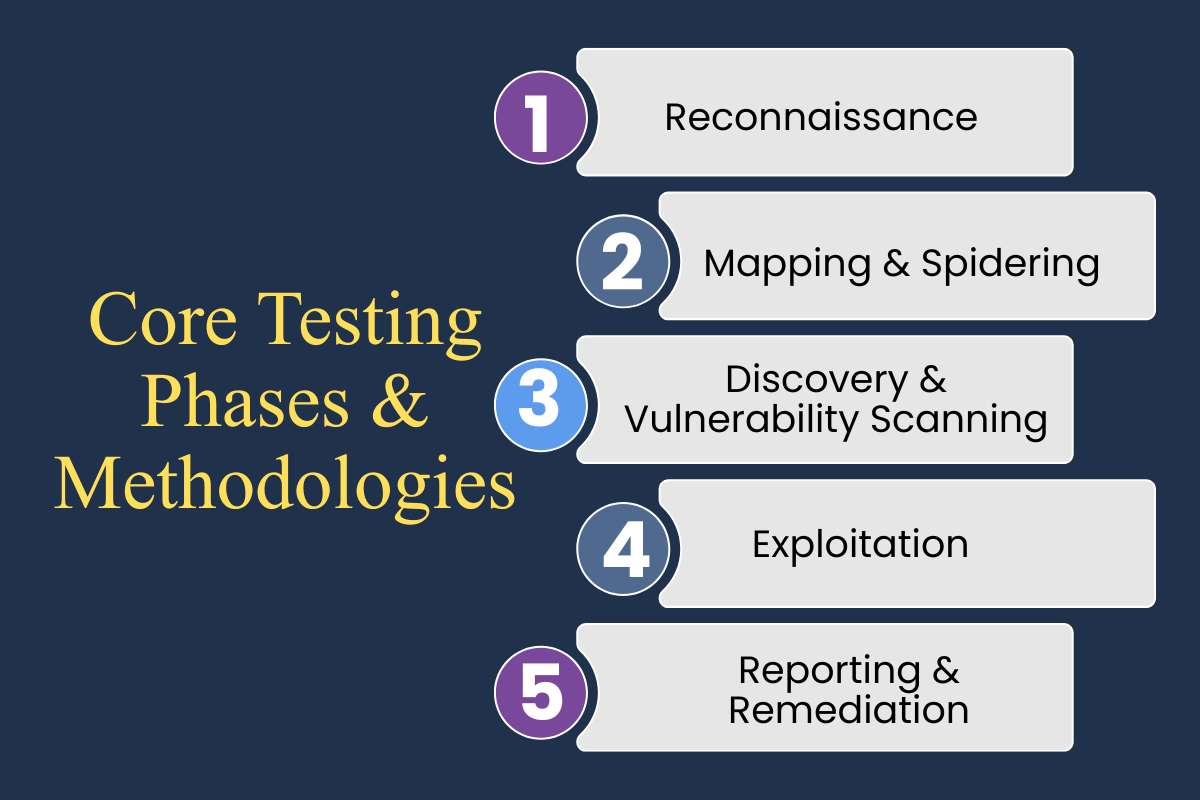
Web application security testing follows a structured sequence of phases to ensure comprehensive coverage and minimize blind spots. Skipping steps or rushing discovery often results in incomplete findings and missed vulnerabilities. A disciplined approach moves from reconnaissance to exploitation and finally to structured reporting, ensuring both technical accuracy and business relevance.
Phase 1: Reconnaissance
Reconnaissance begins with gathering intelligence about the target application without directly interacting with it in a disruptive way. This passive information-gathering phase focuses on identifying domains, subdomains, hosting infrastructure, technology stacks, exposed services, and publicly available metadata. Tools such as Amass or Shodan help uncover internet-facing assets that teams may not even realize are exposed.
This step often reveals overlooked entry points, such as staging environments, forgotten admin portals, legacy APIs, or misconfigured cloud storage buckets. Strong reconnaissance builds a comprehensive attack surface map and prevents teams from testing only what is obvious. High-performing security teams dedicate roughly 20–30% of total testing time to this phase because accuracy here directly influences the quality of later findings.
Phase 2: Mapping & Spidering
Once the surface is identified, testers actively map the application by crawling pages, forms, APIs, and client-side scripts. This phase creates a structured blueprint of how users interact with the system and how data flows between components. Tools such as Burp Suite and OWASP ZAP automate crawling for traditional web apps, single-page applications, and RESTful APIs.
Mapping helps uncover hidden parameters, undocumented endpoints, asynchronous JavaScript calls, and API routes not linked in the main UI. These often represent high-risk areas because they receive less scrutiny during development. The output from mapping feeds directly into vulnerability scanners and manual testing workflows, increasing efficiency and reducing duplicate effort.
Phase 3: Discovery & Vulnerability Scanning
Discovery involves actively probing the mapped attack surface for weaknesses. Automated scanning tools test for standard vulnerability classes such as injection flaws, broken authentication, insecure deserialization, and misconfigurations. At the same time, manual testing focuses on business-logic flaws and privilege-escalation paths that automated scanners typically overlook.
Findings are prioritized using frameworks such as the OWASP Top 10:2025, where broken access control remains one of the most critical risks. Combining static and dynamic testing at this stage improves detection accuracy and reduces blind spots. The goal is not just to identify vulnerabilities, but to determine how realistically exploitable they are within the application’s context.
Phase 4: Exploitation
Exploitation validates impact. Rather than stopping at theoretical findings, testers attempt controlled exploitation to understand real-world consequences. This may involve chaining vulnerabilities together, escalating privileges from a standard user to an administrator, or demonstrating limited data extraction in a controlled staging environment.
Proof-of-concept demonstrations strengthen reports by showing stakeholders exactly how a vulnerability could be abused. However, exploitation must remain tightly scoped to prevent service disruption or data corruption. The objective is validation and risk confirmation, not operational damage.
Phase 5: Reporting & Remediation
Reporting translates technical findings into actionable business insights. Each vulnerability is documented with severity scoring (often using CVSS v4), reproduction steps, affected components, and recommended remediation strategies. Transparent reporting ensures developers can fix issues efficiently without ambiguity.
Integration with ticketing systems, such as Jira, enables findings to be tracked through remediation workflows. After patches are deployed, retesting verifies closure and confirms that fixes did not introduce regressions. Mature teams monitor metrics such as remediation timelines and aim for a high closure rate, often targeting the resolution of critical findings within 30 days.
Key Methodologies

Structured methodologies provide consistency and repeatability across testing engagements.
- OWASP WSTG (Web Security Testing Guide) remains a widely recognized testing framework, offering detailed checklists and procedures aligned with modern threat categories, including API and access control risks.
- PTES (Penetration Testing Execution Standard) and NIST SSDF (Secure Software Development Framework) add strategic depth by defining communication standards, reporting expectations, and secure development lifecycle practices. These frameworks help align technical testing with executive-level governance and compliance requirements.
- CTEM (Continuous Threat Exposure Management) represents a shift from periodic assessments to continuous prioritization and validation. Rather than treating security testing as a one-time event, CTEM emphasizes ongoing visibility into exposure, risk-based prioritization, and iterative validation as applications evolve. This approach aligns closely with fast-moving CI/CD environments and modern DevSecOps practices.
Best Practices & Metrics for ROI

Teams get the strongest results from web application security testing when it is embedded directly into the development lifecycle. Integrating security checks into CI/CD pipelines ensures vulnerabilities are caught early, reducing rework and preventing high-risk issues from reaching production.
Effective programs prioritize remediation using OWASP Top 10:2025 categories and CVSS v4 scoring, focusing effort on vulnerabilities with real exploit potential. A shift-left DevSecOps approach reinforces this, with SAST in developer IDEs, DAST in staging environments, and SCA monitoring third-party dependencies. Quarterly secure coding training keeps developers aligned with evolving threats.
Automation plays a key role in maintaining velocity. Remediation workflows integrate with ticketing systems, high-risk merges are blocked by policy, and periodic red-team exercises validate defenses. Success is measured using DORA-style metrics, with leading teams targeting a change failure rate under 15% and MTTR below 24 hours. Organizations reaching this maturity often report significant reductions in exploitable vulnerabilities and measurable ROI driven by avoided breach costs, as highlighted in IBM security studies.
Tools Every Tester Should Know
Pick tools that match your team’s skills and app stack for effective web application security testing. This table compares the top options based on type, strengths, fit for 2026 leaders, and costs.
| Tool/Company | Type | Key Strength | 2026 Leader Fit | Pricing Model |
| Burp Suite (PortSwigger) | DAST/Proxy | Manual precision for complex exploits | Enterprise pentesters | Subscription |
| OWASP ZAP | DAST | Free automation, API fuzzing | Dev teams, startups | Free |
| SonarQube/Veracode | SAST/SCA | AI code analysis, compliance | DevSecOps pipelines | Freemium/Pro |
| ZeroThreat | DAST/IAST | Zero false positives on JS apps | Emerging innovator | Subscription |
| Checkmarx/Snyk | SAST/SCA | Supply chain + OSS scanning | Global compliance | Tiered |
| Bluefire Redteam | Pentest Services | Adversary simulations | Manual red teams | Project-based |
Start with free tools like ZAP for basics, then scale to paid suites for automation. Integrate them into GitHub Actions or Jenkins for daily use, teams using these cut vuln backlogs by half in months.
Also Read: Best Cybersecurity Tools for Companies in the USA
Global Leaders in Web Application Security Testing
Leading firms and toolmakers continue to set the benchmark for web application security testing through proven results, broad adoption, and advanced capabilities. PortSwigger stands out with Burp Suite, trusted by nearly 70% of penetration testers for its deep manual testing capabilities, extensibility, and strong API coverage. Its tools remain a staple for uncovering complex logic flaws that automation often misses.
Veracode leads in enterprise DevSecOps adoption, combining SAST, SCA, and policy enforcement to meet large-scale compliance and governance requirements. Its platform is widely used by Fortune 500 organizations that need consistent security controls across distributed development teams.
Automation-focused vendors such as Invicti and Checkmarx emphasize scalable DAST and supply chain analysis. Their platforms reduce manual effort by up to 80% while detecting OWASP Top 10:2025 issues, particularly misconfigurations and dependency-related risks, early in the development cycle. For organizations requiring deeper adversarial validation, Bluefire Redteam differentiates itself through bespoke red-team engagements that simulate advanced, nation-state-style attacks against complex web environments.
| Leader | Specialty | Clients/Strength | Global Reach |
| PortSwigger | DAST + Manual Tools | Pentesters, 20K+ users | UK-based, Worldwide |
| Veracode | SAST/SCA DevSecOps | Enterprises, compliance | US, EMEA, APAC |
| Checkmarx | Code + Supply Chain | Dev teams, OSS focus | Israel, Global |
| Bluefire Redteam | Pentest Services | Custom adversary sims | Australia, Intl |
| Invicti | Automated DAST | Mid-market automation | US/Turkey, EU |
Overcoming Frequent Update Challenges

Frequent code pushes create gaps in web application security testing. Here are practical steps to stay secure without slowing down.
- Run SAST and SCA on every commit to catch code flaws and dependency risks early in the pipeline.
- Use delta scanning for changed files only, cutting test time by 70% compared to full scans.
- Deploy immutable containers or serverless setups that rebuild clean, reducing inherited vulnerabilities from old images.
- Trigger lightweight DAST scans right after deploys to verify APIs and frontends hold up.
- Embed RASP in production for real-time blocks on attacks during updates.
- Add automated policy gates in CI/CD that reject merges with high CVSS scores.
- Schedule weekly pentests focused on new features, using tools like Burp for quick logic checks.
- Track metrics like scan coverage per release and fix times to prove security ROI.
Fintech teams using these steps handle daily updates with zero critical escapes. Start small with one practice and build from there.
Conclusion
Web application security testing is the foundation for keeping online applications safe, as technology and threats continue to evolve. Teams that combine automated scans with hands-on testing and DevSecOps practices find problems early, when they are easier and cheaper to fix. This approach reduces the likelihood that attackers will discover gaps first, even as applications update daily and AI-driven features become more common.
A practical place to start is reviewing your current security checks against OWASP Top 10:2025 risks. Build testing into your development process from the beginning, track fix rates and recovery times, and bring in experienced security partners when deeper reviews are needed. These steps help turn security from a last-minute task into a steady habit.
When applications are well protected, teams spend less time reacting to incidents and more time building new features. Strong security supports growth, protects users, and gives confidence that your systems are ready for what comes next.
FAQs
Q1. What’s new in OWASP Top 10:2025?
A. The latest OWASP Top 10 places greater emphasis on broken access controls, insecure APIs, and software supply chain risks. It also reflects how misconfigurations and dependency issues cause real-world breaches more often than rare exploits. OWASP updates the list based on active attack data, not theory.
Q2. What’s the difference between SAST and DAST?
A. SAST checks source code before the app runs, helping developers fix issues early. DAST tests the live application by simulating attacks and shows how it behaves in real conditions. Most teams use both together for better coverage.
Q3. Are there free tools suitable for startups?
A. Yes. Open-source tools like OWASP ZAP for dynamic testing and community editions of SAST tools can cover basic needs. These tools work well early on, though growing teams usually add paid options for scale and automation.
Q4. How often should testing run in DevOps?
A. Security testing should run continuously. Static checks can run on every commit, dynamic scans on staging builds, and deeper tests before major releases. Regular testing keeps risks from piling up as code changes.
Q5. How do AI features change web app threats?
A. AI-powered features introduce new risks such as prompt injection, data leakage, and misuse of model outputs. Testing now needs to check how user input affects AI responses and whether sensitive data can be exposed or manipulated.