Building software without the right tools can waste time and increase errors. A software development toolkit gives developers the tools they need to write, test, and maintain code efficiently. It combines libraries, debugging tools, APIs, and documentation in a single environment.
Using these tools helps you complete projects faster, with fewer mistakes and more reliability. Here, we’ll explain what a development toolkit includes, learn its key components, and show you how to pick the best one for your project.
What is a Software Development Toolkit?
A software toolkit, often called an SDK, is more than just a bunch of tools. It’s a ready-made collection that helps developers build apps without starting from scratch. At its heart, it includes reusable code, example projects, and step-by-step guides. These toolkits also come with utilities to check for errors and test the software before it’s released.
For example, the official AWS SDK documentation describes it as a set of libraries and tools that make working with cloud services simpler and faster. Using a toolkit can speed up app development and reduce mistakes. Standard definitions also highlight that SDKs help developers use APIs smoothly and provide a clear, organized setup for building software.
Core Components of a Software Development Toolkit

A complete software toolkit has many key parts. Compilers turn source code into ready-to-run programs. They make sure the code runs right on the target platform. Debug tools help developers find and fix errors in a fast and clear way. Libraries give pre-built features that help reduce repetitive coding work.
APIs in the toolkit let apps talk to other services or software in a smooth way. High-quality docs guide developers through setup, use, and best practices. They remove guesswork and help reduce delays in the dev process.
All these parts work together as one system. They create a clear and stable setup that helps teams build software faster and with more trust.
Why Are Software Development Toolkits Essential?
SDK saves time and reduces mistakes. Teams do not have to rewrite common pieces like login flows, form validation, or API clients. Toolkits provide these components ready to use and tested.
They include shared templates, libraries, and configuration, so every developer starts from the same base. This keeps projects consistent and reduces arguments over structure. Companies such as Amazon, IBM, and Salesforce rely on SDKs and internal toolkits to maintain consistency across teams and ship products faster.
Toolkits also help new developers join projects quickly. Clear folder structures, starter templates, and setup scripts let them focus on learning business logic instead of rebuilding the foundation. SDK lets developers focus on solving real problems instead of repeating basic work.
Top Software Development Toolkits in 2026
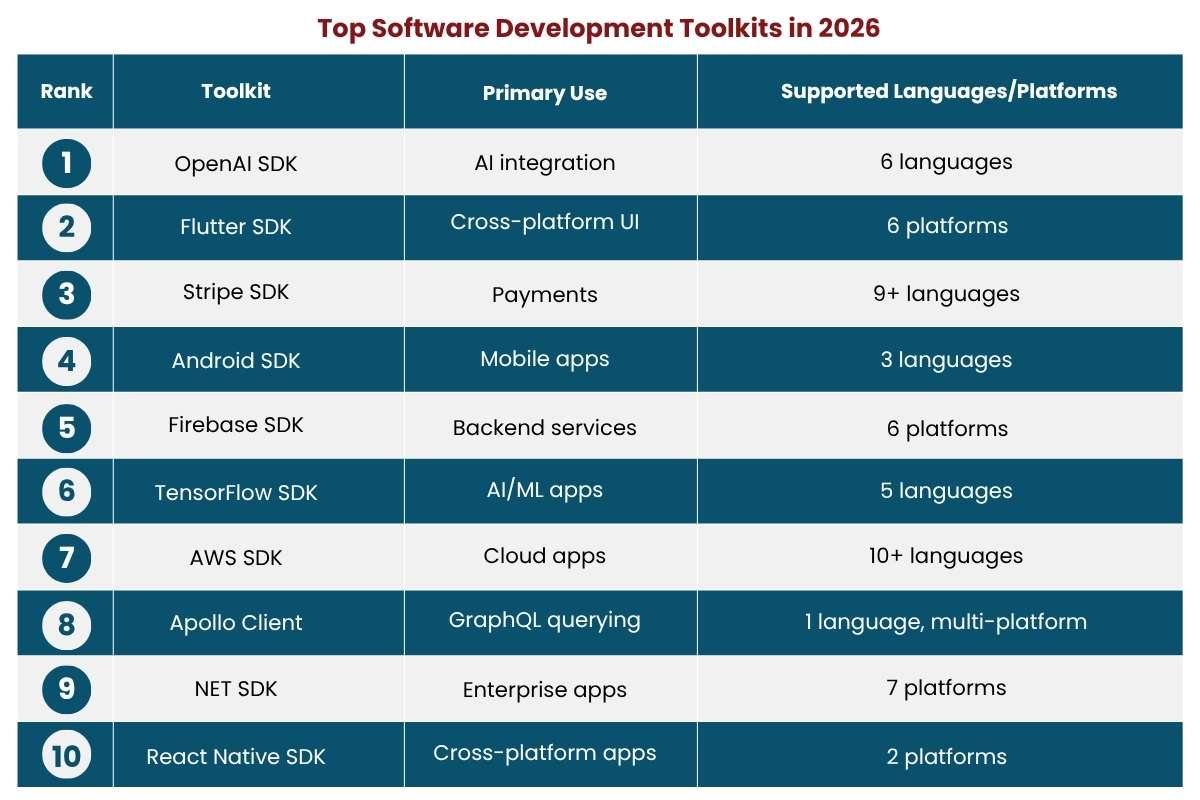
These are 10 popular SDKs in 2026, selected for their widespread use across projects. This table gives clear numbers so you can compare and pick the right toolkit for your project.
| Rank | Toolkit | Primary Use | Supported Languages/Platforms |
| 1 | OpenAI SDK | AI integration | 6 languages |
| 2 | Flutter SDK | Cross-platform UI | 6 platforms |
| 3 | Stripe SDK | Payments | 9+ languages |
| 4 | Android SDK | Mobile apps | 3 languages |
| 5 | Firebase SDK | Backend services | 6 platforms |
| 6 | TensorFlow SDK | AI/ML apps | 5 languages |
| 7 | AWS SDK | Cloud apps | 10+ languages |
| 8 | Apollo Client | GraphQL querying | 1 language, multi-platform |
| 9 | .NET SDK | Enterprise apps | 7 platforms |
| 10 | React Native SDK | Cross-platform apps | 2 platforms |
*Supported languages/platforms are approximate counts taken from official SDK documentation and package pages as of 2026.*
How to Choose the Right Software Development Toolkit for Your Project?
The right SDK depends on your project’s tech and practical needs. Consider the programming language your team uses. Look at the toolkit’s guides and examples. Clear guides cut errors and make learning faster.
Regular updates show that an SDK is well-maintained. This keeps it safe and compatible with new platforms. Community support is also important. A strong community helps solve problems and share best practices.
Using the wrong SDK can slow a project and cause avoidable bugs. Choosing one that fits your project and team skills keeps development smooth and lowers risks.
Also Read: Why Modern Companies Depend on Data Governance Tools
Benefits of Using a Software Development Toolkit
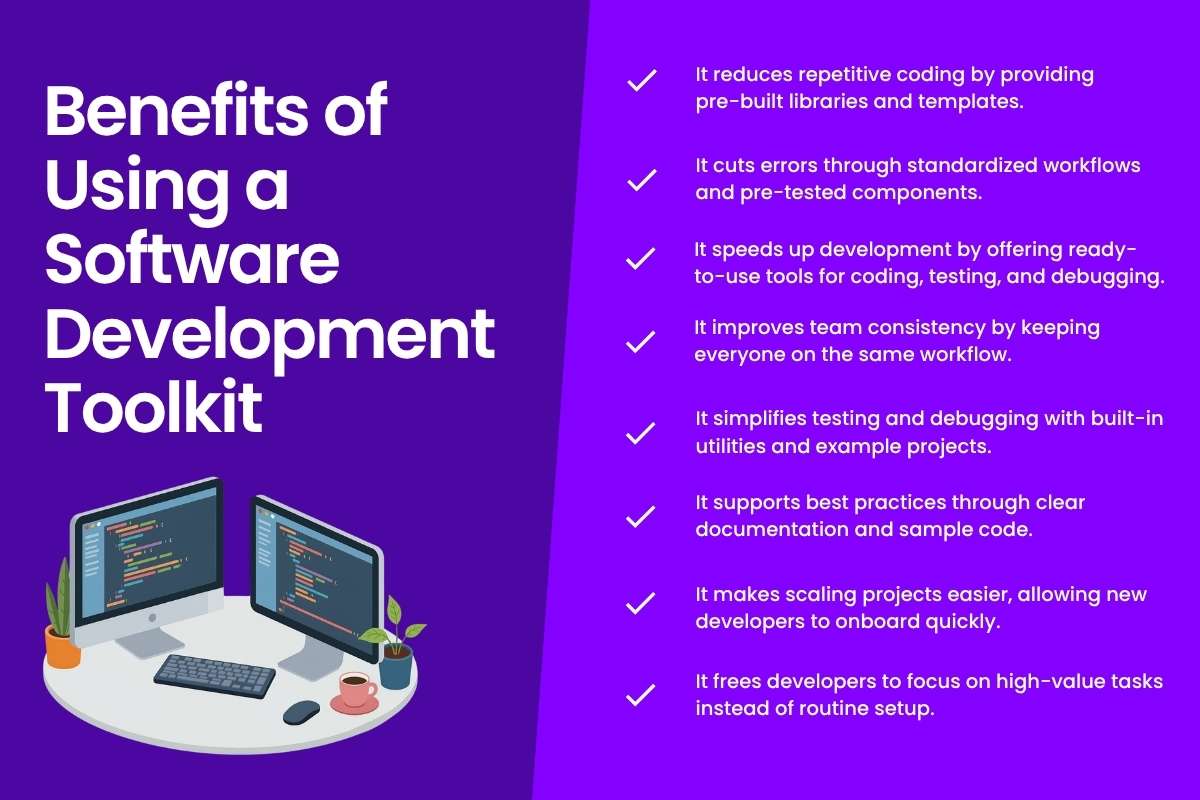
Working with the right toolkit can simplify many aspects of software development.
Below are some of the benefits of using a software toolkit.
- It reduces repetitive coding by providing pre-built libraries and templates.
- It cuts errors through standardized workflows and pre-tested components.
- It speeds up development by offering ready-to-use tools for coding, testing, and debugging.
- It improves team consistency by keeping everyone on the same workflow.
- It simplifies testing and debugging with built-in utilities and example projects.
- It supports best practices through clear documentation and sample code.
- It makes scaling projects easier, allowing new developers to onboard quickly.
- It frees developers to focus on high-value tasks instead of routine setup.
Types of Software Development Toolkits
Development frameworks vary by the type of project they target. Different projects need different toolkits to work efficiently. Choosing the right type ensures you get the tools you actually need.
| Toolkit Type | Main Purpose | Typical Users | Key Features |
| Web SDK | Build and integrate web applications | Web developers | Browser and server tools, API support |
| Mobile SDK | Develop smartphone and tablet apps | Mobile app developers | Device-specific features, OS support, testing tools |
| Cloud SDK | Connect apps to cloud services | Cloud engineers, backend developers | API access, cloud resource management, and deployment tools |
| Game SDK | Create video games and interactive apps | Game developers | Graphics rendering, physics engine, input handling |
| Enterprise SDK | Build business applications | Enterprise developers | Integration with CRM/ERP, data handling, and reporting tools |
Why Projects Struggle Without a Software Development Toolkit?
Teams without a programming toolkit face slow progress and confusion. New developers struggle with unclear folders, files, and commands. Simple tasks like running the app or connecting to the database turn into long troubleshooting sessions.
Different coding styles and tools create chaos. Editors, folder layouts, and config formats vary across developers. Code becomes inconsistent and hard to follow. Every change can trigger long loops of testing and debugging. Missing semicolons, wrong API calls, or tiny mistakes block new features for hours.
Working together takes longer as developers struggle with inconsistent tools and environments. Testing, deployment, and environments differ from person to person. Without a shared toolkit, projects feel heavier, releases riskier, and deadlines harder to meet. Teams spend more time fixing workflows than building features users need.
Best Practices for Using a Software Development Toolkit

The top SDKs bring measurable advantages, but using them wisely makes a big difference. Here are practical tips based on official documentation and community feedback:
- Quick-start SDKs first: SDKs with clear setup guides, like OpenAI or Stripe, allow faster prototyping. Faster setup helps test ideas without delays.
- Match popularity to project scale: Widely used SDKs, such as Android, Firebase, or AWS, are a good fit for large or live projects. They are often used in real-world apps and can handle scale well. Less common SDKs can work well for small test apps or early builds.
- Version pin widely used SDKs: High-profile SDKs like AWS or Android are safer when locked to a specific version in production. This reduces the risk of breaking changes.
- Check multi-language support: For SDKs supporting multiple languages, test APIs in the language your team uses first. This prevents integration issues early.
- Monitor official updates: Check release notes regularly. Active maintenance shows ongoing support.
These tips rely on real documentation to help you make informed choices.
Also Read: Choosing the Right Software Development Company for Your Business Needs
How to Evaluate an SDK in Practice?
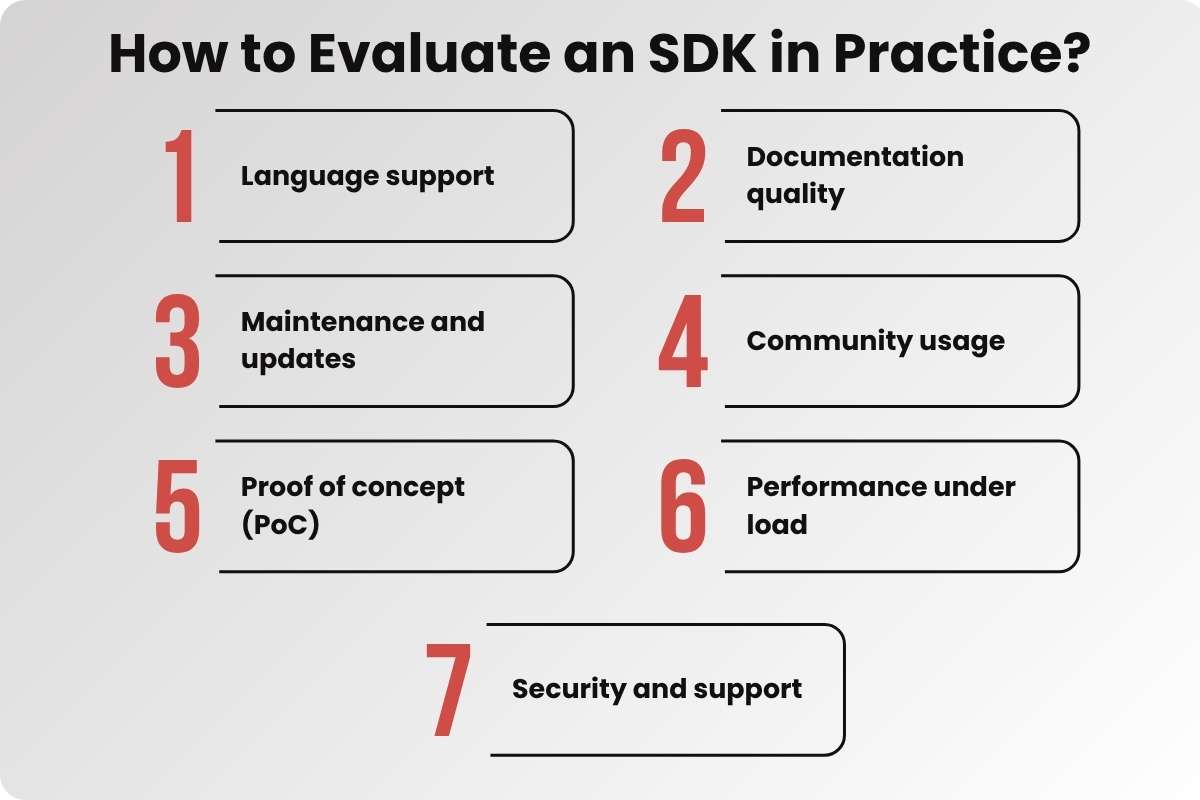
A structured evaluation process helps teams build a reliable Software Development Toolkit without wasting time on poor integrations or unstable tools.
1. Language support
Check if the SDK supports the exact languages your team uses in production. AWS SDK, for example, supports Python, JavaScript, Java, .NET, Go, and Rust—making it suitable for multi-stack teams.
2. Documentation quality
Look for quick-start guides, API references, and working code samples. OpenAI SDK documentation includes setup steps and common use cases, reducing onboarding time.
3. Maintenance and updates
Review release frequency and recent commits. Stripe SDKs are updated regularly with fixes and security patches, which signals active support.
4. Community usage
Validate real-world adoption through GitHub stars, issues, and Stack Overflow activity. Flutter has a large developer base, which makes troubleshooting faster.
5. Proof of concept (PoC)
A small test project helps measure real usability. It shows how long setup takes, how quickly the first API call works, and whether integration introduces friction.
6. Performance under load
Testing in a staging environment reveals how the SDK behaves in real conditions. Response time, error rates, and memory usage become clearer at this stage. Firebase is commonly used as a reference for handling high-scale workloads.
7. Security and support
Long-term reliability depends on compliance standards, enterprise support options, and clear deprecation policies. Stable ecosystems like the Android SDK highlight the value of consistent support.
These steps affect how well an SDK works, and skipping them can lead to integration problems, higher costs, and delays.
Future Trends in Software Development Toolkits
Development frameworks are changing fast. In 2026, clear trends are easy to see. AI-based SDKs are growing fast. They help automate repeat coding and cut base code work. This lets developers focus more on new features instead of rewriting common code.
Security is now a core part of many toolkits. Many include supply chain safety and zero-trust login. For example, AWS SDK updates focus on security improvements. This shows that built-in security can stop real risks.
Edge and hybrid app support is also on the rise. Toolkits for Flutter and React Native are leading this shift. More apps now run on both cloud and edge systems. WASM runtimes help apps start fast. They also improve app speed and performance.
Some toolkits are adding new features like quantum-safe encryption, which helps protect apps from future threats. Choosing SDKs that follow these trends helps future-proof your projects. It keeps them safe, fast, and ready for new tech and rules.
Conclusion
A software development toolkit changes how software is built. It cuts repeat work, reduces errors, and speeds up delivery. With the right toolkit and good use, developers can focus on real problems instead of routine setup tasks.
SDKs are key for modern development. They will keep shaping how apps are built in 2026 and beyond.
FAQs
Q. What exactly is in a software development toolkit?
It includes compilers, debuggers, libraries, APIs, and documentation required for building and testing applications.
Q. Do all projects need a toolkit?
Yes, even small projects benefit from standardized tools that save time and reduce errors.
Q. Can I create my own SDK?
You can start by collecting essential tools and gradually add components to support project growth.
Q. Does a toolkit include test tools?
High-quality SDKs provide testing tools that help catch issues early in development.
Q. Are SDKs the same as frameworks?
No. SDKs provide tools and components, while frameworks define the structure and architecture of applications.