Do you know what phishing emails and honeytraps have in common? They both use people, not just technology, to break through security.
Most of us think of cyberattacks as something technical, like hackers breaking into systems, sending viruses, or flooding inboxes. But sometimes, the most dangerous attacks don’t target your computer at all. They target you.
These are called social engineering attacks, and they work by tricking people into revealing information or doing something that helps the attacker, often without realizing it.
In this blog, we’ll uncover what social engineering really means, how to spot the warning signs, and the clever ways attackers manipulate trust. We’ll also look at some real-life examples of social engineering attacks, that shows just how powerful these tactics can be.
By the end, you’ll not only understand how these social engineering attacks work, but also how to protect yourself from falling for them.
What is Social Engineering in Cybersecurity? Here’s What You Need to Know
When a hacker uses psychological manipulation to get into your systems, it is a social hacking attack. The goal is to gain your trust and get you to reveal some confidential information.
These types of social engineering attacks have two goals. The first goal is to sabotage data, and the second goal is to obtain valuable information.
For example, an incident might involve an attacker posting a fake company bulletin with a bogus help desk number to trick employees into calling it and revealing their passwords. And in doing so, they gain unauthorized access to company systems.
Okay, think about one of your social media followers. A random person, just out of the blue, messages you and starts to earn your respect. It is also a type of social engineering attack.
But how many types are there? Here’s the answer.
Social Engineering Types: 12 Attacks That You Need To Know in 2025
Here are all types of social engineering attacks that you must be aware of:
| Sr. No | Attack Type | Threat Level | Description / Impact |
|---|---|---|---|
| 1 | Business Email Compromise (BEC) | Very High | Causes direct financial losses (often millions); targets high-value executives. |
| 2 | Whaling | High | Targets senior personnel; can lead to severe data breaches. |
| 3 | Phishing | High | Widespread; effective in stealing credentials and spreading malware. |
| 4 | Vishing (Voice Phishing) | High | Uses personal phone interactions to extract sensitive information. |
| 5 | Pretexting | Medium–High | Attackers fabricate credible stories to access restricted information. |
| 6 | Baiting | Medium | Lures victims with attractive offers; risk of malware or data theft. |
| 7 | Smishing (SMS Phishing) | Medium | Phishing via mobile devices; risks credential theft or malware infection. |
| 8 | Scareware | Medium | Tricks users into installing harmful software; less targeted than other methods. |
| 9 | Honeytrap | Medium–Low | Exploits personal manipulation; limited in scale. |
| 10 | Quid Pro Quo | Low–Medium | Exchanges fake services for information; impact varies by target. |
| 11 | Tailgating / Piggybacking | Low | Requires physical access; can cause major breaches if successful. |
| 12 | Diversion Theft | Low | Targets physical shipments; impact limited in scope. |
What are the Warning Signs of Social Engineering Attacks?
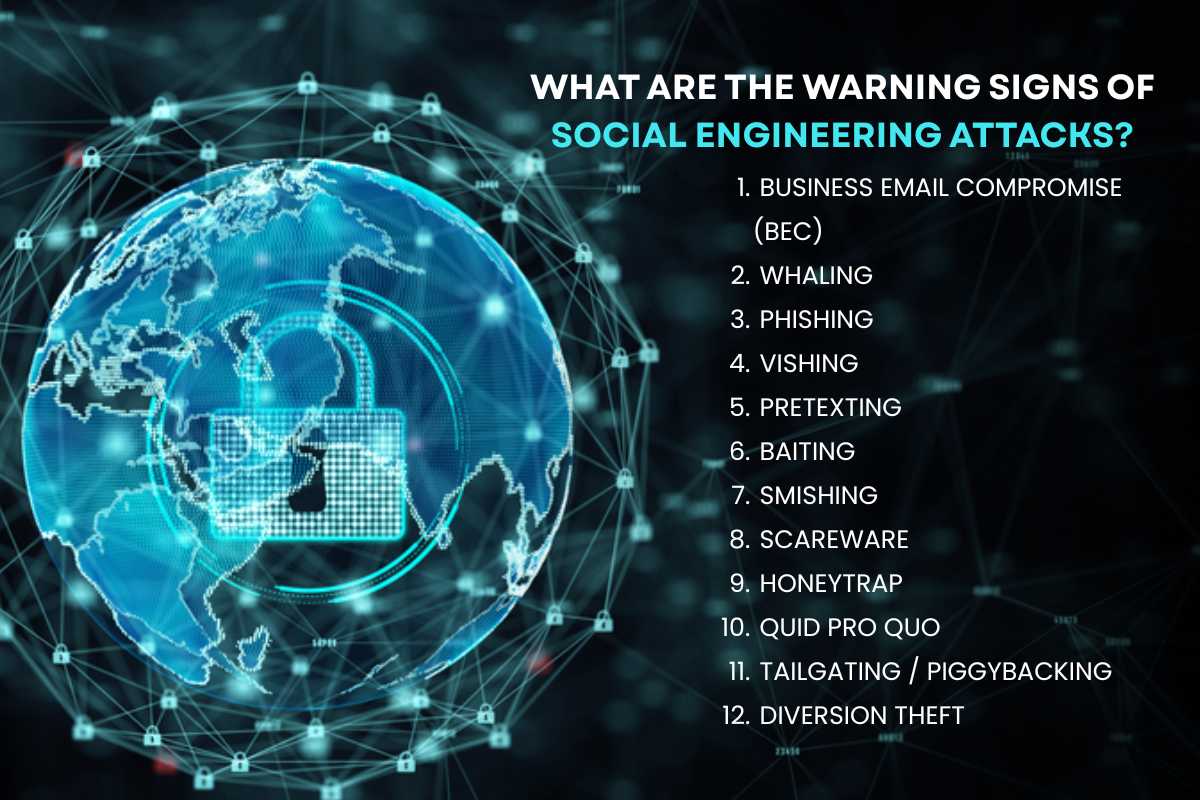
Now that you know the types of social engineering attacks, here are a few signs to look out for. We will go through each of the types and see their warning signs.
Here’s what you need to know:
1. Business Email Compromise (BEC):
Sign 1: Sudden change in communication style or email behavior from executives.
Sudden email changes are a red flag. Executives might start using a new tone. Their email address might look slightly off. They could rush you to send money or data. Stop and check before you act. This is often a Business Email Compromise (BEC) attack sign.
Sign 2: Requests for urgent wire transfers or confidential info.
They demand a wire transfer right now. They might ask for sensitive company details too. Always pause and confirm these demands. Do not rush; they are required to create panic. These are classic BEC attack moves.
Sign 3: Emails from domains mimicking legitimate business accounts.
Scammers use tricky email addresses. They look very real, but they are slightly wrong. The domain might have a tiny spelling mistake. This is called “typosquatting.” Look closely at the sender’s address. It is a common trick in a BEC attack.
2. Whaling:
Sign 1: Emails targeting executives with highly personalized content.
Whaling attacks target top executives. The emails seem very personal and relevant. They may use real company details. The scammer does careful research first. Treat highly specific emails from unknown sources with deep caution. They are often a sign of a targeted phishing attempt.
Sign 2: Requests for sensitive information or fund transfers.
Executives receive fake urgent requests. These scams ask for highly sensitive data. They might demand a large fund transfer. The urgency is a trick to bypass safety checks. Never rush to fulfill requests for confidential information or money. This pressure is a hallmark of a whaling attack.
Sign 3: Impersonation of trusted contacts or authority figures.
Scammers pretend to be key people. They copy a trusted contact or a senior official. This makes the email seem safe. They use authority to create pressure. Always independently confirm the sender’s identity. Never assume the person is who they claim to be. This is a core strategy of this social engineering attack.
3. Phishing:
Sign 1: Generic or unusual greetings (“Dear Sir/Madam”).
Scammers often use generic greetings. They write “Dear Sir/Madam” or a general user title. Real companies use your actual name. A vague start is a clear warning sign. Be wary of emails without a personalized greeting. This lack of detail is a classic first sign of a phishing attempt.
Sign 2: Urgent or threatening language demanding immediate action.
Phishing emails create panic. They use language that threatens consequences. They demand immediate action to fix a fake problem. This pressure stops you from thinking clearly. Never let urgent warnings rush your decisions. Scammers use this fear to make you click a dangerous link right away.
Sign 3: Suspicious email addresses/domains that don’t match official ones.
Always check the sender’s email address. Scammers use addresses that look fake. The domain name will not match the real company. Look for extra letters or wrong spellings. A suspicious sender address is a huge red flag. This difference is a major sign of a phishing scam.
Sign 4: Spelling and grammar mistakes in the email.
Professional emails are usually perfect. Phishing scams often have many errors. Look for bad spelling and strange grammar. These mistakes show the email is not real. Official correspondence rarely contains obvious writing flaws. Poor quality is a simple, strong clue that the email is fraudulent.
Sign 5: Mismatched or suspicious links and attachments.
Always check links before you click. Hover your mouse over the link text. The address shown at the bottom must match the company’s real website. Attachments are also very risky. Never open suspicious files or click unknown links. Mismatched addresses are a common phishing delivery method.
Sign 6: Unexpected requests for personal info or passwords.
Official sources will not ask for your password. Emails asking for login details are a scam. They try to trick you into entering data on a fake website. Never give out personal information or account passwords by email. This request is a classic and definitive sign of a phishing attack.
4. Vishing:
Sign 1: Unsolicited or unexpected phone calls from unknown or unfamiliar numbers.
Vishing starts with a surprise phone call. The number might look strange or blocked. You were not expecting them to call. Unknown calls are often scams. Be cautious of any unsolicited phone contact.
Sign 2: Callers create a sense of urgency or use fear tactics.
Vishing callers use high pressure. They might claim your bank account is frozen. They may threaten arrest or a large fine. This fear is a trick to make you rush, a core feature of social engineering. Hang up on callers who demand immediate action.
Sign 3: Requests for confidential information.
They will ask for your private data. They seek passwords, PINs, or card numbers. Real companies rarely ask for this over the phone. Never share confidential information with an unexpected caller. If they ask for sensitive details, it is almost certainly a scam call.
Sign 4: Callers refuse to provide verifiable details.
Legitimate callers can verify, scammers can’t. They will refuse to give you a callback number. They won’t share their full employee ID, name, role, etc. If they cannot prove who they are, end the call. Their inability to offer verifiable details is a clear sign of a malicious attack.
Sign 5: Background noise or poor audio quality.
Real call centers use clear, high-quality lines. Vishing calls often have bad audio. You might hear static or noise in the background. Loud chatter can also be a sign of a scam center. Notice if the call quality is unusually poor. A lack of clarity often points to a fraudulent source.
Sign 6: Robotic or unnatural voice tones that could indicate voice cloning.
Sometimes the voice sounds robotic or flat. This can be a computer-generated voice. Scammers use technology like voice cloning. The tone may feel unnatural or off. Be highly skeptical of calls with artificial-sounding voices. Such technology is a new, dangerous tool in a vishing attack.
Sign 7: Spoofed caller ID making the call appear from a trusted organization.
Scammers can hide their real numbers. They make the caller ID show a bank or police station name. This is called “spoofing.” It tricks you into trusting them instantly. Never trust the name on your screen alone. Always independently call back a verified number to be safe.
5. Pretexting:
Sign 1: Calls or messages with elaborate stories requesting confidential information.
Pretexting uses detailed, fake stories. The scammer creates a believable reason for calling. They often claim to be a colleague or an auditor. Their goal is to build trust. Be cautious when a stranger shares an elaborate backstory. This complex setup is designed to steal your confidential information.
Sign 2: Unsolicited verification requests or identity checks.
The scammer will ask you to “verify” your identity. They claim they need your details for security. They may ask for your date of birth or account number. You did not ask for this check. Never provide personal details for an unsolicited verification. This is a common pretext to trick you into giving away key data.
6. Baiting:
Sign 1: Offers that seem too good to be true (free downloads, prizes).
These social engineering attacks use tempting offers. They promise free movies, downloads, or big prizes. If an offer seems too good, it is likely a scam. The prize is a trick to get your data. Never click on links promising unrealistic rewards. Unbelievable offers are the main hook of a baiting attack.
Sign 2: Unexpected USB drives or devices left in the workplace.
A strange USB drive is a baiting tool. Scammers leave them in public spots. Curiosity makes people plug them in. The drive has malicious software inside. Never plug in a random, found storage device. This physical bait can instantly infect your computer.
7. Smishing:
Sign 1: Text messages with suspicious links or urgent requests.
Smishing uses text messages for scams. These texts have strange links you should not click. They often create a fake emergency. The message may demand immediate account login. Be very careful with unexpected, urgent texts. They are the first step in a text-based (smishing) attack.
Sign 2: Unknown numbers sending messages with offers or threats.
Just like vishing, smishing text often comes from an unknown number. The message may offer a gift. It might also use threats about a bill or package. You should not recognize the sender. Do not engage with messages from unfamiliar numbers.
8. Scareware:
Sign 1: Pop-ups or messages warning of viruses or security issues.
Scareware uses pop-up alarms. They warn you about fake viruses. The message says your computer is in danger. It creates instant panic or fear. Do not trust unexpected security warnings on your screen. This is a trick to make you download their malicious software.
Sign 2: Encourages downloading or purchasing software.
The fake warning will pressure you to act. It tells you to download special software. It may demand you buy a fix right away. The software you download is the real threat. Never pay for or install software based on a pop-up warning. This is how scareware forces you to pay or install malware.
9. Honeytrap:
Sign 1: Fake social media or dating profiles attempting rapid trust-building.
Honeytrap scams start online. Fake profiles build trust very fast. They rush to become your close friend or partner. The profile is usually very attractive. Be very wary of anyone moving too quickly online. This speed is a clear sign they are trying to lure you into a trap.
Sign 2: Requests for money or sensitive info following emotional engagement.
After building trust, the scammer asks for help. They invent a financial emergency or crisis. They use your emotions to push for money. They may also ask for sensitive work data. Money requests after quick emotional bonding are a huge warning. This is the payoff stage of a honeytrap.
10. Quid Pro Quo:
Sign 1: Offers of help or services in exchange for login details.
Quid Pro Quo means “something for something.” A scammer offers a service, like IT support. In return, they ask for a simple thing, like your password. They are trading a fake benefit for real access. Never exchange your login details for a quick service. The promised help is a direct trap.
Sign 2: Unsolicited tech support calls or assistance offers.
Scammers call offering technical help. They say they found a computer problem. You did not ask them to call. They offer to “fix” it for free. Be suspicious of all unsolicited offers of technical assistance. This free help is a social engineering trick to gain access to your system.
11. Tailgating / Piggybacking:
Sign 1: Unknown individuals closely following employees into secured areas.
Piggybacking is a physical security risk. Unknown people walk right behind the staff. They enter secure doors without their own badge. This is called tailgating. Challenge anyone you do not recognize following you. Do not hold the door open for an unverified person. This prevents unauthorized entry.
Sign 2: Requests to hold doors open or avoid security protocols.
An attacker will ask for a favor. They might ask you to hold the door open for them. They use excuses like “I forgot my badge.” They want you to bypass the security check. Always follow protocol; do not let strangers in. A true employee should use their own credentials.
12. Diversion Theft:
Sign 1: Unsolicited or suspicious communication from new carriers or shippers.
Diversion theft starts with a strange contact. Someone has a new call about a shipment. They may claim to be a new carrier. The call is completely unexpected. Verify any change in delivery instructions immediately. Scammers use this trick to redirect your goods to a different location.
Sign 2: Discrepancies or inconsistencies in shipping or delivery documents.
Look closely at all delivery papers. Diversion theft documents often have small mistakes. The address might be slightly wrong. Dates or names may not match records. Verify all details against your official system records. Inconsistencies in paperwork are a major red flag for this type of fraud.
Sign 3: Difficulty verifying contact details, physical addresses, or the legitimacy of logistics companies.
A real company has easy-to-find details. Scammers use hard-to-check contacts. Their physical address may be fake. The logistics company might not exist online. If you cannot verify the shipper, stop the process. Difficulty in confirming details means the request is highly suspect.
Sign 4: Requests to change established payment methods.
The scammer may ask for a new way to pay. They might demand a wire transfer instead of a check. This change is often sudden. They want to rush the transaction. Be highly cautious of any sudden change in payment methods. This signals an attempt to steal funds before the fraud is discovered.
Sign 5: Pressure for rushed payments before confirmation of delivery.
Scammers pressure you for quick payment. They want the money before the goods arrive. They create a false urgency to skip checks. Never rush a payment before confirming delivery. Insist on following your company’s normal payment schedule. This avoids losing funds to fraud.
Real-World Cases That Expose the Impact of Social Engineering
Here are some of the real-life incidents of social engineering attacks that we need to take a look at. These incidents of social engineering attacks give us an idea of the extreme effect these attacks have on people and organizations.
1. Coinbase Insider Data Breach (2025):
Cybercriminals bribed overseas support staff to leak sensitive customer data. This data was then used for targeted social hacking attacks. Coinbase was asked for a ransom of $20 million, which they rejected. According to their official statement, they are preparing reimbursements for affected users.
2. UK Retailers Ransomware Attack (Scattered Spider group):
Attackers posed as IT help desk staff to trick employees at major retailers such as Marks & Spencer and Harrods into disabling multi-factor authentication. This internal access allowed ransomware deployment. It ended up causing huge operational disruption and financial loss (~£300 million).
3. Twitter Bitcoin Scam (July 2020):
Hackers used psychological attacks to gain access to Twitter employee tools via vishing and other deception tactics. They posted fake tweets promising to double Bitcoin payments. These scammers stole around $118,000 and damaged Twitter’s reputation.
4. Bangladesh Bank Heist (2016):

Hackers sent spear phishing emails with malware to Bangladesh Bank employees. And through this malware, they gained access to the bank’s system. Using this, they attempted fraudulent fund transfers amounting to over $81 million.
5. Google and Facebook Phishing Scam (2013-2015):
A Lithuanian fraudster, Evaldaus Rimasauskas, posed as a vendor, sending fake invoices to Google and Facebook. He set up a fake company to gain their trust and redeem the money. This scam led to over $120 million in fraudulent payments.
How to Prevent Social Engineering Attacks? Here’s what You can do
Now that we know everything about these social engineering attacks, let’s learn how to make sure we are not victims of them. Here’s how you can prevent social engineering attacks:
1. Educate and Train Employees:
- Conduct regular security awareness training.
- Teach employees to recognize tactics such as phishing, vishing, and baiting.
- Simulate real attacks to test readiness.
2. Implement Strong Authentication:
- Enforce multi-factor authentication (MFA) for all accounts.
- Use strong, unique passwords and change them regularly.
- Avoid using easily guessed security questions.
3. Verify Identities and Requests:
- Always verify the identity of unknown callers or email senders through independent channels.
- Confirm sensitive requests from colleagues or executives via face-to-face or official communication.
- Beware of urgent or unexpected requests demanding immediate action.
4. Limit Information Disclosure:
- Restrict sensitive information access to only those who need it.
- Avoid oversharing on social media or public forums that attackers can use for reconnaissance.
- Use privacy settings to protect personal and company information.
5. Secure Physical Access:
- Monitor physical entrances to prevent tailgating or piggybacking.
- Use ID badges and security protocols for facility access.
- Train staff to challenge unknown individuals attempting unauthorized entry.
6. Use Technology Solutions:
- Employ email filtering and anti-phishing tools.
- Implement endpoint security and intrusion detection systems.
- Regularly update software to patch vulnerabilities.
7. Establish Clear Policies and Procedures:
- Develop policies for handling sensitive information and transactions.
- Create incident response plans for suspected social engineering attacks.
- Encourage prompt reporting of suspicious activities without fear of reprisal.
8. Regularly Audit and Review:
- Conduct security audits to identify gaps.
- Review and update security measures as threats evolve.
- Analyze incidents to improve defenses.
Conclusion:
The scariest part about social engineering is that it attacks through trust. More than a cyber-attack, it is a psychological attack. And that’s why the best way to protect yourself from such social engineering attacks is by being vigilant and up-to-date with the world. It is important to stay on high alert, especially when we are using the internet.
And to end the blog, we must ensure we learn from the real-life incidents and scams of social engineering attacks. We must create a defined strategy to prevent these attacks in your organization. Having clear policies and repeatedly updated training is a great way to start a fight against social engineering attacks!
FAQs
1. What are the common stages or lifecycle of these social engineering attacks?
An social engineering attack typically involves four stages. These are research and preparation, developing a relationship or rapport, exploitation to execute the attack, and finally, the disengagement phase. This systematic approach maximizes the chance of success.
2. What psychological principles do social engineers commonly exploit?
Attackers exploit human psychology. They often use principles like authority, fear, urgency, scarcity, and liking to manipulate victims. Understanding these cognitive biases is essential for defense.
3. Who is considered the world’s most famous social engineer?
Kevin Mitnick is widely known as the world’s most famous social engineer. He famously exploited people to gain access to corporate secrets and systems. His story highlights the power of non-technical manipulation.