Think your iPhone is invincible? That’s cute.
But also, risky.
What if the real threat isn’t a virus but a fake link, a shady app, or your own overconfidence?
Most people assume iPhones don’t need protection. That belief costs more than money; it costs privacy. The truth feels uncomfortable: your iPhone can be exposed in ways you don’t expect.
So the real question is not “Do I need security?” but “How protected am I right now?”
This guide breaks down the best virus protection for iPhone in the simplest way so you can stop guessing and start securing your digital life.
Do iPhones Really Need Virus Protection? Common Security Threats for iPhone Users
Apple designs iPhones with strong security features. That gives users a safe experience by default. But “safe” does not mean “untouchable.” No device in the world is completely immune to risks. The same applies to iPhones.
The iOS system works in a controlled way. Each app runs in its own space. This is called sandboxing. It means one app cannot easily access another app’s data. On top of that, Apple reviews most apps before they appear on the App Store. These checks reduce harmful apps.
Still, threats exist. Most modern attacks do not break the system. They target the user. That is why many people now rely on the best virus protection for iPhone to stay one step ahead.
Let’s break down the real risks in simple terms.
1. Phishing Attacks
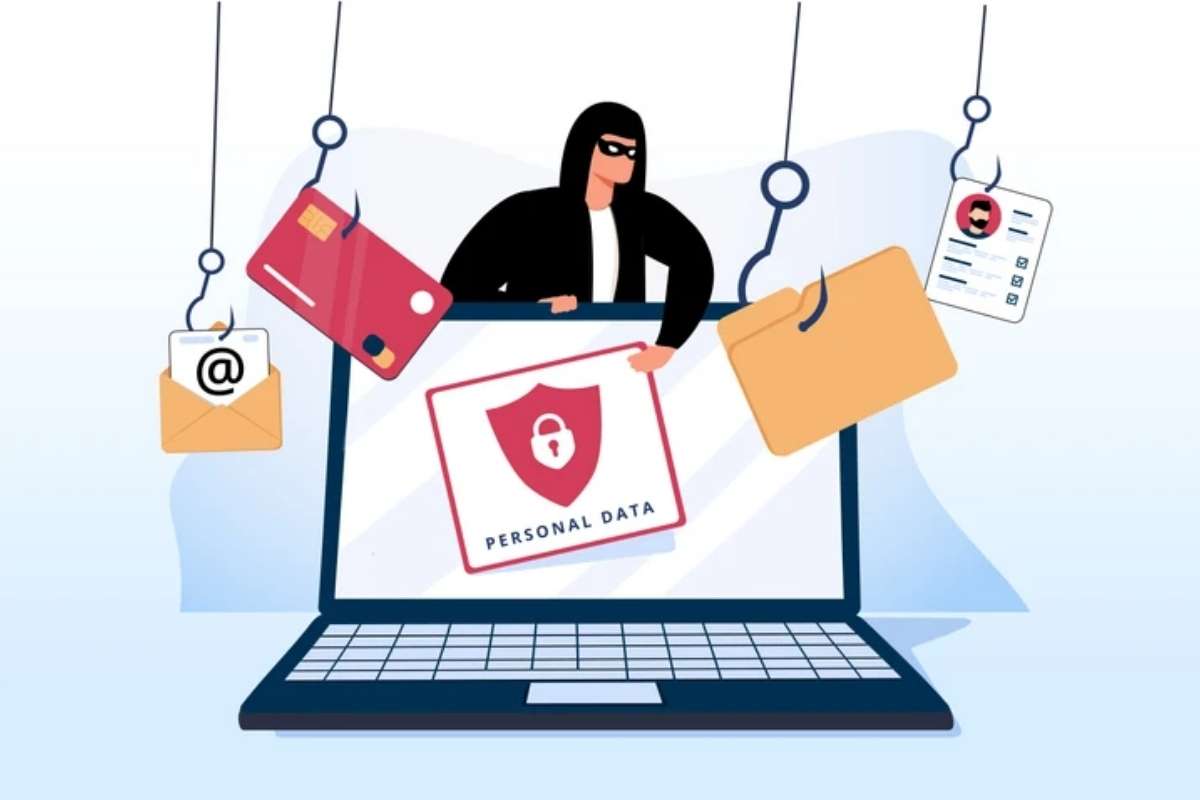
Phishing is one of the most common threats today. It does not attack your phone. It targets your trust.
You may receive an email or message that looks real. It may appear to come from your bank, a delivery service, or even Apple. It asks you to click a link or enter your details.
Once you do that, your personal information gets stolen.
No app can fully stop this if you choose to trust the message. That is why awareness matters. The best virus protection for iPhone can warn you about risky links, but your decision still plays a big role.
2. Malicious Links
Not every link on the internet is safe. Some are designed to harm.
You might click a link from social media, SMS, or a random website. That link may lead to a fake page that looks real. It may ask for login details or try to install a harmful profile on your device.
Even without installing anything, attackers can collect sensitive data.
The best virus protection for iPhone helps by blocking dangerous websites and alerting you before you proceed. This reduces the chances of making a costly mistake.
3. Public WiFi Risks
Free WiFi sounds convenient. But it comes with hidden risks.
When you connect to public networks at cafes, airports, or malls, your data can be exposed. Hackers on the same network can try to intercept your information.
They can monitor your activity or even steal login details.
Using a secure connection becomes important in such cases. Many tools included in the best virus protection for iPhone offer VPN services. This creates a private tunnel for your data and keeps it safe from prying eyes.
4. Data Tracking Apps
Not all threats are obvious. Some come from apps you trust.
Many apps collect user data. Sometimes the app must work. But in some cases, apps collect more information than they need.
This data may include your location, contacts, browsing habits, and more.
Over time, this can affect your privacy.
The best virus protection for iPhone helps you monitor app behavior. It alerts you when apps try to access sensitive data. This gives you more control over your personal information.
5. Jailbreaking Risks
Jailbreaking removes Apple’s built-in restrictions. Some users do it to customize their device or install apps outside the App Store.
But this comes at a cost.
Once you jailbreak your iPhone, you remove many of its core security layers. Your device becomes more open to malware, unsafe apps, and hacking attempts.
In simple words, you trade security for flexibility.
If your device is jailbroken, using the best virus protection becomes even more important. It adds some level of defense, but it cannot fully replace Apple’s original protection.
What Does “Best Virus Protection for iPhone” Actually Mean?
The phrase sounds simple, but it often creates confusion. Many people think it works like antivirus software on a laptop, scans the device, detects viruses, and removes them. That is not how it works on an iPhone.
Apple designed iPhones with a closed system. Apps cannot freely access or scan other apps or the core system. This design protects your device from deep-level infections.
At the same time, it limits what security apps can do. So, the best virus protection for iPhone is not about cleaning viruses after they enter. It is about stopping threats before they reach you.
Think of it like this: instead of hiring a cleaner after the mess, you place guards at every door to prevent the mess from happening.
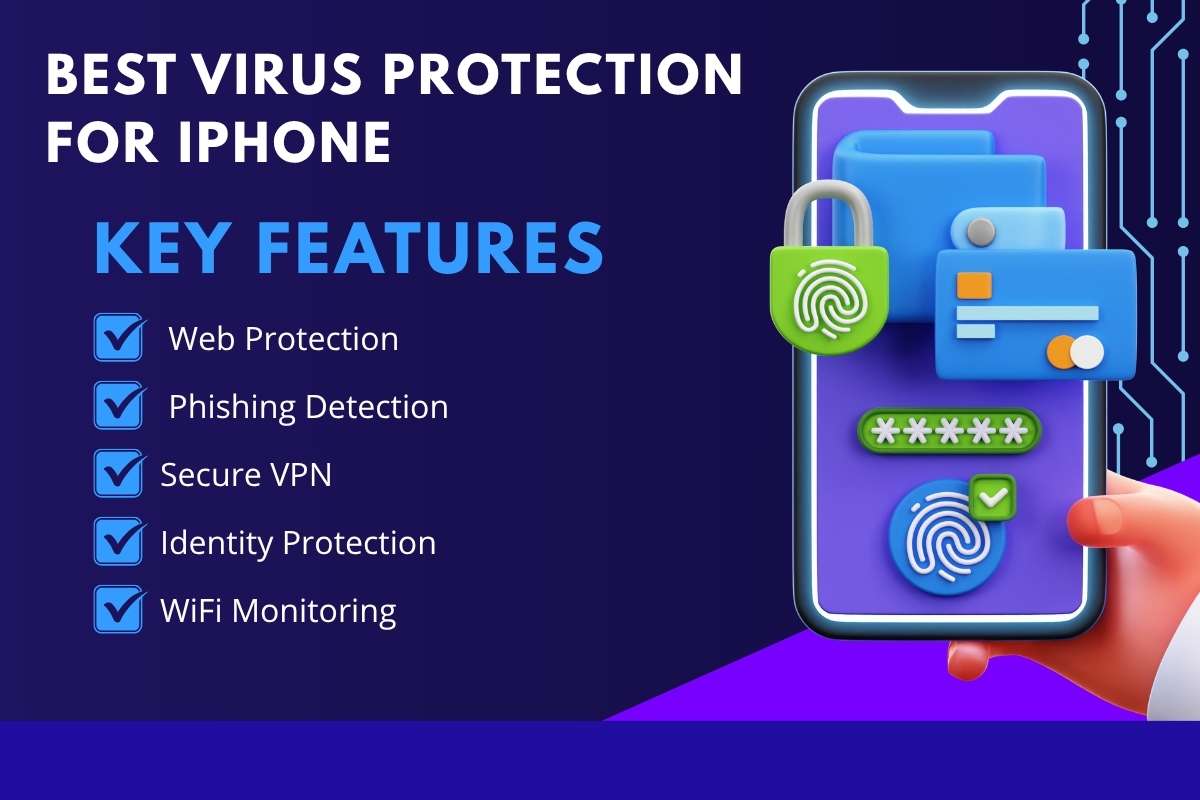
Key Features
- 1. Web Protection: This feature keeps you safe while browsing. If you open a dangerous website, the app warns you or blocks access. It acts like a filter between you and harmful content.
- 2. Phishing Detection: Phishing attacks try to fool you into sharing passwords or bank details. Security apps scan links in emails, messages, or browsers and alert you if something looks suspicious.
- 3. Secure VPN: A VPN hides your internet activity and protects your data, especially on public WiFi. It creates a private tunnel so hackers cannot easily track or steal your information.
- 4. Identity Protection: This feature monitors your personal data, such as your email or phone number. If your data appears in a breach, you get an alert so you can act quickly.
- 5. WiFi Monitoring: Not all WiFi networks are safe. This feature checks the network you connect to and warns you if it is risky or unsecured.
The best virus protection for the iPhone does not work like a cleaner that removes viruses. It works like a smart shield that blocks danger before it touches your device.
Also Read: Top 5 Antivirus Software for Businesses in 2025: An In-Depth Review
Top 5 Antivirus Software for Businesses in 2025: An In-Depth Review
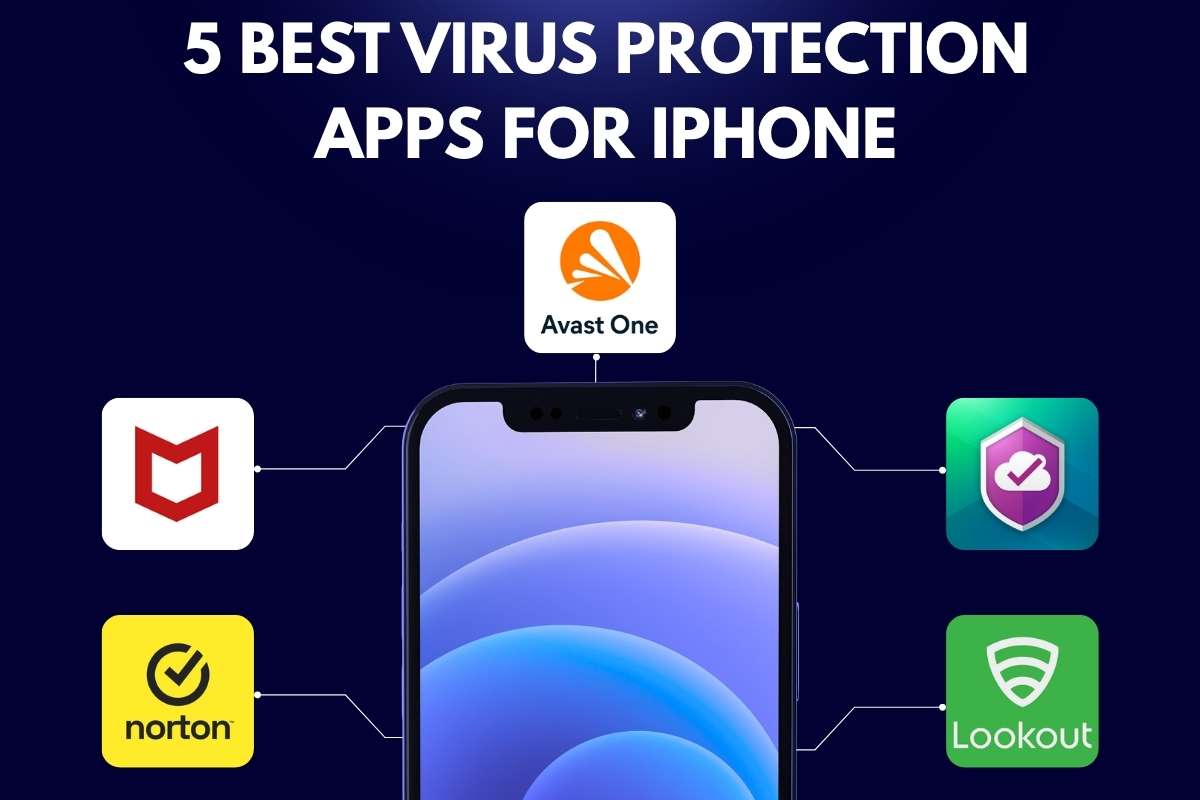
5 Best Virus Protection Apps for iPhone
1. Norton 360 Mobile Security
Norton 360 Mobile Security works like a complete safety system for your iPhone. It does not just focus on viruses. It protects your internet activity, your personal data, and even your identity. If you often use public WiFi or store sensitive data on your phone, this app gives strong protection.
Key Features:
- WiFi security alerts: It checks if the WiFi network you are using is safe. If the network looks risky, it warns you before any damage happens.
- VPN included: A VPN hides your internet activity. This keeps your browsing private, especially on public networks.
- Dark web monitoring: It scans the dark web to check if your email or personal details have been leaked or stolen.
Pros (Why people like it):
- Trusted brand with a strong reputation in security
- Very simple interface, easy for beginners
Cons (Things to consider):
- Most advanced features require a paid plan
This app is often considered the best virus protection for iPhone if you want full security in one place.
2. McAfee Mobile Security
McAfee Mobile Security focuses on both device protection and personal safety. It helps you protect your files, track your phone if lost, and stay safe while browsing online.
Key Features:
- Anti-theft tools: If your phone gets lost or stolen, you can track it and protect your data remotely.
- Secure media vault: You can lock your photos and videos so no one else can access them.
- Web protection: It blocks unsafe websites and warns you before you visit harmful links.
Pros:
- Offers a good free version with useful features
- Includes identity protection tools
Cons:
- Sends frequent alerts, which some users may find annoying
Many users choose this as the best virus protection for iPhone because it balances free and premium features well.
3. Avast Security and Privacy
Avast Security and Privacy is a beginner-friendly app that focuses on everyday protection. It helps you stay safe on WiFi and keeps your personal files private.
Key Features:
- WiFi scanner: It checks if your current network is secure and alerts you if it is not.
- Photo vault: You can hide private photos behind a password for extra safety.
- Threat alerts: It warns you about suspicious activity or potential risks.
Pros:
- Clean and simple design
- Strong free version for basic protection
Cons:
- The free version includes ads, which can interrupt the experience.
It is a great starting point if you are looking for the best virus protection for the iPhone without spending money.
4. Kaspersky Security Cloud
Kaspersky Security Cloud focuses on privacy and data safety. It helps you stay aware of any leaks or misuse of your personal information.
Key Features:
- Data leak alerts: It notifies you if your email or personal data appears in any data breach.
- Strong privacy tools: It helps you manage app permissions and protect sensitive information.
Pros:
- Reliable and accurate security alerts
- Lightweight app that does not slow down your phone
Cons:
- The free version has limited features
This is a smart choice for users who care more about privacy when choosing the best virus protection for the iPhone.
5. Lookout Mobile Security
Lookout Mobile Security focuses on identity protection and overall device safety. It keeps an eye on your personal information and warns you about possible risks.
Key Features:
- Identity theft protection: It monitors your personal data and alerts you if something looks suspicious.
- System Advisor: It checks your iPhone settings and suggests ways to improve security.
Pros:
- Very easy to use, even for non-technical users
- Strong monitoring for identity-related threats
Cons:
Many useful features are locked behind a premium plan.
It works well as a simple and reliable best virus protection for iPhone for everyday users.
10 Best Free Virus Protection for iPhone
Free apps do not work like traditional antivirus software. They focus on privacy, web safety, and data protection. The best virus protection for iPhone adds layers like VPN, phishing alerts, and identity monitoring.
Below is a clear breakdown of the top options.
1. Norton 360 Mobile Security
- Security Score: 9.7/10
- Free Trial: 14 days
- App Rating: 4.6+
- Current Deal: Discounted yearly plans available
- Best For: Complete protection
Norton 360 Mobile Security gives you complete protection in one place. It works quietly in the background and keeps checking for risks while you browse, shop, or use public WiFi.
When you connect to a WiFi network, Norton checks if the network is safe. If it detects any weakness, it alerts you immediately. This helps you avoid hackers who target public networks like cafés or airports.
Another strong feature is dark web monitoring. If your email, password, or personal data appears in a data leak, Norton informs you quickly so you can take action. It also blocks phishing links that try to trick you into sharing sensitive information.
This makes it one of the best virus protection programs for iPhone if you want full safety without worrying about different tools.
2. McAfee Mobile Security
- Security Score: 9/10
- Free Trial: Yes
- App Rating: 4.7+
- Current Deal: Free plan + premium upgrade
- Best For: Identity and device protection
McAfee Mobile Security focuses on both device safety and personal privacy. It is designed for users who want more control over their data.
It scans your WiFi connection and warns you if the network is unsafe. This is helpful when you use the public internet frequently. It also includes a secure VPN, which hides your online activity and keeps your browsing private.
One useful feature is device tracking. If your iPhone gets lost or stolen, you can locate it easily. McAfee also protects your identity by checking for suspicious activity related to your personal data.
This makes it a flexible best virus protection for iPhone option for users who want both security and convenience.
3. Avast Security and Privacy
- Security Score: 8.8/10
- Free Trial: Yes
- App Rating: 4.7+
- Current Deal: Free plan with ads
- Best For: Beginners
Avast Security and Privacy is perfect for users who want simple and easy protection without confusion.
It scans your WiFi network and tells you whether it is safe to use. If there is any risk, you get a clear warning. This helps you avoid unsafe connections without needing technical knowledge.
The app also protects your personal data and sends alerts if it detects suspicious activity. You can store private photos in a secure vault, which adds another layer of privacy.
The design is clean and easy to understand, which makes it ideal for beginners. It works well as a basic best virus protection for iPhone for everyday use.
4. Kaspersky Security Cloud
- Security Score: 9/10
- Free Trial: Yes
- App Rating: 4.5+
- Current Deal: Free version available
- Best For: Privacy protection
Kaspersky Security Cloud focuses strongly on privacy and data protection.
Its main job is to keep track of your personal information. If your email or account details appear in a data breach, it alerts you immediately. This helps you change passwords before any damage happens.
The app runs smoothly and does not slow down your iPhone. It stays lightweight while still offering strong protection.
This makes it a great choice for users who want privacy-focused best virus protection for iPhone. Kaspersky also helps you manage your digital privacy by showing which apps may be accessing your data.
Also Read: Protect Your Computer from Viruses: Essential Tips for a Secure Digital Life
5. Lookout Mobile Security
- Security Score: 8.7/10
- Free Trial: Yes
- App Rating: 4.6+
- Current Deal: Free + premium plan
- Best For: Identity protection
Lookout Mobile Security is built for identity protection and overall safety.
It constantly monitors your personal information and alerts you if something looks suspicious. For example, if your data appears in a breach or is being misused, you get notified quickly.
Another helpful feature is the system advisor. It checks your iPhone settings and suggests ways to improve security. This is useful if you are not sure how to secure your device properly.
The app is very easy to use, even if you are not tech-savvy. Everything is explained in simple terms.
This makes it a reliable everyday best virus protection for iPhone for users who want simple and effective monitoring.
6. Avira Mobile Security
- Security Score: 8.9/10
- Free Trial: 60 days
- App Rating: 4.6
- Current Deal: Up to 58% off premium
- Best For: Lightweight protection
Avira Mobile Security is perfect if you want strong protection without making your phone feel heavy or slow. It runs quietly in the background and does not disturb your daily usage. The app focuses on keeping things simple while still covering important security areas.
It includes a built-in VPN that protects your internet activity, especially when you use public WiFi. This means your data stays private and harder to track. The app also offers privacy tools that help you understand which apps are accessing your personal information.
Its smart scan feature checks your device for possible risks. It does not scan like a traditional antivirus, but it looks for unsafe settings, weak security, and data exposure. Another useful feature is spam call blocking, which helps you avoid annoying and risky calls.
Avira also alerts you if your email or personal data appears in a data breach. This gives you a chance to act quickly and change passwords before any damage happens.
This makes Avira a balanced choice for the best virus protection for iPhone, especially if you want simple and effective security with strong free features.
7. Bitdefender Mobile Security
- Security Score: 9.2/10
- Free Trial: 14 days
- App Rating: 4.7+
- Current Deal: Affordable yearly plan
- Best For: Advanced users
Bitdefender Mobile Security is designed for users who want deeper control over their iPhone security. It offers advanced tools while still keeping the interface clean and easy to use.
One of its strongest features is web protection. It blocks harmful websites before they load, which helps prevent phishing attacks and scams. This is very useful because most iPhone threats come from unsafe links, not traditional viruses.
The app also includes a VPN that secures your internet connection. It keeps your browsing private and protects your data when using public networks.
Another important feature is account privacy monitoring. Bitdefender checks if your email, passwords, or personal details have been exposed on the dark web. If it detects a leak, it alerts you immediately so you can take action.
Bitdefender stands out as a powerful best virus protection for iPhone for users who want advanced security and deeper protection. This app works quietly and does not slow down your phone, even with multiple features running.
8. Sophos Intercept X for Mobile
- Security Score: 8.9/10
- Free Trial: 30 days
- App Rating: 4.0+
- Current Deal: Completely free
- Best For: Free advanced tools
Sophos Intercept X is one of the few apps that offer advanced security features without charging money. It is a great option if you want strong protection but do not want to pay for a subscription.
The app includes a password manager that helps you store and manage your passwords safely. This reduces the risk of using weak or repeated passwords.
It also has a WiFi security checker that warns you if the network you are using is unsafe. This is very helpful when connecting to public WiFi in places like cafes or airports.
Another important feature is multi-factor authentication support. This adds an extra layer of protection to your accounts, making it harder for hackers to gain access.
Sophos focuses more on prevention and awareness rather than heavy scanning. It keeps your device secure without affecting performance.
This makes it a rare and valuable option for the best virus protection for iPhone with advanced features at no cost.
9. Trend Micro Mobile Security
- Security Score: 9/10
- Free Trial: Yes
- App Rating: 4.6+
- Current Deal: Premium discounts available
- Best For: Web protection
Trend Micro Mobile Security focuses heavily on protecting your online activity. Since most threats come from the internet, this approach works very well for iPhone users.
The app blocks dangerous websites before you even open them. This helps prevent phishing attacks where fake websites try to steal your passwords or financial details.
It also scans links in emails and messages to make sure they are safe. This adds an extra layer of protection against scams.
Another useful feature is parental control. It allows you to manage what content can be accessed on the device, which is helpful for families.
The app also includes privacy scanning tools that check your settings and highlight areas where your data may be exposed.
Trend Micro is a strong best virus protection option if you want safe and secure browsing every day.
10. Malwarebytes Mobile Security
- Security Score: 9/10
- Free Trial: 7 days
- App Rating: 4.6+
- Current Deal: Free + premium plan
- Best For: Malware and spam protection
Malwarebytes Mobile Security is known for its strong focus on blocking threats before they reach you. It works well for users who want protection from spam, ads, and unsafe websites.
The app blocks harmful websites that may try to steal your data or install unwanted content. It also filters spam calls and messages, which reduces both annoyance and risk.
Another key feature is ad blocking. This not only improves your browsing experience but also prevents malicious ads from loading.
It includes a VPN that runs smoothly in the background without slowing down your device. This ensures your internet activity stays private and secure.
Malwarebytes keeps things simple while still offering strong protection. It does not overload you with complex settings.
This makes it a trusted and practical best virus protection for the iPhone for everyday use.
Also Read: Apple Reveals iPhone 17 Series with New Tech Upgrades and Designs
iPhone Security Best Practices Beyond Antivirus
Security apps help, but they are not enough on their own. Your daily habits matter more. Even the best virus protection for iPhone cannot protect you if you ignore basic safety steps. Think of it like locking your house; having a strong lock helps, but you still need to close the door.
Here are simple habits that keep your iPhone safe:
1. Update iOS Regularly:
Apple releases updates to fix bugs and security gaps. Hackers often target old versions of software.
When you update your iPhone, you close those gaps. It only takes a few minutes, but it protects your device for months.
Always turn on automatic updates so you don’t forget.
2. Use Strong Passwords:
Weak passwords are easy to guess. Many people still use simple passwords like “123456” or their name.
A strong password should be long and hard to guess. Use a mix of letters, numbers, and symbols.
Better tip: Use different passwords for each account. This way, one leak won’t affect everything.
3. Enable Face ID or Touch ID
Biometric security adds an extra layer of protection. Even if someone knows your password, they cannot unlock your phone without your face or fingerprint.
It also makes your phone safer if it gets lost or stolen.
This is one of the easiest ways to improve security instantly.
4. Avoid Unknown Links
Many attacks start with a simple click. A fake link in a message or email can steal your data.
If a link looks suspicious, do not click it. Even if it looks like it came from a known brand, double-check before opening.
When in doubt, ignore the link or visit the official website directly.
5. Use a VPN on Public WiFi
Public WiFi in cafes, airports, or malls is not always safe. Hackers can sometimes see your data on these networks.
A VPN hides your internet activity and keeps your data private. It creates a secure connection even on open networks.
Always use a VPN when connecting to public WiFi.
How to Protect Your iPhone from Viruses?
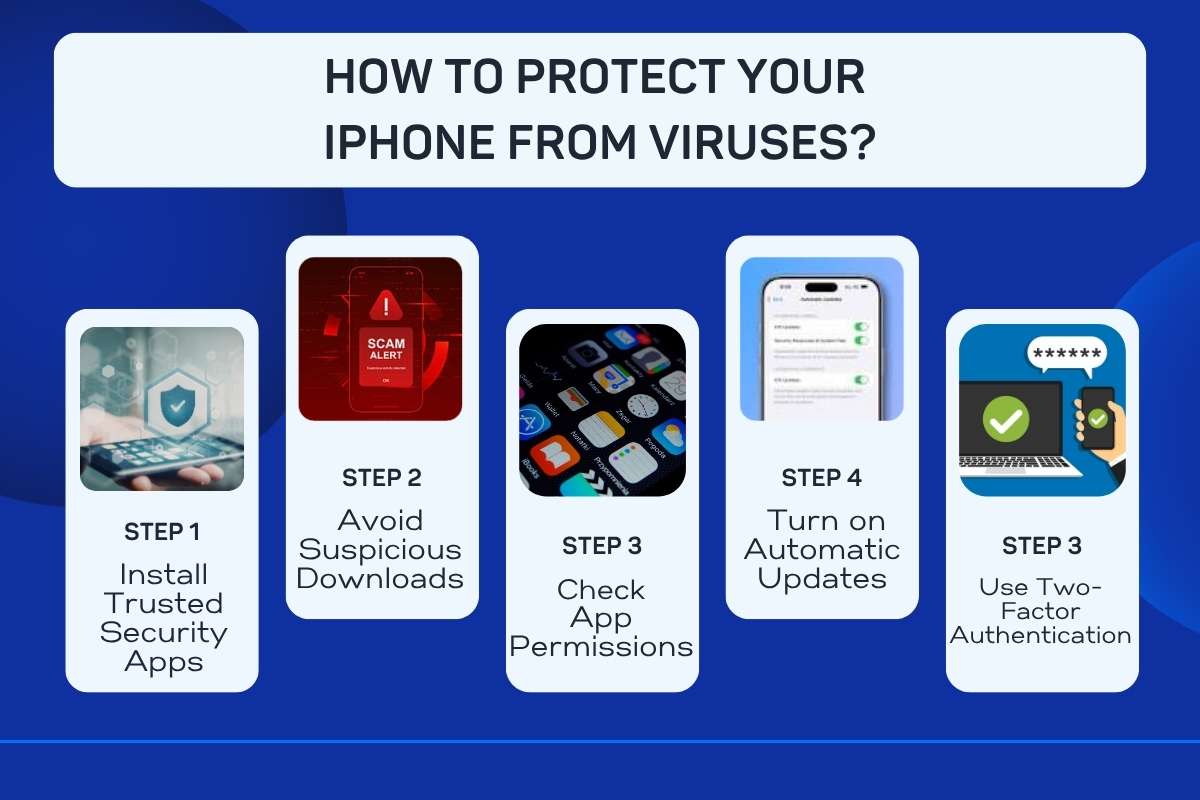
Keeping your iPhone safe is not complicated. You do not need technical skills. Small, smart habits can protect your device better than anything else. Let’s break each step into simple words:
Step 1 – Install Trusted Security Apps
Start by using reliable security apps from the App Store. These apps do not act like traditional antivirus software, but they protect your browsing, warn you about unsafe links, and keep your data private.
Using the best virus protection for iPhone adds an extra layer of safety, especially when you use the internet daily.
Step 2 – Avoid Suspicious Downloads
Do not download apps, files, or attachments from unknown sources. If something looks strange or too good to be true, it probably is.
Always use the official App Store. Apple checks apps before allowing them, which reduces risk.
Step 3 – Check App Permissions
Many apps ask for access to your camera, contacts, or location. Not all of them need it.
Go to your settings and review permissions. Turn off access that feels unnecessary. This simple step protects your personal data from misuse.
Step 4 – Turn on Automatic Updates
Updates are not just about new features. They fix security issues.
Turn on automatic updates so your iPhone always has the latest protection. This helps block new threats before they reach your device.
Step 5 – Use Two-Factor Authentication
Two-factor authentication adds an extra step when you log in.
Even if someone knows your password, they still cannot access your account without a second code. This makes your accounts much safer.
When you follow these steps, the best virus protection for iPhone becomes even more effective. It works with your habits, not just your device.
Signs Your iPhone May Be Infected (What to Watch For)
iPhones are generally secure, but problems can still happen. Knowing the warning signs helps you act quickly.
Here are the most common signs explained simply:
- 1. Sudden Battery Drain: If your battery starts draining much faster than usual, something may be running in the background without your knowledge.
- 2. Unknown Apps: If you see apps you did not install, that is a red flag. Always check and remove anything unfamiliar.
- 3. Frequent Pop-ups: Too many pop-ups, especially in your browser, can mean unsafe websites or hidden threats.
- 4. Overheating: If your iPhone heats up even when you are not using it much, it may be working harder than normal due to unwanted activity.
- 5. Slow Performance: If your phone suddenly becomes slow, lags often, or freezes, it could be due to suspicious processes running in the background.
Free vs Paid iPhone Security Apps
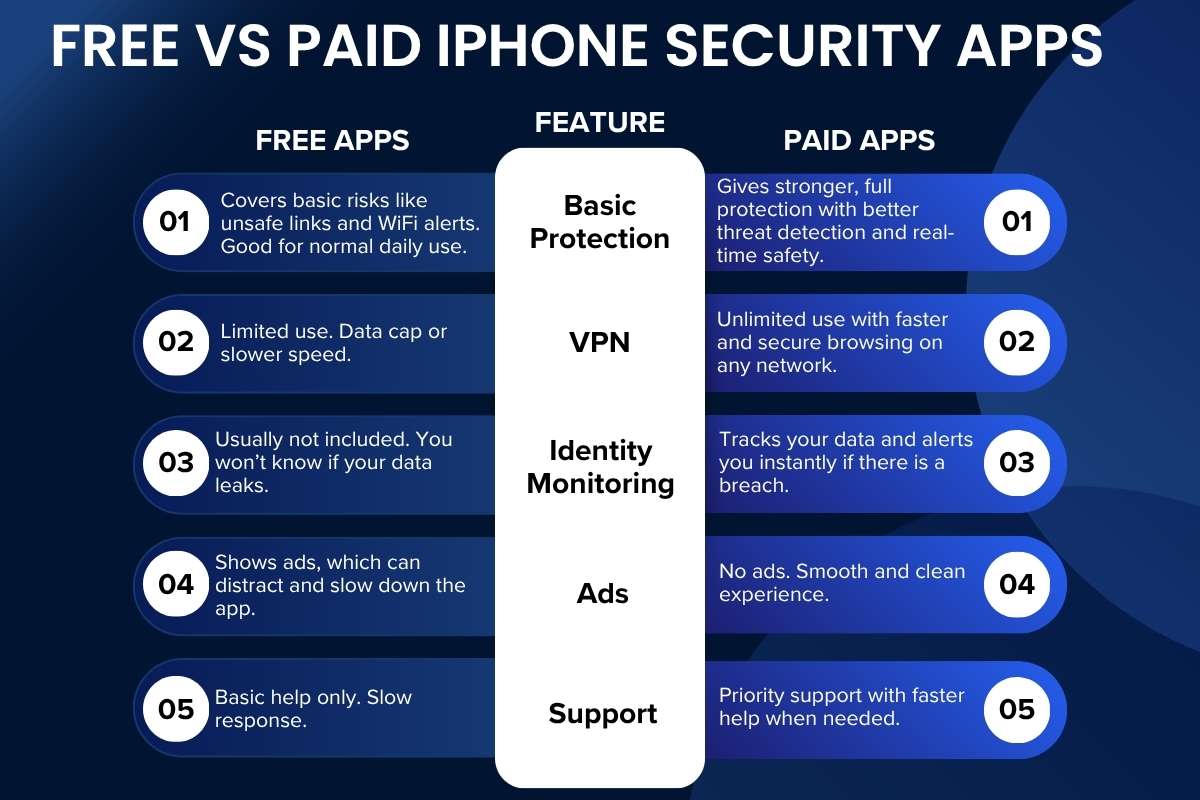
| Feature | Free Apps | Paid Apps |
| Basic Protection | Covers basic risks like unsafe links and WiFi alerts. Good for normal daily use. | Gives stronger, full protection with better threat detection and real-time safety. |
| VPN | Limited use. Data cap or slower speed. | Unlimited use with faster and secure browsing on any network. |
| Identity Monitoring | Usually not included. You won’t know if your data leaks. | Tracks your data and alerts you instantly if there is a breach. |
| Ads | Shows ads, which can distract and slow down the app. | No ads. Smooth and clean experience. |
| Support | Basic help only. Slow response. | Priority support with faster help when needed. |
Conclusion
You trusted your iPhone because it felt safe. That trust still holds, but only if you stay alert. Security today is not about fear. It is about awareness. The best virus protection for iPhone does not replace your judgment. It strengthens it. Use the right apps. Build smart habits. Stay one step ahead. Because the biggest threat is not your device, it is the moment you assume nothing can go wrong. Stay sharp. Stay protected. Your digital life depends on it.
FAQs
1. Do iPhones really need antivirus apps?
Not a traditional antivirus, but the best virus protection for iPhone adds safety layers.
2. Can iPhones get viruses?
Rare, but threats like phishing and malware links exist.
3. What is the best virus protection for iPhone?
Apps like Norton and McAfee offer strong protection features.
4. Are free security apps enough?
They help, but paid versions offer better protection.
5. How often should I check my iPhone security?
Review settings and apps monthly.