Ever copied data from a website and thought, “There must be a faster way?” Of course there is.
Imagine a smart assistant that gathers data while you sip coffee. Sounds great, right? That is
where a web scraping tool steps in. It saves time, cuts effort, and pulls data in minutes.
But here’s the twist. Not all tools are simple, and not all uses are safe. So, should you trust it blindly or use it smartly?
This guide answers that. It breaks down everything in simple words so you can decide if a web data extractor is your next big advantage.
What is Web Scraping?
Web scraping is the process of collecting data from websites using software instead of doing it manually. Think about the time you copy product prices, customer reviews, or email addresses one by one. It feels slow and tiring. A web scraping tool solves this problem. It visits web pages, reads their content, and extracts the exact data you need in seconds.
A web scraper tool works like a smart assistant. It scans the structure of a website, identifies useful elements, and saves them in a clean format such as Excel or CSV. This makes data easy to analyze and use for business decisions.
For example, an e-commerce seller can use a web scraping tool to track competitor prices daily. A marketer can collect leads from directories. A researcher can gather large datasets without spending hours on manual work. The main goal is simple: save time and improve accuracy.
Types of Web Scraping Tools
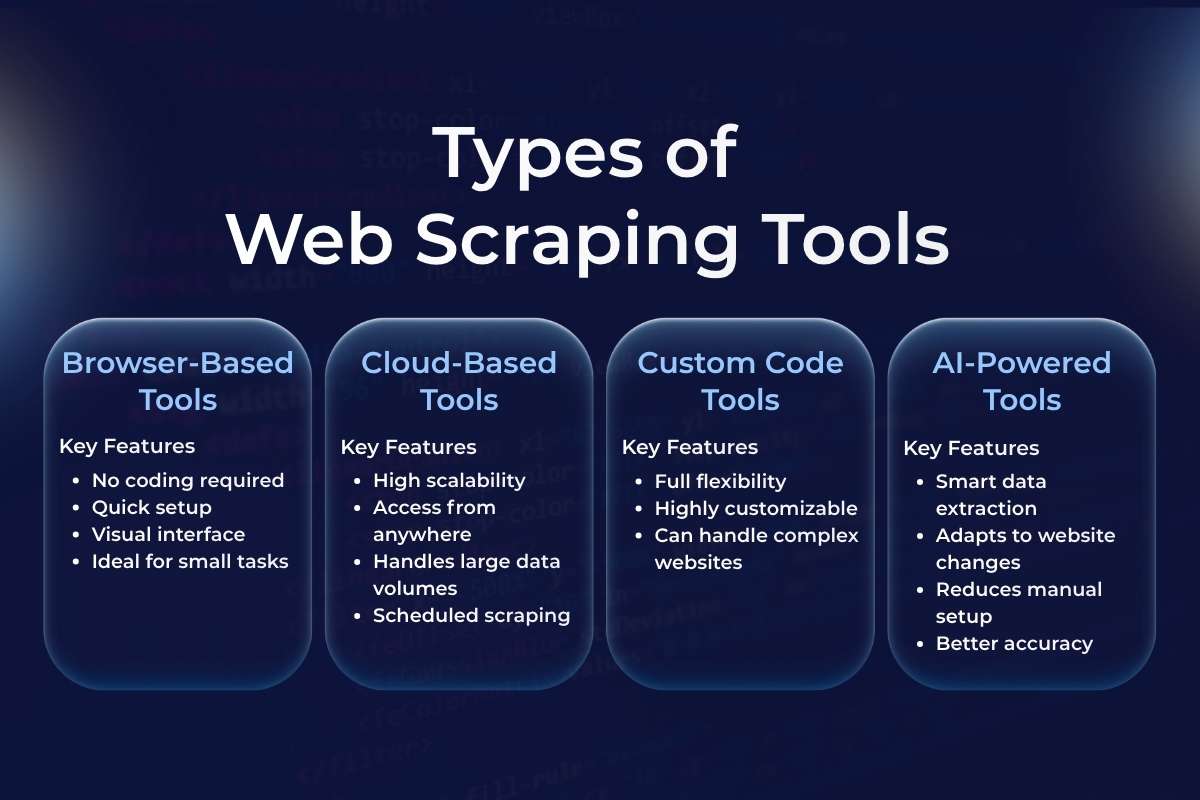
Not all tools work the same way. Each type of web scraper tool is built for a different level of user and purpose. Let’s break them down in a simple way.
1. Browser-Based Tools
Browser-based tools are the easiest way to start. These tools work as extensions in browsers like Google Chrome or Mozilla Firefox. You install them and start scraping directly from the webpage you are viewing.
A web scraping tool in this category uses a point-and-click method. You select the data you want, and the tool captures similar data across the page.
Key Features:
- No coding required
- Quick setup
- Visual interface
- Ideal for small tasks
Example Use Case: Suppose you want to collect product names and prices from an online store. You click on a few items, and the web scraper tool automatically gathers all similar data.
Best For: Beginners, students, and small business owners
2. Cloud-Based Tools
Cloud-based tools run on remote servers instead of your computer. You don’t need to install anything. You simply log in, set your scraping task, and the tool does the rest online.
A web scraping tool in the cloud can handle thousands of pages at once. It works faster and does not slow down your system.
Key Features:
- High scalability
- Access from anywhere
- Handles large data volumes
- Scheduled scraping
Example Use Case: A company tracks prices across hundreds of competitor websites every day. A cloud-based web scraper tool collects and updates this data automatically.
Best For: Businesses, data analysts, and large projects
3. Custom Code Tools
Custom tools are built using programming languages like Python or JavaScript. Developers create these tools from scratch to meet specific needs.
A web scraping tool in this category gives full control. You can decide what data to collect, how to process it, and where to store it.
Key Features:
- Full flexibility
- Highly customizable
- Can handle complex websites
Example Use Case: A tech team builds a custom web scraper tool to collect real-time stock market data and integrate it into their platform.
Best For: Developers and advanced users
4. AI-Powered Tools
AI-powered tools are the newest and smartest option. These tools use machine learning to understand website structures. Even if a website changes its layout, the tool can adapt.
A web scraping tool with AI reduces manual effort. It can identify patterns, clean data, and improve accuracy over time.
Key Features:
- Smart data extraction
- Adapts to website changes
- Reduces manual setup
- Better accuracy
Example Use Case: A digital agency uses an AI-based web scraper tool to collect customer reviews from different platforms. The tool understands different formats and organizes the data automatically.
Best For: Growing businesses and automation-focused teams
Also Read: Why Modern Companies Depend on Data Governance Tools
Top 10 Popular Web Scraping Tools
1. Octoparse
- Best for: Beginners
- Pricing: Free and paid plans
- Pros: No coding needed, so anyone can use it. The visual workflow makes it easy to understand and saves time for repetitive tasks.
- Cons: Struggles with very complex websites, Advanced features need a paid plan
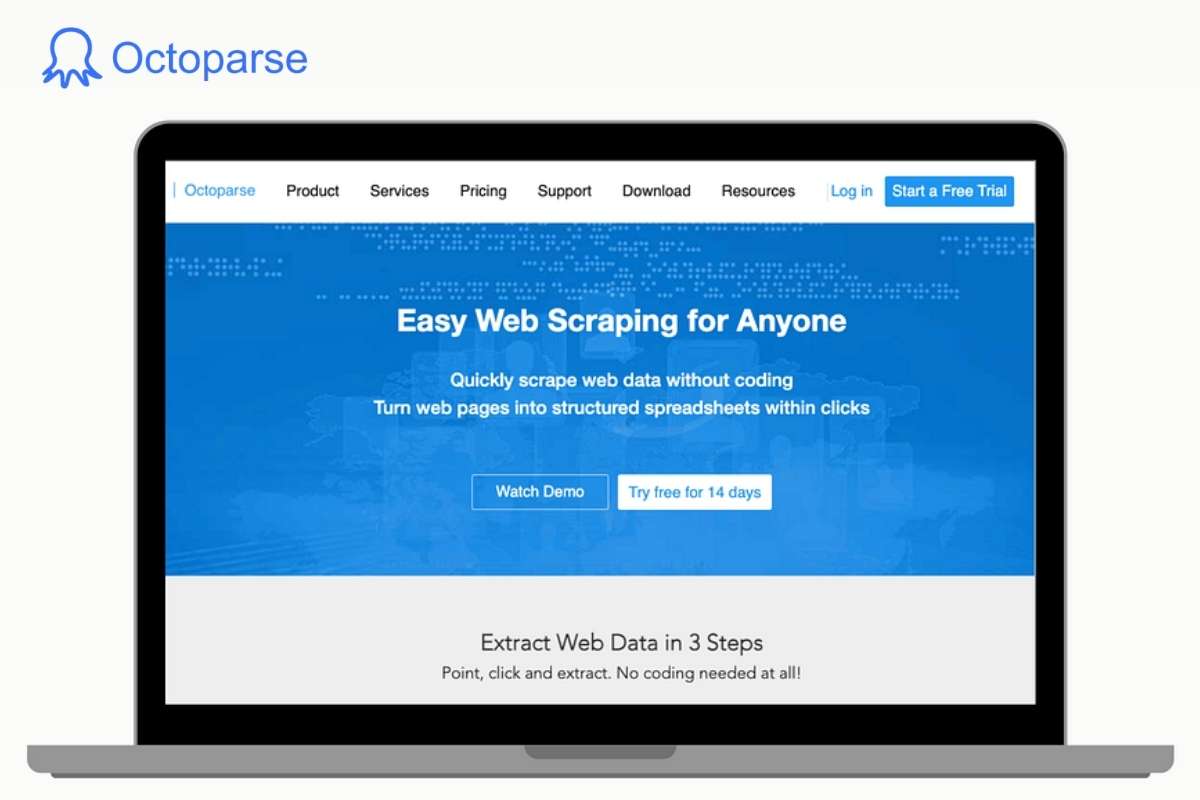
Octoparse is one of the easiest tools to start with. It works like a smart assistant that lets you collect data without writing any code. You simply click on the data you want, and the tool understands the pattern automatically.
It has a clean dashboard. You select a website, click on elements like product names or prices, and it builds a workflow for you. This makes it perfect for people who have zero technical knowledge.
Example: You run an online store and want to track competitor prices on Amazon. Instead of checking each product daily, you can use Octoparse.
You open the product page, click on the price, and the tool extracts all prices from similar listings. It then exports the data into Excel.
Now you can compare prices in minutes instead of hours.
2. ParseHub
- Best for: Complex websites
- Pricing: Free basic plan
- Pros: Works well with dynamic and modern websites, can handle pagination and scrolling, and extracts complex data structures
- Cons: The interface takes time to understand. Beginners may feel confused at first.
ParseHub is more powerful than beginner tools. It can handle websites that load content dynamically using JavaScript. Many modern websites use this type of structure, which makes simple tools fail.
ParseHub reads the structure of the page and interacts with it like a real user. It can click buttons, scroll pages, and load hidden data.
Example: Suppose you want to collect hotel listings from a travel website where results load as you scroll. A basic tool may miss half the data.
ParseHub can scroll the page, click “load more,” and collect all hotel names, prices, and ratings automatically.
3. Scrapy
- Best for: Developers
- Pricing: Free
- Pros: Very fast and efficient, handles large-scale data, fully customizable
- Cons: Requires coding knowledge, not suitable for beginners
Scrapy is not a simple tool. It is a full framework used by developers to build custom scraping systems. It works using Python and gives full control over how data is collected.
Unlike visual tools, Scrapy requires you to write code. But in return, it offers speed, flexibility, and power.
Example: A company wants to track thousands of product listings across multiple e-commerce websites every day. A visual tool may slow down or fail.
With Scrapy, a developer can build a custom system that collects data daily, stores it in a database, and even cleans it automatically.
4. Beautiful Soup
- Best for: Python users
- Pricing: Free
- Pros: Very flexible and lightweight, Easy for Python learners, Great for small projects
- Cons: Needs basic coding skills, cannot handle advanced tasks alone
Beautiful Soup is a Python library used to extract data from HTML and XML files. It is not a complete scraping tool on its own. Instead, it works with other libraries like requests.
It is simple but powerful. You can use it to parse web pages and extract specific elements like headings, links, or tables.
Example: Suppose you want to collect headlines from a news website. Using Beautiful Soup, you write a short Python script that loads the webpage and extracts all the headlines from the HTML tags.
Within seconds, you get a clean list of titles that you can save or analyze.
5. WebHarvy
- Best for: Visual scraping
- Pricing: Paid
- Pros: Very easy to use, Automatic pattern detection, No coding required
- Cons: Only works on Windows, Paid tool, no strong free version
WebHarvy is a visual scraping tool that works on a point-and-click system. It detects patterns automatically when you select data. This means you do not need to configure complex workflows.
It is designed for users who want fast results without technical setup.
Example: Let’s say you want to collect email addresses from an online business directory.
You open the page in WebHarvy, click on one email, and the tool identifies all similar entries. It then extracts all emails and saves them in a file.
6. Import.io
- Best for: Enterprises
- Pricing: Custom
- Pros: Handles large-scale data easily, no need to manage servers, Reliable for business use
- Cons: Expensive for small users, requires onboarding to fully understand features.
Import.io is a powerful web scraping platform built for large companies. It helps businesses collect huge amounts of data from different websites without building their own systems. It turns web data into structured formats like spreadsheets or APIs.
The tool works in the cloud, so you do not need to install anything. It also offers automation, which means you can schedule data collection daily, weekly, or in real time. Companies use it when they need clean and reliable data at scale.
Example: Imagine you run an e-commerce company. You want to track competitor prices across 500 product pages every day.
Import.io can automatically collect this data and send it to your dashboard, so you can adjust your pricing strategy quickly.
7. Apify
- Best for: Automation
- Pricing: Free and paid
- Pros: Strong automation features, Works in the cloud, Supports custom workflows
- Cons: Setup can feel complex for beginners, and some features need coding knowledge
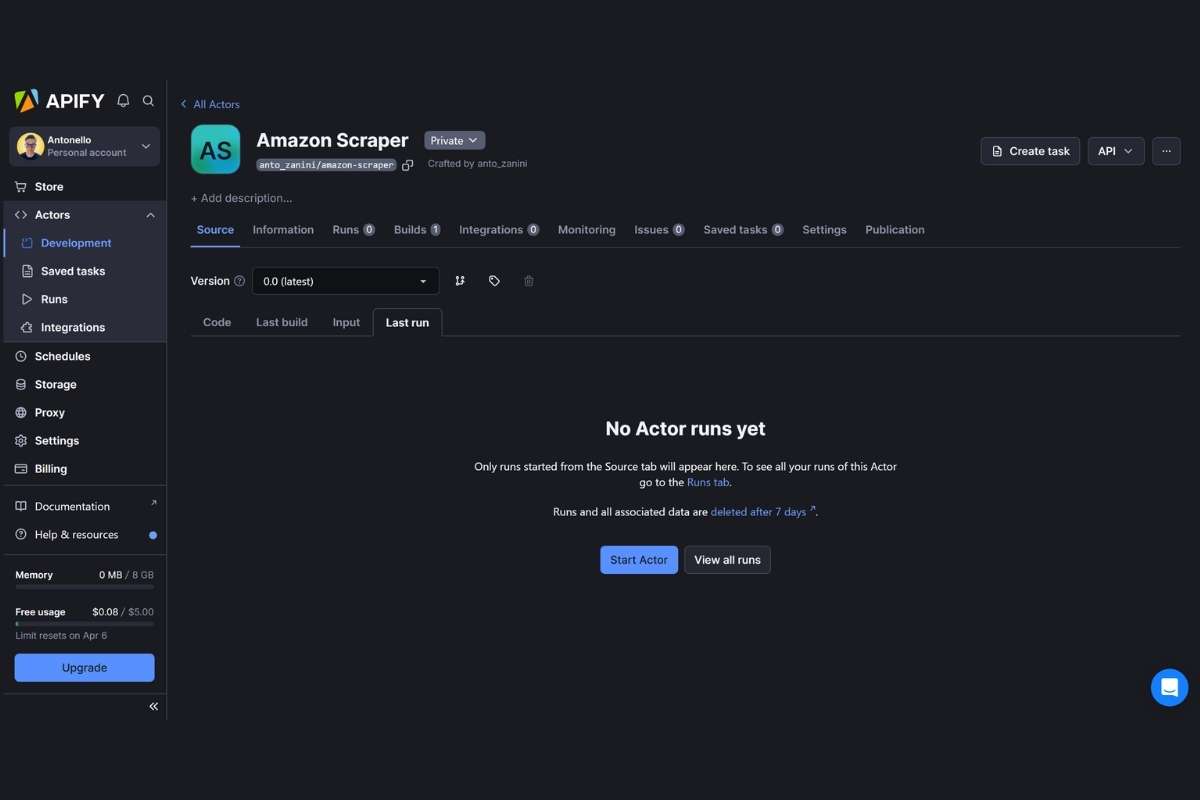
Apify is a cloud-based platform that focuses on automation. It allows you to build and run scraping tasks called “actors.” These actors can collect data, automate workflows, or even perform tasks like filling forms.
It supports both developers and non-developers. You can use ready-made templates or create custom scripts. Apify also provides scheduling, storage, and integration with other tools.
Example: Suppose you want to collect job listings from multiple job websites every day. You can set up an Apify actor that runs daily and gathers all new job posts into a single database.
8. Diffbot
- Best for: AI scraping
- Pricing: Paid
- Pros: AI handles complex pages, Minimal manual setup, Great for content-heavy sites
- Cons: High cost, Less control compared to manual tools
Diffbot uses artificial intelligence to understand web pages like a human. Instead of selecting elements manually, it reads the page and identifies content such as articles, products, or images automatically.
This makes it very powerful for scraping unstructured data. It can adapt to different website layouts without much setup. Businesses use it for content analysis, news aggregation, and data intelligence.
Example: If you want to collect news articles from hundreds of websites, Diffbot can automatically identify titles, authors, dates, and content without manual rules. This saves a lot of time.
Also Read: Pen Testing Tools Built for Compliance, Scale, and AI-Driven Threats in 2026
9. Zyte
- Best for: Data services
- Pricing: Paid
- Pros: Highly reliable, handles complex scraping issues, Strong infrastructure
- Cons: Not beginner-friendly, requires technical understanding
Zyte (formerly Scrapinghub) provides complete data extraction services. It is more than just a tool. It offers infrastructure, proxies, and managed scraping solutions.
Developers often use Zyte with frameworks like Scrapy. It handles difficult challenges like anti-bot protection and IP rotation. Businesses rely on Zyte when they need stable and long-term scraping systems.
Example: A travel company may use Zyte to collect hotel prices from multiple booking websites. Zyte ensures the scraper runs smoothly even if websites try to block it.
10. Data Miner
- Best for: Chrome users
- Pricing: Free and paid
- Pros: Very easy to use, no coding required, Quick setup
- Cons: Not suitable for large-scale scraping, Limited automation features
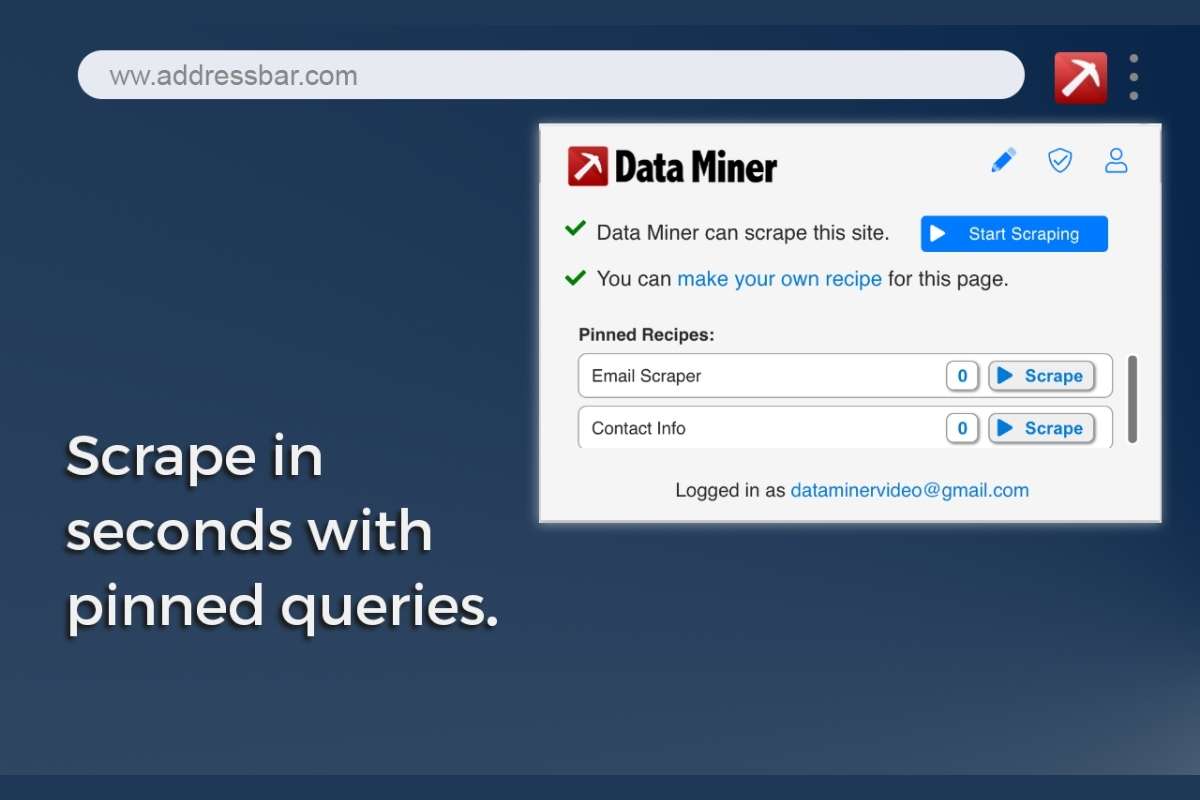
Data Miner is a browser extension that works directly in Chrome. It allows you to extract data from web pages using a simple point-and-click method. You do not need coding skills to use it.
It comes with pre-built templates called “recipes” that help you scrape common types of data like tables, lists, and emails. It is perfect for small tasks and quick data collection.
Example: If you want to collect a list of products and prices from an online store page, you can use Data Miner to select the data visually and export it to Excel in minutes.
Each web scraping tool above serves different users. Choose based on your need and budget.
How Web Scraping Tools Work?
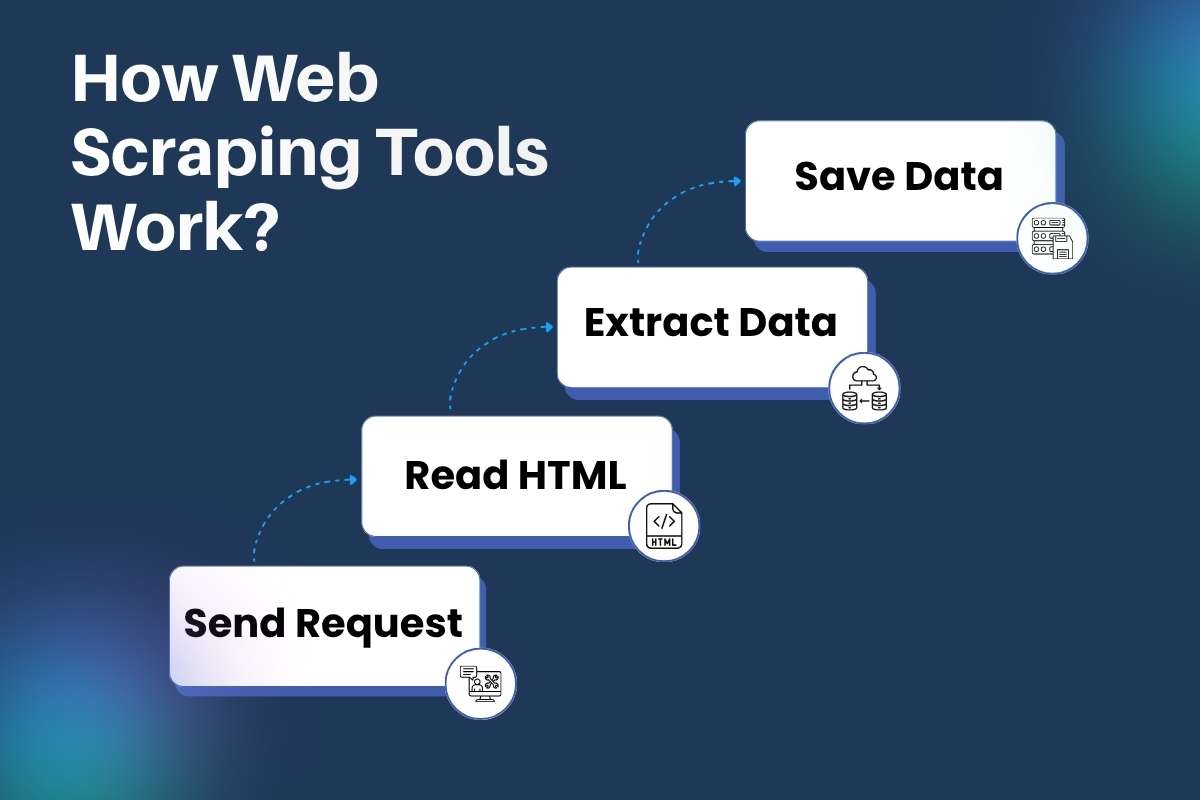
A web scraper tool may look simple on the surface, but it follows a smart and structured process behind the scenes. Each step works together to collect data quickly and accurately. Let’s break it down in a clear and practical way.
Step 1: Send Request
A web scraper tool starts by sending a request to a website, just like your browser does when you type a URL.
Think of it like knocking on a door. The tool asks the website, “Can I see this page?” The website then responds by sending the page content.
Good tools also send headers (extra details) to act like a real user. This helps avoid blocks. Some tools even rotate IP addresses to stay undetected.
Step 2: Read HTML
Once the page loads, the web scraping tool reads its structure. Every website is built using HTML, which organizes content into tags like headings, paragraphs, and links.
The tool scans this structure to understand where the data sits.
For example:
- Product names may sit inside <h2> tags
- Prices may sit inside <span> tags.
- Reviews may sit inside <div> sections.
This step is like reading a map before starting a journey.
Step 3: Extract Data
Now comes the main task. The web scraper tool selects and pulls only the required data.
You define what you need. It could be:
- Product prices
- Email addresses
- Article titles
- Ratings and reviews
The tool uses selectors like XPath or CSS selectors to target specific parts of the page. It ignores everything else.
Advanced tools can also:
- Clean messy data
- Remove duplicates
- Format text properly
This step turns raw content into useful information.
Step 4: Save Data
After extraction, the web scraping tool stores the data in a usable format.
Common formats include:
- Excel files for easy viewing
- CSV files for data analysis
- Databases for large projects
- JSON for developers
This makes it easy to sort, filter, and use the data later.
Web Scraping Tool vs API Access
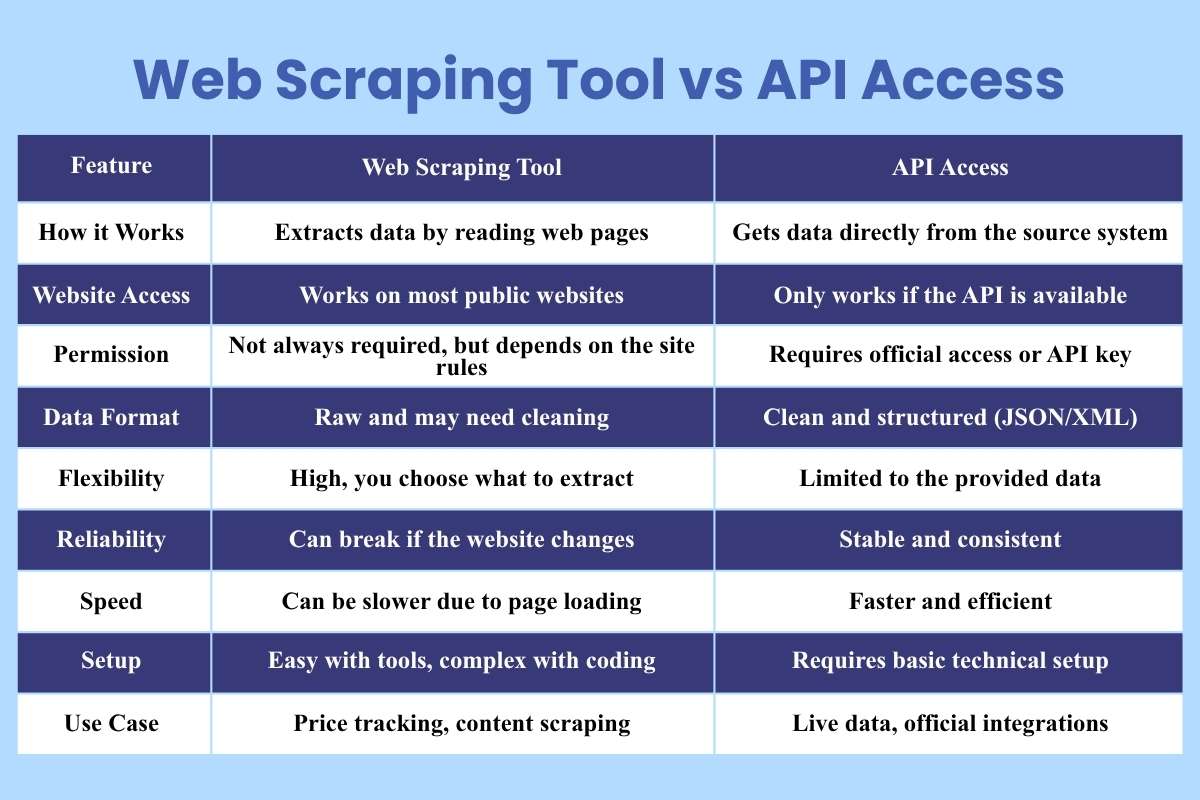
Many people face this choice when they start working with data. Should you rely on a web scraping tool or use an API? Both methods collect data, but they work in very different ways. Understanding this difference helps you avoid mistakes and choose the right path.
| Feature | Web Scraping Tool | API Access |
| How it Works | Extracts data by reading web pages | Gets data directly from the source system |
| Website Access | Works on most public websites | Only works if the API is available |
| Permission | Not always required, but depends on the site rules | Requires official access or API key |
| Data Format | Raw and may need cleaning | Clean and structured (JSON/XML) |
| Flexibility | High, you choose what to extract | Limited to the provided data |
| Reliability | Can break if the website changes | Stable and consistent |
| Speed | Can be slower due to page loading | Faster and efficient |
| Setup | Easy with tools, complex with coding | Requires basic technical setup |
| Use Case | Price tracking, content scraping | Live data, official integrations |
Challenges and Limitations for Web Scraping Tools
A web scraper tool is powerful, but it is not perfect. Many challenges can affect your results. Knowing these helps you avoid frustration and build better systems.
1. Website Changes:
Websites do not stay the same. Designers update layouts, class names, and page structure.
What Happens?
Your web scraping tool depends on specific patterns in the page. When those patterns change, your tool may stop working.
Example: You built a scraper to collect product prices. The website changes its design. Now your scraper cannot locate the price section.
Solution: Update your scraper regularly. Use tools that adapt to changes or support auto-detection.
2. Blocking and Anti-Bot Systems:
Many websites protect their data. They use systems to detect bots.
What Happens?
If your web scraper tool sends too many requests, the website may block your IP address.
Common Signs of Blocking
- Captcha pages
- Temporary bans
- Empty or incorrect data
Solution: Slow down requests. Use delays. Rotate IP addresses if needed. Act like a normal user.
3. Data Quality Issues:
Not all collected data is useful or clean.
What Happens?
A web scraping tool may collect extra text, broken values, or duplicate data.
Example: You extract reviews, but some include ads or unrelated content.
Solution: Clean and validate data after extraction. Use filters and rules to improve accuracy.
4. Speed Limits and Performance:
Speed is both an advantage and a risk.
What Happens?
Sending too many requests in a short time can overload the website or trigger blocking systems.
Impact:
- Slower performance
- Failed requests
- Incomplete data
Solution: Set request limits. Add delays between actions. Use efficient scraping methods.
5. Dynamic Content Loading:
Modern websites use JavaScript to load content.
What Happens?
A basic web scraper tool may not see this content because it loads after the page opens.
Solution: Use advanced tools that support JavaScript rendering or browser automation.
Also Read: Is Your Company’s Data Safe? Here are 8 Data Loss Prevention Tools for Concrete Security
Security and Legal Risks
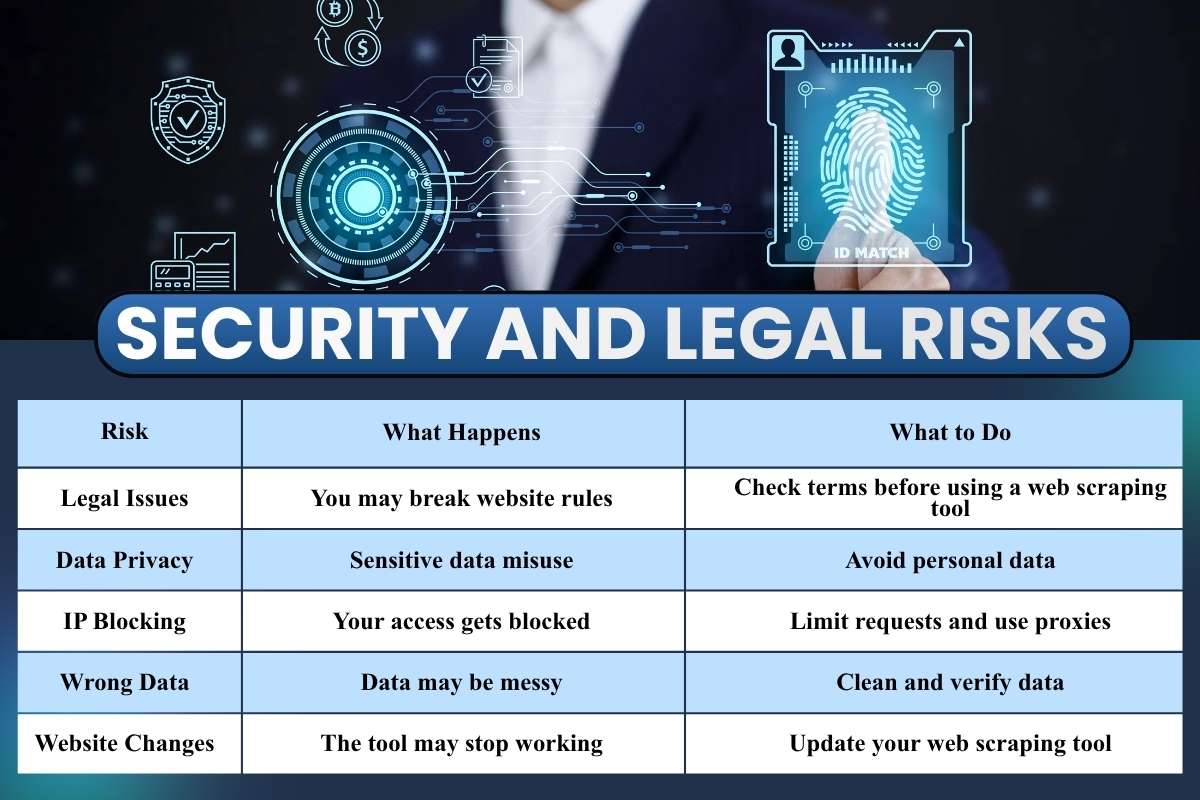
This is the part many users ignore until something goes wrong. A web scraping tool may feel simple to use, but it comes with real responsibilities. If you skip rules or act carelessly, you can face blocks, data loss, or even legal trouble. Let’s break this down clearly and practically.
| Risk | What Happens | What to Do |
| Legal Issues | You may break website rules | Check terms before using a web scraping tool |
| Data Privacy | Sensitive data misuse | Avoid personal data |
| IP Blocking | Your access gets blocked | Limit requests and use proxies |
| Wrong Data | Data may be messy | Clean and verify data |
| Website Changes | The tool may stop working | Update your web scraping tool |
Best Practices for Using Web Scraping Tools Safely
Using a web scraper tool can save time and effort, but careless use can lead to blocked access, poor data quality, or even legal trouble. Safe usage is not complex. It just needs awareness and discipline. Here’s a deeper look at each best practice in simple words.
1. Respect Robots.txt
Every website has rules. These rules often appear in a file called robots.txt. This file tells bots what they can access and what they should avoid.
Before running your web scraping tool, check this file. It usually sits at:
website.com/robots.txt
If a section is marked as disallowed, do not scrape it. Ignoring these rules may get your IP blocked or lead to legal issues.
Think of robots.txt as a “Do Not Enter” sign. Respecting it shows ethical use and keeps your work safe.
2. Limit Requests
Sending too many requests in a short time can overload a website. This looks like spam or an attack on the server.
A good web scraper tool should:
- Add delays between requests
- Avoid rapid repeated actions.
- Mimic human browsing behavior.
For example, instead of sending 100 requests in one second, spread them over a few minutes. This reduces the risk of being blocked.
Slow and steady scraping works better than fast and risky scraping.
3. Use Proxies
Websites track your IP address. If they notice unusual activity, they may block you.
Proxies help solve this problem. They act as middle layers between you and the website. Your requests appear to come from different locations.
A web scraping tool with proxy support can:
- Rotate IP addresses
- Reduce detection chances
- Maintain access for longer sessions.
However, use trusted proxy services. Poor-quality proxies can slow down your scraping or give incorrect data.
4. Clean and Validate Data
Raw data from websites is rarely perfect. It may contain:
- Duplicate entries
- Missing values
- Incorrect formats
After using a web scraper tool, always clean your data. This step improves accuracy and usability.
Simple steps include:
- Remove duplicates
- Fix formatting issues
- Check for missing fields.
Clean data leads to better decisions. Without cleaning, even the best scraping effort can fail.
5. Stay Updated
Websites change often. A page layout that worked yesterday may break your scraper today.
This means your web scraping tool setup needs regular updates.
To stay updated:
- Check your scripts regularly
- Adjust selectors when layouts change.
- Monitor scraping results for errors.
Modern tools with AI can adapt faster, but manual checks are still important. Staying updated ensures your scraper keeps working without interruptions.
- Future of Web Scraping
The future looks strong.
AI will make each web scraper tool smarter. Tools will understand content better. Automation will increase. Businesses will depend more on real-time data.
At the same time, rules will become stricter. Ethical use will matter more. A web scraping tool will need to balance power and responsibility.
Conclusion
Remember that moment when copying data felt endless? That problem now has a solution.
A web scraping tool can turn hours into minutes. It can boost your work and sharpen your decisions. But it is not magic. It needs smart use and clear limits. Treat it like a helper, not a shortcut to break rules.
When used right, a web scraper tool becomes your silent partner in growth. So, the real question is not “Should you use it?” but “How wisely will you use it?”