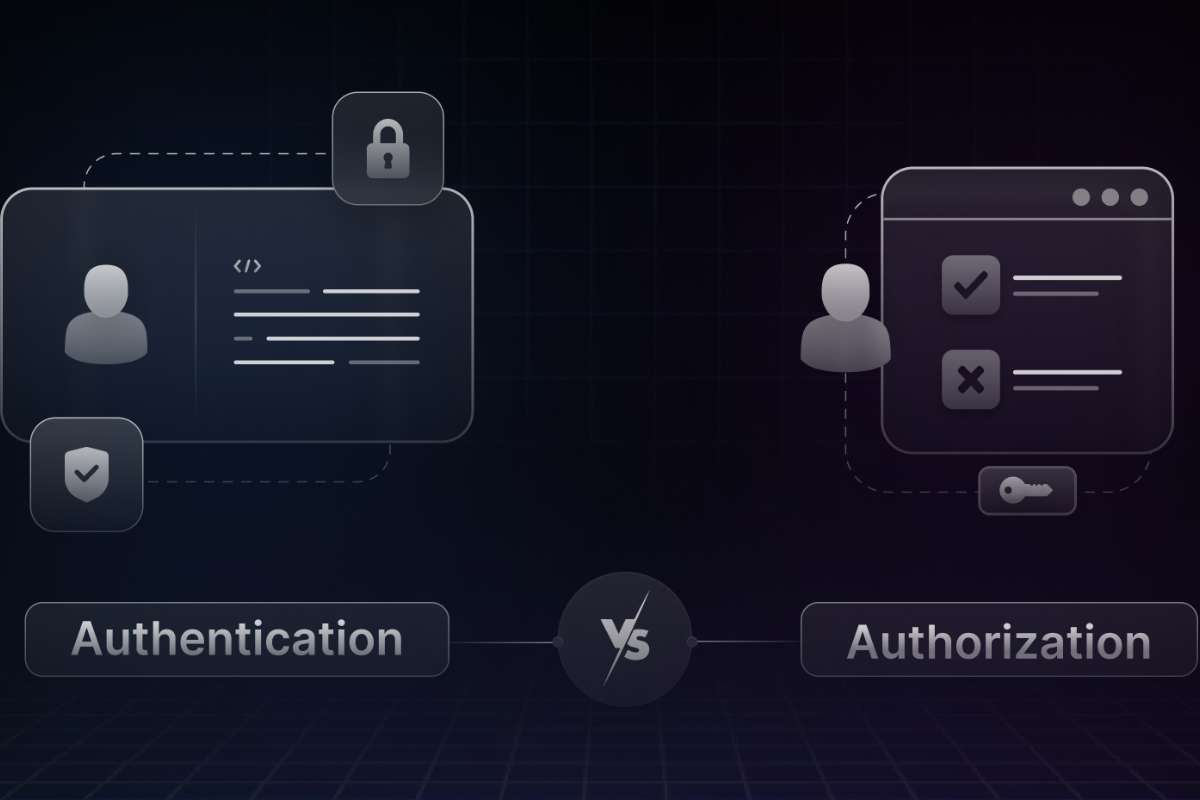
Passwords open doors. Permissions decide where you can walk.
Most people mix them up. Even tech writers confuse them. That confusion causes weak security, bad systems, and angry users.
This is where authorization vs authentication matters.
Think of a coffee shop. You show your ID. That proves you are you. Then the staff decides if you can enter the staff room. That is permission. Simple. Clear. Powerful.
This guide breaks everything down using real examples, plain words, and zero confusion. By the end, authorization and authentication will feel obvious, not technical.
What Is Authorization?

Authorization is the process that decides what a user can do inside a system after the system already knows who the user is.
It answers one clear question:
“What actions is this user allowed to perform?”
For example, a user may log in successfully, but that does not mean they can edit files, delete data, or access private tools. Authorization sets these limits.
Authorization never checks identity. That step is already complete.
Authorization starts after login and continues working in the background every time a user tries to access something.
It controls access to:
- Files and folders
- Features and tools
- Databases and records
- Pages and dashboards
- Actions like edit, delete, approve, or download
In authorization vs authentication, authorization always comes second and focuses only on permissions.
How Authorization Works Step by Step
- Step 1: The user logs in successfully
- Step 2: The system recognizes the user
- Step 3: Authorization rules activate
- Step 4: The system checks allowed actions
- Step 5: Access is granted or denied instantly
This happens in milliseconds and repeats every time the user requests something.
Types of Authorization
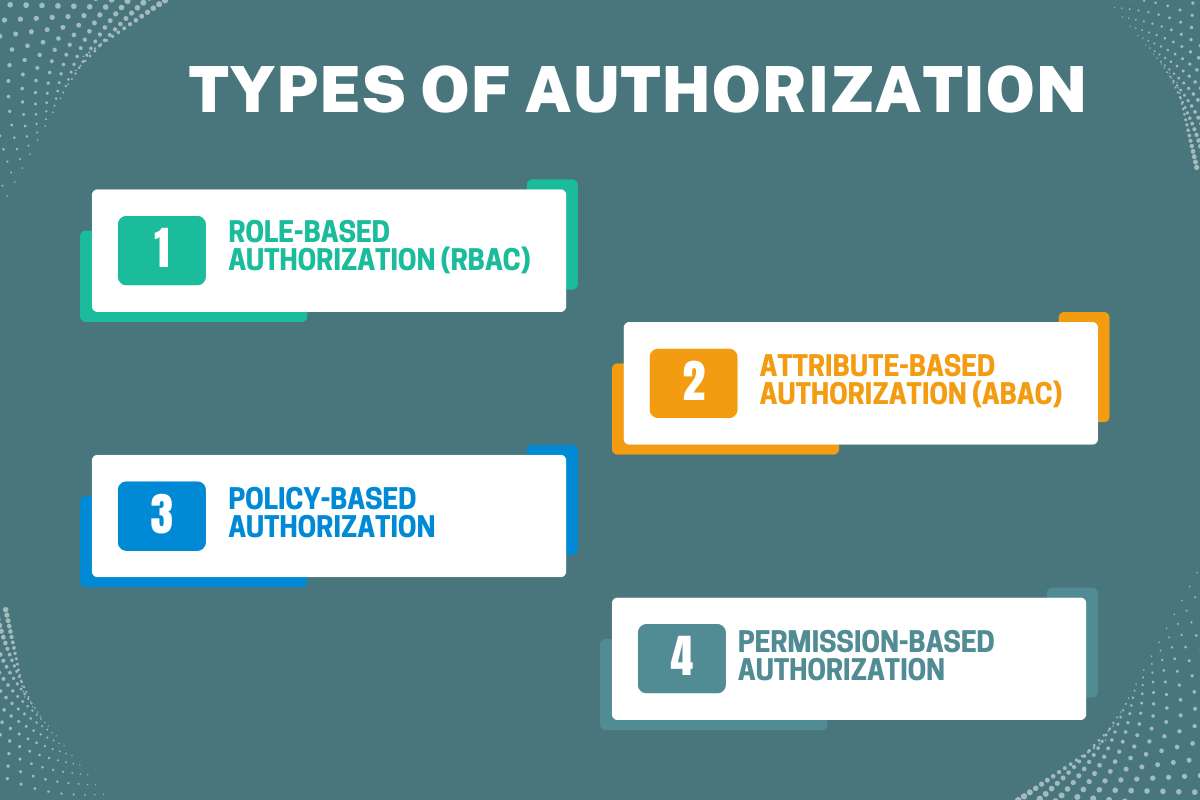
Different systems need different access rules. That is why authorization has multiple types.
1. Role-Based Authorization (RBAC)
Role-Based Access Control (RBAC) assigns permissions based on a user’s role within an organization. For example, an admin may have full access to all system settings, an editor can modify content, and a viewer can only see information. This method is straightforward, easy to manage, and ensures that users only perform actions relevant to their responsibilities. RBAC is widely used in companies and applications where user roles are clearly defined, helping maintain a secure system and improving understanding of authorization and authentication by separating identity from access rights.
2. Attribute-Based Authorization (ABAC)
Attribute-Based Access Control (ABAC) makes decisions based on user attributes and contextual factors rather than fixed roles. Attributes may include location, device type, time of access, or even the user’s department. For instance, a system may allow access to sensitive documents only if the user is accessing from a trusted office network during working hours. ABAC offers flexibility and fine-grained control, making it ideal for complex environments. Understanding ABAC deepens clarity on authorization vs authentication, as it highlights that permissions are dynamic and context-sensitive.
3. Policy-Based Authorization
Policy-Based Access Control (PBAC) relies on predefined security policies that outline access rules and conditions. These policies can include a combination of roles, attributes, and environmental conditions to grant or deny access. For example, a company policy may require managers to approve financial transactions over a certain amount, even if the user is authenticated. PBAC ensures consistent enforcement of organizational rules and emphasizes that authorization vs authentication are separate layers; authentication confirms identity, while policy-based rules control what authenticated users can do.
4. Permission-Based Authorization
Permission-based Authorization, also called Discretionary Access Control (DAC), gives resource owners the authority to determine who can access their data or resources. For example, a file owner in a shared folder may decide who can view, edit, or share it. DAC provides flexibility for individuals but requires careful management to avoid excessive permissions. This type of authorization highlights the need for thoughtful access control and reinforces the distinction between identity verification and permission assignment in authorization vs authentication.
Each of these authorization types serves different security needs, and choosing the right one helps reduce risks while maintaining smooth system operation. A clear understanding of these methods strengthens overall digital security and clarifies the relationship between identity verification and access control, which is at the core of authorization and authentication.
5. Choosing the Right Authorization Type
There is no single best method. Each type solves different needs:
- RBAC simplifies access
- ABAC adds smart rules
- Policy-based ensures compliance
- Permission-based offers precision
Modern systems often combine multiple types for better security.
Also Read: 10 Key Benefits of Biometric Authentication You Should Know
How Is Authorization Used?
Authorization works quietly after login. It decides what a user can access and what actions are allowed.
Common examples include:
- Employee access: Staff can use only the tools related to their role.
- Private files: Users can view only files they own or have permission to see.
- App features: Apps allow or block features based on user plans or roles.
- Banking actions: Banks limit transfers, withdrawals, and approvals for safety.
In authorization vs authentication, authorization protects resources, not identity. Without it, every logged-in user would access everything, which creates serious security risks.
What Is Authentication?

Authentication confirms who the user is. It happens first. It checks identity before access begins.
Passwords remain common. Biometrics adds speed. One-time codes add safety. Certificates secure machines.
Authentication answers one question only: Is this really you?
Without it, systems cannot trust requests. This first gate defines authorization and authentication clearly.
Types of Authentication
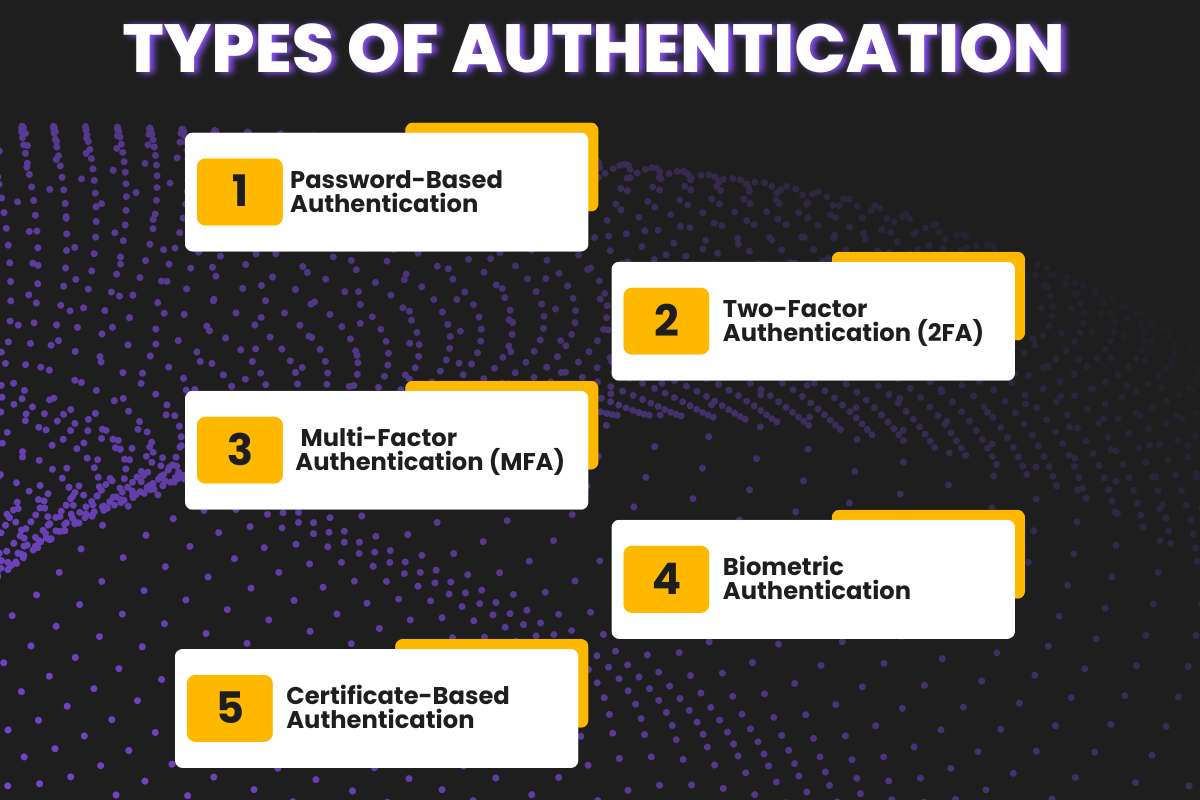
1. Password-Based Authentication
Password-based authentication, also called Single Factor Authentication, relies on a single proof of identity, usually a password or PIN. It is the most basic and widely used method because it is simple and fast. However, it is also the least secure, as passwords can be guessed, stolen, or leaked. While convenient, relying solely on this method leaves systems vulnerable, which is why modern security strategies combine it with other authentication methods to strengthen authorization and authentication.
2. Two-Factor Authentication (2FA)
Two-factor authentication adds an extra layer of security to the basic login process. After entering a password, the user must provide a second proof, often a code sent to their phone or generated by an app. This method greatly reduces the risk of unauthorized access because even if someone steals the password, they cannot complete the login without the second factor. Two-factor authentication shows a clear example of how identity verification supports effective authorization and authentication practices.
3. Multi-Factor Authentication (MFA)
Multi-factor authentication takes security even further by requiring three or more proofs of identity. This could include a password, a one-time code, and a biometric factor like a fingerprint or facial scan. The more layers involved, the harder it is for attackers to gain access. Multi-factor authentication is especially important in sensitive systems like banking, healthcare, and corporate networks, where the balance between security and usability directly impacts the effectiveness of authorization vs authentication.
4. Biometric Authentication
Biometric Authentication uses unique biological traits to verify identity. Fingerprints, facial recognition, iris scans, or voice patterns serve as proof. Biometric methods are convenient because users don’t need to remember complex passwords, and they are extremely difficult for attackers to replicate. By adding a human element, biometric authentication enhances both convenience and security, ensuring that authorization and authentication work reliably.
5. Certificate-Based Authentication
Token-Based Authentication, which means certificate-based authentication, relies on digital keys or tokens instead of traditional passwords. When a user logs in, the system issues a token that grants access for a limited time or session. Tokens are often used in web applications and APIs to maintain secure sessions without repeatedly asking for credentials. This method streamlines the authentication process while maintaining strong access control, reinforcing the role of authorization vs authentication in modern systems.
Each of these authentication methods strikes a different balance between speed and security. Smart systems often combine them to ensure usability without sacrificing protection. When implemented correctly, these strategies create a strong foundation that makes authorization and authentication more effective and seamless for users.
Also Read: Identity Theft Exposed: Decoding the Tactics, Trauma, and Tech of Protection
How does authentication work?
Authentication works like an identity check. The system asks for proof. The user provides evidence. The system verifies it.
If the proof matches stored records, the user passes. If not, access gets blocked.
This entire process happens in seconds, but it plays a huge role in security.
Common Authentication Tools
Authentication uses different tools to confirm identity. Some are simple. Some are advanced.
Here are the most common ones:
- Passwords
- One-time codes
- Mobile apps
- Fingerprints
- Face scans
- Digital certificates
Each tool adds a layer of trust.
Why Is Authentication Important?

Authentication plays the role of a digital gatekeeper. It checks identity before anything else happens. If a system does not confirm who you are, it cannot stay safe. Authentication stops many serious threats at the very first step.
1. It Prevents Identity Theft
Identity theft happens when someone pretends to be you. Hackers use stolen passwords, leaked emails, or fake logins. Strong authentication blocks this early. It asks for proof before granting entry.
In authorization vs authentication, authentication protects identity first. Without identity protection, everything else fails.
2. It Stops Account Takeovers
Account takeovers cause huge damage. Attackers change passwords. They lock out real users. They misuse saved data.
Authentication tools like OTPs, biometrics, and app approvals stop this risk. They add extra checks that attackers cannot easily break.
Weak authentication gives attackers an easy path inside.
3. It Reduces Data Leaks
Data leaks often begin with a stolen login. Once inside, attackers copy files, emails, or private records.
Strong authentication blocks unauthorized entry. It protects personal and business data before exposure happens.
In authorization and authentication, authentication shields the front door.
4. It Prevents Financial Fraud
Bank fraud often starts with fake logins. Criminals access accounts and move money fast.
Authentication methods like PINs, OTPs, and biometrics protect finances. They confirm the real account owner before any action.
This step saves users from direct money loss.
How Is Authentication Used?
Authentication exists in daily digital life. Most people use it without thinking.
- Email login: Email accounts hold sensitive data. Messages, files, and reset links live there. Authentication verifies the user before inbox access. Without it, email becomes a security nightmare.
- Banking apps: Banking apps use strong authentication for a reason. Money stays at risk. PINs, OTPs, and biometrics confirm identity. Only verified users can proceed. This step builds trust between users and banks.
- Office systems: Companies protect internal tools using authentication. Employees must prove their identity before system access. This prevents outsiders from entering company networks. In authorization vs authentication, authentication builds the base layer.
- Social platforms: Social media accounts store private messages and media. Authentication stops fake access. Login checks protect accounts from misuse and impersonation.
- Cloud dashboards: Cloud systems store critical data and services. Authentication controls entry into dashboards. Once verified, authorization controls what users can do. That flow defines authorization and authentication clearly.
Key Differences Between Authentication And Authorization
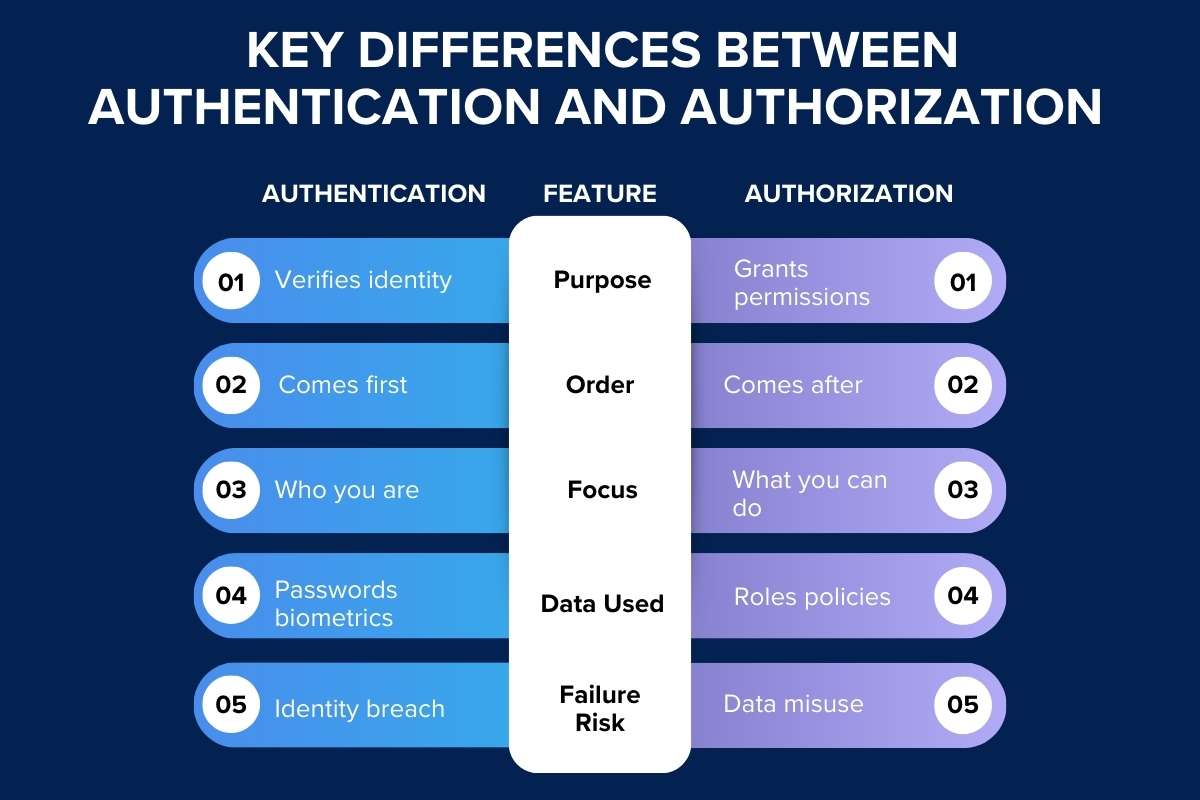
| Feature | Authentication | Authorization |
| Purpose | Verifies identity | Grants permissions |
| Order | Comes first | Comes after |
| Focus | Who you are | What you can do |
| Data Used | Passwords biometrics | Roles policies |
| Failure Risk | Identity breach | Data misuse |
This table clears most confusion around authorization vs authentication.
Similarities of Authentication vs Authorization
Despite differences, both:
- Protect systems
- Prevent misuse
- Work together
- Support cybersecurity
- Reduce risks
Both are inseparable partners. One without the other fails security goals.
Need for Authentication and Authorization in Cybersecurity
Cybersecurity fails without strong identity and access control. Authentication blocks fake users. Authorization blocks misuse by real users.
Together, authorization and authentication:
- Prevent insider threats
- Reduce attack surface
- Protect sensitive data
- Enforce least privilege
Modern attacks target identity first. Defense starts here.
Common Mistakes People Make
- Using the terms interchangeably
- Ignoring authorization rules
- Weak password policies
- No role separation
- Over-permission users
Most breaches start from poor authorization and authentication planning.
Best Practices for Authorization vs Authentication
To maintain strong security, one of the most important practices is to use the principle of least privilege. This means giving users only the access they need to perform their tasks and nothing more. By limiting access, the risk of accidental or malicious data exposure is reduced. Regularly reviewing user roles is also critical. Teams change, responsibilities shift, and access that made sense months ago might no longer be appropriate. Logging all access attempts, both successful and denied, helps track activity and detect unusual behavior early. Rotating credentials and updating passwords or access keys periodically adds another layer of protection, making it harder for attackers to exploit old credentials.
Automation can also strengthen authorization vs authentication processes. Setting up automated rules for role assignment, session timeouts, and permission checks reduces human error and ensures consistency. Educating teams about secure practices ensures that everyone understands the importance of both authentication and authorization in day-to-day operations. Finally, testing controls regularly through audits or simulations helps identify weak points before attackers do. By following these best practices, organizations can maintain robust security and ensure authorization vs authentication works effectively over the long term.
Future of Authorization and Authentication

The future of access control is moving toward smarter, more dynamic models. Zero-trust security, which assumes that no user or device is automatically trustworthy, is growing rapidly. Instead of granting broad access, systems continuously verify identity and permissions in real time. Context-based access is becoming more common, allowing systems to adjust permissions based on factors like location, device type, or unusual activity. Passwordless authentication systems are also on the rise, using biometrics, tokens, or certificates to make login faster, safer, and more convenient.
Meanwhile, authorization vs authentication is evolving in sophistication. Authorization rules are becoming more precise and flexible, enabling organizations to control access without slowing down users. Authentication processes are becoming smoother, relying on multi-factor or adaptive approaches that reduce friction. Despite these innovations, the fundamental principle remains the same: first verify who the user is, then decide what they are allowed to do. Understanding and implementing these two pillars correctly ensures that digital systems stay secure, efficient, and user-friendly well into the future.
Conclusion
Remember the coffee shop example. Identity opens the door. Permission decides the room. That simple idea explains authorization vs authentication better than any technical manual.
Strong systems respect both steps. Weak systems ignore one. If you want safety, trust, and control, never confuse them again.
Understand them. Apply them. Protect users and data with confidence.
FAQs
Q) What is the main difference between authorization and authentication?
Authentication verifies identity. Authorization grants access rights.
Q) Which comes first in authorization vs authentication?
Authentication always comes first.
Q) Can authorization exist without authentication?
No. Authorization depends on verified identity.
Q) Is a password authentication or authorization?
Authentication only.
Q) Why is authorization vs authentication important for businesses?
It prevents breaches, misuse, and data loss.
Q) Do small apps need both?
Yes. Size does not reduce risk.