Picture your house with the door unlocked at night. Right now, attackers in virtual spaces keep probing different entries without pause. It turns out that official numbers reveal a jump in online threats of 38% across continents in recent months. Waiting till harm happens to respond makes little sense now. Basic defenses left unattended invite risk instead of reducing it. Protection works best when active long before threats appear. Old-style reactions after breaches occur miss the point entirely here.
At this point, a tool like an Intrusion Prevention System matters most. It monitors for risks and also acts ahead of problems. Instead of waiting and warning, it responds fast. It blocks threats right away without human delay. A step ahead of threats, IPS watches closely. This halts attacks before damage happens across the whole system. Think of it as quiet protection always working underground.
What is an Intrusion Prevention System?
An Intrusion Prevention System (IPS) is like a smart security guard for your computer network. It constantly watches your digital traffic for any signs of “bad” behavior. While older tools only watch and warn you, an IPS takes action instantly to keep hackers out.
“If IDS is a security camera, IPS is the automated lock.”
When it finds a threat, it doesn’t wait for permission. It can block malware, stop suspicious downloads, or even terminate a session if it looks like an attack. By automatically stopping these threats in real-time, an IPS ensures that your network stays safe without you having to lift a finger.
How Does an Intrusion Prevention System Work?
An IPS acts as a high-speed checkpoint. To keep your network safe. It follows a strict four-step process for every piece of data that tries to pass through.
- Inline Deployment: Unlike tools that sit on the sidelines, the IPS sits directly in the path of your traffic. This means every single “packet” of data must pass through it to enter your network.
- Traffic Analysis: As data flows through, the IPS compares it against a huge library of known attack signatures. It’s like a bouncer checking IDs against a “banned” list.
- Deep Packet Inspection: The IPS doesn’t just look at the label; it looks inside the packet. It evaluates the hidden structure and intent of the traffic to spot new or sneaky threats.
- Automated Response: If the data looks dangerous, the IPS acts instantly. It blocks malicious connections or drops the session entirely, stopping the threat before it ever reaches your computer.
These Are Some Known Types of Intrusion Prevention Systems:
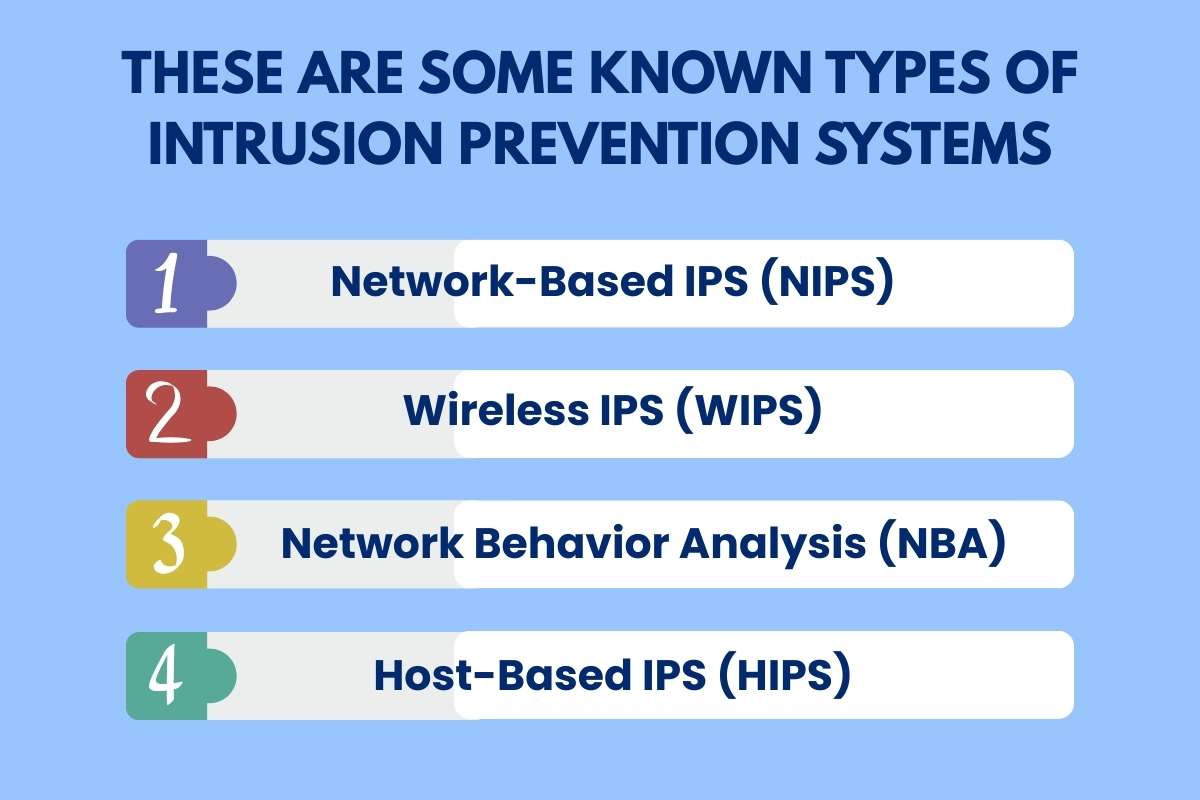
Choosing the right IPS depends on what you need to protect. Here is a breakdown of the four main types and who should use them:
1. Network-Based IPS (NIPS):
This system acts as a shield for your entire network. It is installed at key points, like behind a firewall, to watch all traffic moving in and out. It analyzes protocols to spot and stop suspicious data before it spreads to other devices.
Best For: Large enterprises and office buildings with many connected devices.
2. Wireless IPS (WIPS):
As the name suggests, this type focuses entirely on Wi-Fi networks. It scans the airwaves for unauthorized access points, “spoofing” attacks, and other wireless threats that traditional cables can’t catch.
Best For: Businesses with guest Wi-Fi, retail stores, and coffee shops.
3. Network Behavior Analysis (NBA):
Instead of looking for specific “bad” files, NBA looks for weird behavior. It learns what “normal” looks like on your network. If it suddenly sees a massive spike in data, it can stop a Distributed Denial of Service (DDoS) attack in its tracks.
Best For: Cloud infrastructure and companies that handle huge amounts of data.
4. Host-Based IPS (HIPS):
A HIPS is installed directly on a single machine, like a laptop or a server. It monitors everything happening inside that specific device. If a virus tries to change system files or run a bad program, the HIPS stops it immediately.
Best For: Remote teams, work-from-home employees, and critical database servers.
Also Read: Are Your Files Really Safe? The Hidden Cloud Security Threats You Shouldn’t Ignore
Key Features of Intrusion Prevention System to Look For:
When choosing an IPS, you need to know which features are essential for daily safety and which ones are “extra” for high-security needs. Think of it like buying a car: some features are for safety (brakes). While others are for performance (turbo engine).
1. Non-Negotiable Features (The Must-Haves)
These are the features every business needs to stay protected against common threats:
- Real-Time Blocking: The system must be able to stop a threat the exact millisecond it is found. If it only alerts you later, the damage is already done.
- Signature Detection: This is like a “Most Wanted” list. The IPS should have a massive, daily-updated library of known virus “fingerprints” to catch common attacks instantly.
- Continuous Monitoring: Your network never sleeps, and neither should your IPS. It must watch traffic 24/7/365 without slowing down your internet speed.
- Automated Responses: You shouldn’t have to click “Yes” to block a hacker. A good IPS decides for you to prevent human error.
2. Advanced Features (The Authority Boosters)
For enterprises or high-risk industries, these features offer a “pro” level of security:
- Behavioral AI Detection: Instead of just looking for known viruses, this uses AI to spot “weird” behavior, like a user suddenly downloading 5,000 files at 3 AM.
- Deep Packet Inspection (DPI): This goes beyond the surface, opening up data “envelopes” to ensure there’s no hidden code tucked inside legitimate-looking files.
- Zero-Day Protection: Advanced systems can stop brand-new attacks that haven’t even been named yet by recognizing the way they try to break into your system.
Intrusion Prevention System vs Intrusion Detection System:
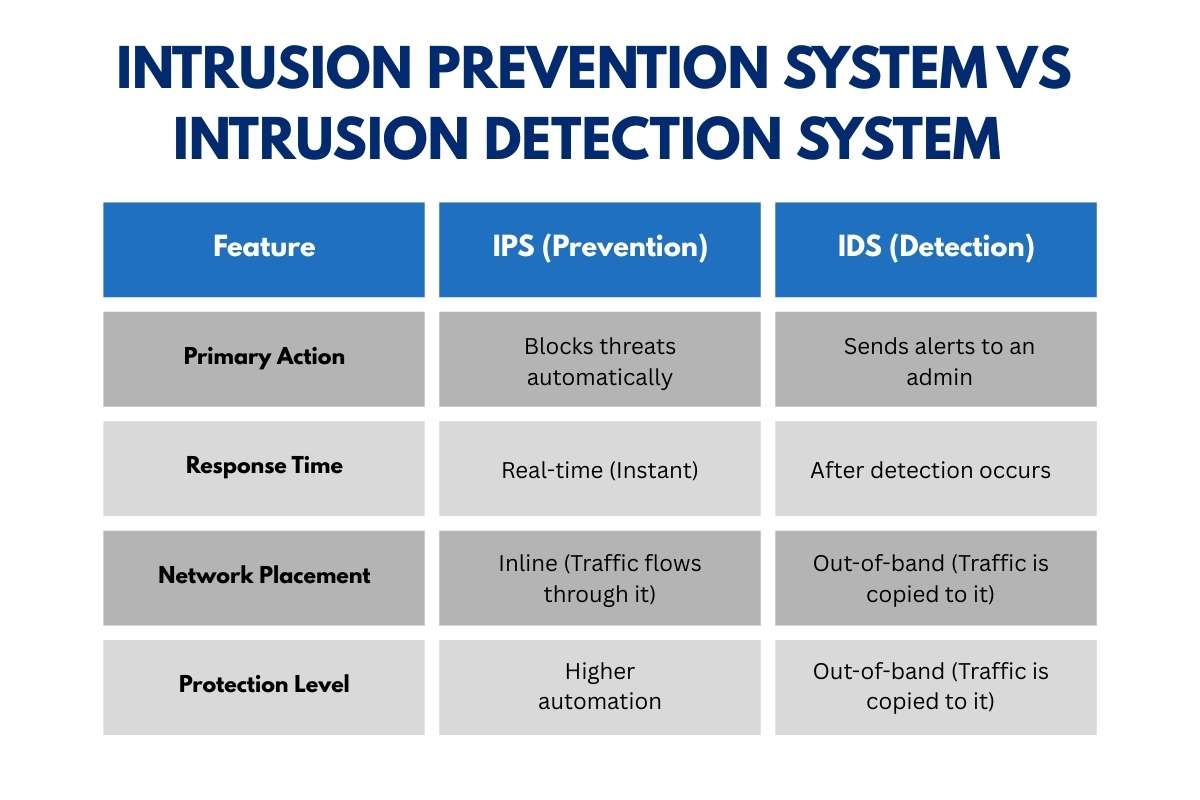
The main difference is simple: IPS is proactive, while IDS is primarily reactive.
While they both watch your network for trouble, they act very differently when they find it. Think of it like a security system for your home. An IDS is like a loud alarm that wakes you up when someone breaks a window. An IPS is like a smart lock that senses the intruder’s tools and prevents the window from ever being opened.
| Feature | IPS (Prevention) | IDS (Detection) |
| Primary Action | Blocks threats automatically | Sends alerts to an admin |
| Response Time | Real-time (Instant) | After detection occurs |
| Network Placement | Inline (Traffic flows through it) | Out-of-band (Traffic is copied to it) |
| Protection Level | Higher automation | Monitoring-focused |
Which One Should You Use?
Most experts agree that you shouldn’t just pick one. For the strongest safety, the best practice is to use both for a layered defense. An IDS can help you study patterns and learn about new threats, while the IPS acts as your frontline soldier to stop attacks before they can hurt your business.
Advantages and Limitations of Intrusion Prevention Systems:
To build a truly secure network, you must understand both the strengths and the weaknesses of an IPS. While it is a powerful tool. It is not a “magic bullet” that stops every single threat without effort.
Advantages: Why You Need One
- Automated Threat Mitigation: An IPS works at lightning speed, stopping attacks in milliseconds. This is far faster than any human security team could react.
- Stronger Protection: Unlike detection-only tools that just watch, an IPS actively defends your data. It provides a “shield” that filters out bad traffic before it reaches your important files.
- Compliance Support: Many legal standards (like those for healthcare or credit card data) require businesses to have active prevention systems in place.
- Reduced Manual Work: Because it handles common attacks automatically, your IT team can focus on bigger projects instead of chasing every small alert.
Limitations: The Challenges to Watch
- Performance Latency: Because an IPS has to open and inspect every single piece of data, it can slightly slow down your network speed. Think of it like a security line at the airport. It keeps you safe, but it takes a little extra time.
- False Positives: Sometimes, an IPS might mistake a safe file for a virus and block it. If the settings are too strict, it could accidentally block an important email or a legitimate customer.
- Constant Maintenance: Hackers invent new attacks every day. To stay safe, your IPS needs frequent updates to its “Most Wanted” list of signatures.
Also Read: Solutions for Cybersecurity and a Complete Framework to Protect Your Business in 2026
How to Choose the Right Intrusion Prevention System
Selecting an IPS is a balance between high-level security and network speed. Because an IPS sits “inline,” a poor choice can become a bottleneck for your entire company. Use this five-step framework to find your best fit:
- Assess Risk & Compliance: High-risk industries like finance or healthcare often require specific “Certification” levels to meet legal standards (like HIPAA or PCI DSS).
- Evaluate Network Throughput: Ensure the IPS can handle your peak traffic speeds. If your network runs at 10 Gbps, your IPS must match that to avoid “lag.”
- Check Integration: Look for a system that “talks” to your existing firewalls and cloud platforms (like AWS or Azure) for a unified defense.
- Analyze Detection Methods: Choose a mix of Signature-based (for known threats) and AI-Behavioral (for new, unknown threats).
- Plan for Management: Determine if your team can handle daily updates and “tuning” to reduce false alarms, or if you need a managed service.
Future Trends in Intrusion Prevention:

The world of cybercrime is moving faster than ever. In 2026, experts warn that “AI agents” are compressing attacks that used to take days into just a few minutes. To keep up, IPS technology is undergoing a massive transformation.
- AI and Machine Learning: Modern IPS tools no longer just look for old viruses. They use behavioral AI to predict an attacker’s intent. This allows them to spot “Zero-Day” threats, attacks so new that no one has seen them before.
- Agentic SOCs: In both government and private sectors. IPS is becoming more autonomous. Instead of just sending alerts. These systems act as “digital agents” that can quarantine infected devices or rewrite security rules instantly without waiting for a human.
- Predictive Defense: The next generation of IPS focuses on the setup phase of an attack. By recognizing how hackers prepare their tools, an IPS can stop a breach before the first piece of malware even enters the network.
Conclusion:
Nowadays, guarding your information matters even more. With sharper, quicker online dangers, just a basic alert cannot handle risks anymore. A tool built to block attacks lets you halt intruders well ahead of their entry point. A guard who wakes up only when needed. Pick a solid IPS. They make sure it stays sharp on updates. This moves you beyond hackers who chase old patterns. Life rushes forward nonstop. Protection, like an Intrusion Prevention system, gives you steady ground amid constant shifts.
FAQ:
1. Do small and mid-sized businesses need an intrusion prevention system?
Yes. Cybercriminals increasingly target smaller businesses because they often lack advanced defenses. An intrusion prevention system helps automate threat blocking, reduce response time, and strengthen overall security without requiring large IT teams.
2. Can an intrusion prevention system stop all cyberattacks?
No security solution guarantees complete protection. While an intrusion prevention system significantly reduces risk by blocking known threats and suspicious behavior, experts recommend combining it with firewalls, endpoint security, and zero-trust practices for comprehensive defense.
3. Is an intrusion prevention system necessary in cloud environments?
Yes. As organizations migrate to cloud infrastructure, attack surfaces expand. Cloud-compatible intrusion prevention solutions help monitor east-west traffic, detect anomalies, and enforce security policies across distributed environments.